

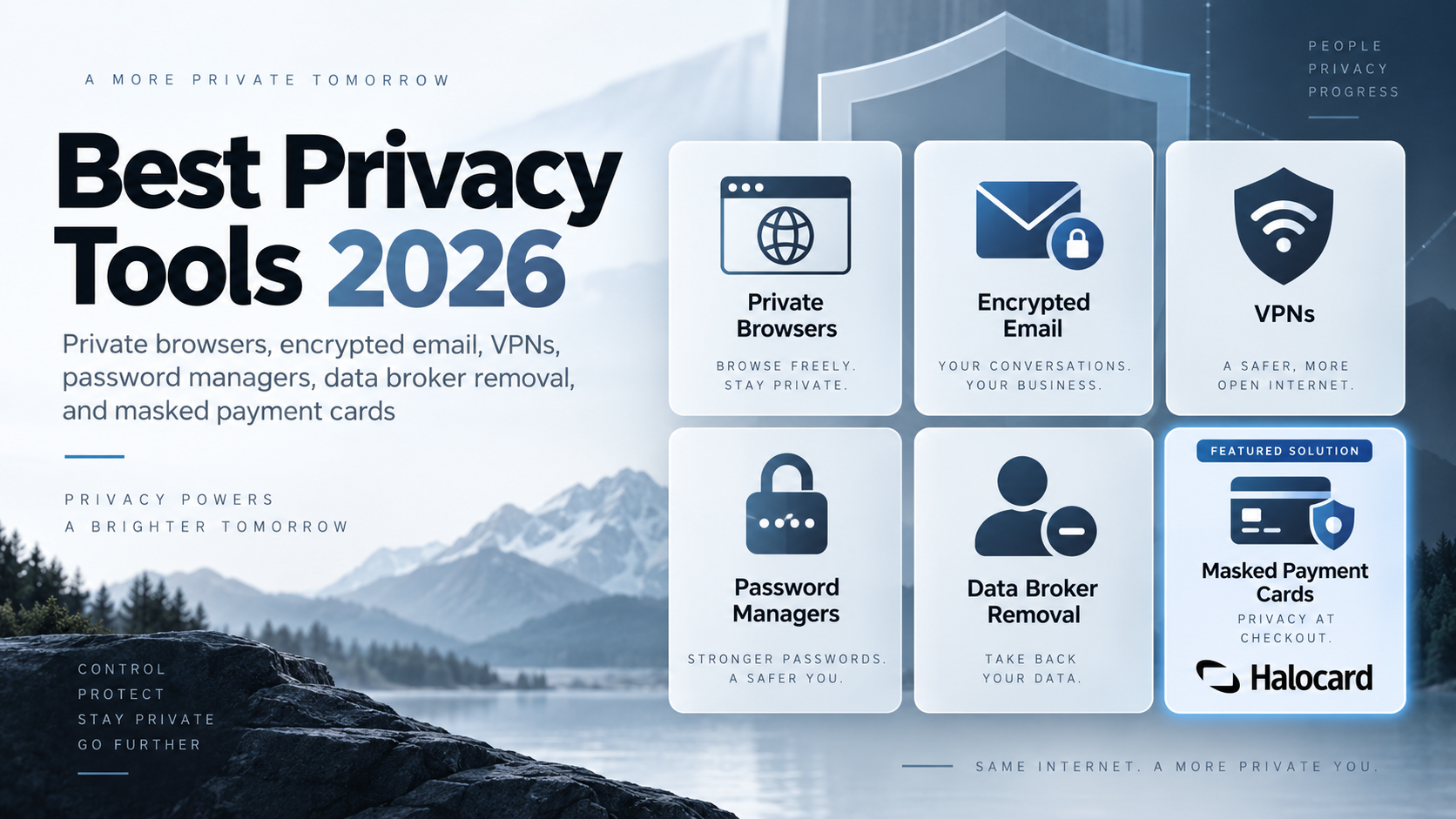
Quick Answer: The best privacy tools for most people are Brave or Firefox with uBlock Origin, Bitwarden for passwords, Halocard for virtual credit cards with payment masking, Signal for messaging, Proton Mail for email, Mullvad or Proton VPN, and Optery or EasyOptOuts for data broker removal. With Halocard, every card gets its own name, billing address, and spending limits, so merchants never see your real card number or bank details.
Digital privacy tools protect different parts of your life from surveillance and tracking: what you browse, who you talk to, where your files live, and what merchants learn when you pay. The worry is widespread.
In a Pew Research Center survey of more than 5,000 US adults, 81% said they were concerned about how companies use the data they collect, and 67% said they understand little or nothing about what is done with it. The damage is measurable. The FTC reports consumers lost about $16 billion to fraud in 2025, the highest total on record and about 25% more than 2024, while the Identity Theft Resource Center tracked a record 3,322 data compromises in 2025.
Below are up to three standout picks in every category, from browsers and email to payments and operating systems. Each one comes with what makes it good for privacy, what it costs, and what real users and independent reviewers say about it.
Key Takeaways
-
Privacy is a stack, not one tool. A browser, a blocker, a password manager, encrypted messaging, data broker removal, and a masked payment card each close a different gap.
-
Audits and open source beat marketing. Proton VPN has passed five consecutive annual no-logs audits and NordVPN six independent assurance engagements, claims anyone can check.
-
Halocard is our top pick for private payments. Each Visa card can carry its own cardholder name, billing address, and spending limits, and individual purchases stay off your bank statement. Merchants, and anyone who breaches them, never receive your real card number or bank details. Compare plans.
-
Payments are a privacy leak most tools ignore. The US accounts for about 26% of global card volume but nearly 42% of card fraud losses, mostly from card-not-present purchases, and 51% of cardholders use one card for autopay and everyday spending.
-
Data brokers need ongoing attention. In a Consumer Reports study, paid removal services cleared only 35% of listings after four months, though the best two cleared about two thirds.
-
Many of the best privacy tools are free tools. Signal, Bitwarden's free plan, Brave, Firefox, uBlock Origin, KeePassXC, and Tor Browser all cost nothing.
Best Privacy Tools at a Glance
| Category | Our Top Pick | Also Recommended | Starting Cost |
|---|---|---|---|
| Web browser | Brave | Firefox, Tor Browser | Free |
| Ad and tracker blocker | uBlock Origin | uBlock Origin Lite, Privacy Badger | Free |
| Private payments | Halocard | Privacy.com, MySudo | $12/month |
| Search engine | Brave Search | DuckDuckGo, Startpage | Free |
| VPN | Mullvad | Proton VPN, NordVPN | €5/month flat |
| Encrypted DNS | Quad9 | NextDNS | Free |
| Proton Mail | Tuta, Mailbox Mail | Free plan | |
| Email aliases | SimpleLogin | DuckDuckGo Email Protection | Free plan |
| Messaging | Signal | SimpleX Chat, Threema | Free |
| Password manager | Bitwarden | KeePassXC, NordPass | Free plan |
| Authenticator app | Ente Auth | Aegis | Free |
| Security key | YubiKey | Nitrokey | One-time purchase |
| Data broker removal | Optery | EasyOptOuts, Privacy Bee | $19.99/year (EasyOptOuts) |
| Identity theft protection | Norton LifeLock | Aura | $12/month (Aura) |
| Cloud storage | Proton Drive | Tresorit | Free plan |
| File encryption | Cryptomator | VeraCrypt | Free desktop apps |
| Local AI chat | Ollama | Jan, Proton Lumo | Free |
| Mobile OS | GrapheneOS | CalyxOS | Free on supported phones |
How We Chose the Best Privacy Tools
The best privacy tools balance strong protection with everyday usability, so the picks below mix open-source projects for technical users with privacy focused tools anyone can set up in minutes. Every recommendation meets five standards.
Open Source Code and Independent Audits
Open source code lets outsiders check what software does, and independent audits test whether a company's claims hold up in production. Tools with published audits carry extra weight: Proton VPN's Securitum audits, NordVPN's Deloitte assurance engagements, and Ente's audits by Cure53, Symbolic Software, and Fallible. An audit is not a guarantee, but it is far stronger evidence than a marketing promise.
Privacy Policies, Jurisdiction, and Data Sharing
A trustworthy privacy policy spells out what a service collects, how long it keeps data, and whether it sells or shares it. Jurisdiction matters because it decides who can compel disclosure, but it is no substitute for collecting less data in the first place.
Key Features We Looked For
The strongest picks offer end-to-end encryption, minimal sign-up requirements, no-logs policies backed by audits, and security features that are switched on by default rather than buried in advanced features menus. For payment tools, the key question is whether a service masks your real card and bank details, supports custom billing information, and lets you set spending limits per merchant.
Match the Tool to Your Threat Model
Your threat model is the set of people or organizations you want to protect your data from. An advertiser, a data broker, a stalker, and a government agency need very different defenses. The US Cybersecurity and Infrastructure Security Agency's mobile communications guidance is a good example: its advice for high-value targets goes further than most people need, but many of its basics apply to everyone.
Independent Review Scores and Community Feedback
Scores from Trustpilot, G2, Capterra, the App Store, Google Play, and AlternativeTo appear with each pick, along with how many reviews sit behind them. Consumer sites like Trustpilot skew toward billing and support complaints, while G2 and Capterra mostly hear from business buyers. Both are worth reading with care, especially since G2 agreed in January 2026 to acquire Capterra, Software Advice, and GetApp from Gartner, putting several major review platforms under one owner. A 4.8 from five reviews tells you far less than a 4.2 from 50,000.
Private Web Browsing Tools That Protect Your Browsing Habits
Your browser sees everything you do online, which makes it the first privacy tool worth changing. It is also where many people keep their most sensitive data: Security.org's 2026 survey found 38% of cardholders store card details in their browser, so a compromised browser profile can expose payment data as well as history.
Private Web Browsers
Privacy-focused web browsers block third-party trackers and intrusive cookies by default, reducing tracking and data collection by websites and making it harder for companies to profile you from site to site. Mainstream browsers such as Google Chrome come from an advertising company and leave much of that protection switched off.
1. Brave
Brave offers the best balance of privacy and convenience for most people because its Shields block trackers and ads by default, along with fingerprinting scripts, with no extensions or settings to configure. It is built on Chromium, so almost every site and Chrome extension works, and it ships with Brave Search as the default engine. The trade-off is that Brave bundles optional extras such as crypto rewards and an AI assistant, which some privacy purists switch off. Brave holds a 4.8 rating from about 3.79 million Google Play reviews.
Read our full Brave Browser review here.
2. Firefox
Firefox is the best choice if you want an independent browser engine that is not controlled by Google. It is developed by the non-profit Mozilla Foundation, enables Enhanced Tracking Protection by default, and supports uBlock Origin fully on desktop and Android. With a few settings changed, it rivals dedicated privacy browsers. Firefox is rated 4.6 from about 6.54 million Google Play reviews, with more than 500 million downloads.
Read our full Mozilla Firefox review here.
3. Tor Browser
Tor Browser offers the strongest browsing anonymity available to ordinary users. It provides access to the Tor network for anonymity, routing traffic through three encrypted volunteer relays so no single server knows both who you are and what you visit, and it makes every user look alike to defeat browser fingerprinting. It is slower than a normal browser and some sites block Tor exit nodes. AppBrain data shows Tor Browser rated 4.53 from about 270,000 Google Play ratings, with more than 50 million downloads.
Read our full Tor Browser review here.
Video review: Brave Browser Review 2026
Browser Extensions That Block Ads and Trackers
A good ad blocker is one of the most effective privacy tools you can install. Ad and tracker blockers stop scripts from loading tracking beacons and ads in the first place, and can stop known malicious domains before a page reaches them. Install one good browser extension for blocking rather than several, because stacking extensions can make your browser easier to fingerprint.
1. uBlock Origin

uBlock Origin is the gold-standard content blocker for Firefox. It blocks ads, trackers, and known malware domains using community filter lists, uses little memory, and is fully open source with no paid "acceptable ads" program. On Chromium browsers, Google's Manifest V3 changes limit it, so use uBlock Origin Lite there instead. uBlock Origin is rated 4.8, "Excellent", from 108 AlternativeTo reviews, and full reviews are on its Firefox Add-ons listing.
Read our full uBlock Origin review here.
2. uBlock Origin Lite
uBlock Origin Lite is the Manifest V3 version for Chrome, Edge, and other Chromium browsers. It filters requests declaratively, so it needs fewer permissions than most blockers and cannot read the content of the pages you visit, which is a privacy advantage in itself. Filtering is slightly less flexible than the original. uBlock Origin Lite holds 4.5 stars from about 3,300 Chrome Web Store reviews.
Read our full uBlock Origin Lite review here.
3. Privacy Badger
Privacy Badger comes from the Electronic Frontier Foundation, a digital rights non-profit. It blocks third-party trackers based on their behavior, using a pre-trained list built from observing trackers across the web, can optionally keep learning as you browse, and sends the Global Privacy Control signal to tell sites not to sell or share your data. It pairs well with a content blocker. All About Cookies calls Privacy Badger an effective and user-friendly tracker blocker, and AlternativeTo users rate it 4.8.
Read our full Privacy Badger Review here.
Turn On Global Privacy Control
Global Privacy Control (GPC) is a browser signal that tells companies you opt out of the sale of your data and of data sharing. Brave sends it automatically, and Firefox and Privacy Badger support it. It is gaining legal teeth: California's Opt Me Out Act, sponsored by the California Privacy Protection Agency and signed in October 2025, requires browsers to offer an opt-out preference signal from January 1, 2027.
Tor Network Tools
Mobile operating systems make Tor harder to use well, so pick an app built for your platform.
1. Tor Browser for Android
Tor Browser for Android is the official Tor Project app, with the same protections as desktop: traffic routed through Tor, cookies and history wiped when you close it, and a security slider that disables risky scripts. Use it for sensitive research, whistleblowing sites, or anything you do not want tied to your IP address. It is rated 4.5 on Google Play.
2. Onion Browser
Onion Browser is the Tor option for iPhone and iPad, and the Tor Project has featured it on its blog. It is free and open source, and pairs with the Orbot app for stronger protection against IP leaks. Apple's rules prevent it from matching desktop Tor Browser's full protections. Onion Browser is rated 3.2 from about 2,100 App Store ratings, with reviewers mostly citing dropped connections when the app runs in the background.
Private Search Engines
Search history reveals health worries, money problems, and relationships. A private search engine does not build a profile from it.
1. Brave Search
Brave Search runs on its own independent index rather than renting results from Google or Bing, which means your queries do not pass to a Big Tech partner. Its privacy notice says it does not collect personal information about you, your device, or your searches, and an optional Brave Search Premium plan removes ads. Brave Search is rated 4.0, "Very Good", from 35 AlternativeTo reviews.
Read the full Brave Search review here.
2. DuckDuckGo
DuckDuckGo is the most familiar private search engine, and it does not save search histories or build user profiles. Results largely come from Microsoft Bing, with DuckDuckGo stripping identifying information before queries leave its servers. Its mobile browser app adds tracker blocking, and the same app delivers DuckDuckGo Email Protection. The DuckDuckGo app holds 4.7 stars from about 2.45 million Google Play reviews.
3. Startpage
Startpage gives you Google-quality results without Google seeing who you are, because it submits your query anonymously and returns the results. Its Anonymous View feature opens results through a proxy so the destination site does not see your IP address. It is owned by a company with advertising interests, which some users consider a trade-off. Startpage rates about 2.4 from roughly 80 Trustpilot reviews, a small sample dominated by complaints about results and captchas.
Privacy-Focused Frontends
Frontends let you watch or read content from large platforms without an account, recommendation algorithm, or tracking.
1. FreeTube
FreeTube is a desktop app for Windows, macOS, and Linux that lets you watch YouTube without Google tracking your viewing. Subscriptions and history are stored locally on your computer rather than in a Google account, and ads are not shown. Videos can load through Invidious instances for extra separation. AlternativeTo lists FreeTube as a very popular YouTube client with 279 likes.
2. NewPipe
NewPipe is a lightweight Android app for YouTube, SoundCloud, and PeerTube that works without Google Play Services or an account. It supports background playback, downloads, and local subscriptions, and is distributed through F-Droid. It can break when YouTube changes its site, though fixes usually arrive quickly. NewPipe has 679 likes on AlternativeTo, where users name it a leading FreeTube alternative.
Network Privacy
Network tools hide your traffic from internet providers, public Wi-Fi operators, and anyone watching the connection.
Private VPN Providers
Virtual private networks (VPNs) route your internet traffic through an encrypted tunnel to the VPN server. That masks your IP address while browsing online, hides your activity from your internet provider (ISP), and prevents websites from geolocating you via your IP address.
It does not make you anonymous: it shifts trust from your provider to the VPN company, which is why audited no-logs policies matter so much. CISA even advises its highest-risk audience not to use personal VPNs, because a VPN can become a single point of interception. For everyone else, a well-audited VPN remains a sensible layer on untrusted networks, and pairing one with Tor Browser or a hardened browser offers superior privacy to either alone. For added security, stick to HTTPS websites whatever network you use.
| Provider | Price | Independent No-Logs Checks | Trustpilot |
|---|---|---|---|
| Mullvad | €5/month, flat | Cure53 audits, most recently June 2024 | 3.5 (176 reviews) |
| Proton VPN | From $2.99/month (2 years), $9.99 monthly | Five annual Securitum audits | 2.2 (987 reviews) |
| NordVPN | Varies by term | Six Deloitte and earlier assurance engagements | 4.2 (about 50,400 reviews) |
Another strong option is IVPN, known for its strong privacy features: no email at sign-up, cash and Monero payments, and eight security audits since 2019. TechRadar calls its independently audited no-logging policy one it can actually believe.
1. Mullvad
Mullvad is known for its commitment to user privacy and anonymity, and it is our top VPN because it asks for nothing about you. Sign-up gives you a random 16-digit account number with no email or name, you can pay in cash by post or with cryptocurrency, and its published policy says it logs no user activity. Mullvad has charged a flat €5 a month since 2009 with no renewal price hikes, and Cure53 has audited it four times, while VPN.com notes one account covers five devices. It is weak for streaming. Mullvad scores 3.5 from 176 Trustpilot reviews.
2. Proton VPN
Proton VPN encrypts your internet connection and masks your location, and comes from the Swiss company behind Proton Mail. Its apps are open source, and its free version has no data cap. Proton says it has now passed a fifth consecutive annual no-logs audit by Securitum, after a fourth in 2025 that TechRadar reported found no user activity logging. Plans start at $2.99 a month on a two-year term, and VPN Plus includes free Proton Mail, Drive, and Pass accounts. The app is rated 4.7 on Google Play, while Trustpilot shows 2.2 from 987 reviews, mostly billing complaints.
3. NordVPN
NordVPN is the mainstream pick with the largest review base, and its no-logs record is well tested. It commissioned Deloitte Lithuania for a sixth independent no-logs assurance engagement, run between November 10 and December 12, 2025, which TechRadar reports confirmed no tracking or logging of user traffic. The full report is only available to logged-in customers, and it requires an email to sign up. NordVPN holds 4.2 from about 50,400 Trustpilot reviews.
Video review: Proton VPN Review: Full Breakdown 2026 (Gizmodo)
Encrypted DNS Providers
Every website visit starts with a DNS lookup, and by default your internet provider sees them all in plain text. Encrypted DNS hides those lookups from the network. CISA's mobile guidance specifically recommends setting Android's Private DNS to a trusted resolver and names Quad9 among them.
1. Quad9
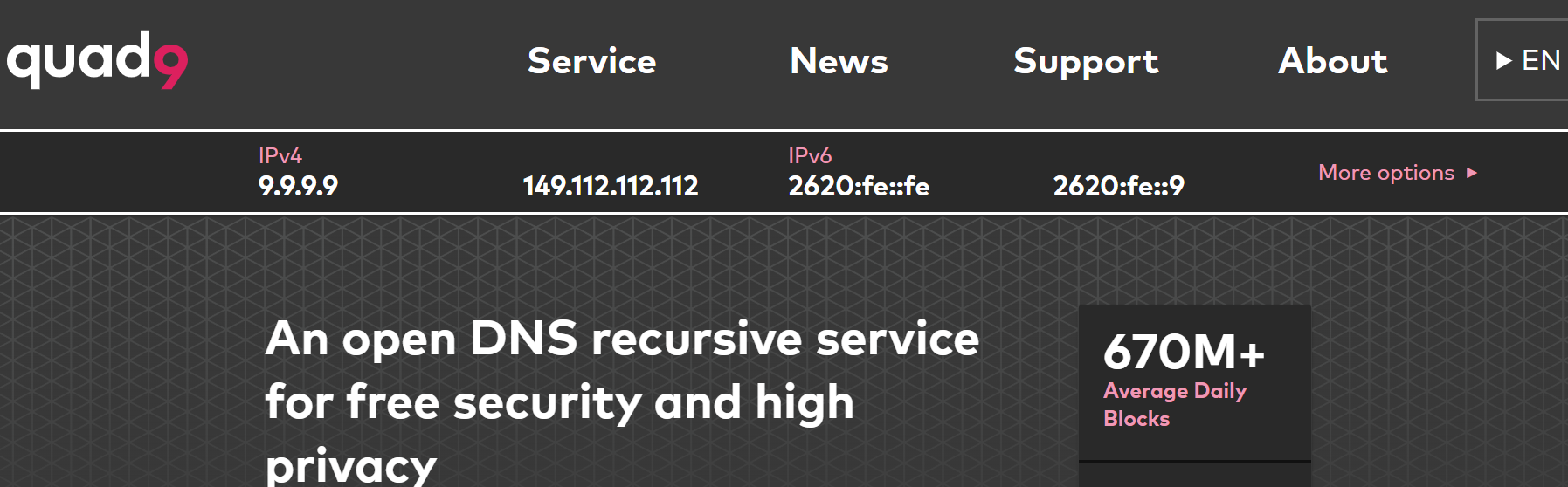
Quad9 is a Swiss non-profit resolver that blocks known malicious domains by default and supports DNS over HTTPS, TLS, and QUIC. Its data and privacy policy says it does not collect or record IP addresses or other personally identifiable data, and it is free with no account. Quad9 is rated 4.6, "Excellent", from eight AlternativeTo reviews.
2. NextDNS
NextDNS is a customizable DNS service with a web dashboard for blocking trackers, ads, and malware across every network your devices join. Logging is on by default for account holders but can be switched off, per its privacy policy. The free plan has a monthly query limit, after which filtering stops, so heavy users need a paid plan, explained in its help center. NextDNS scores 3.5 from 34 Trustpilot reviews.
Encrypted DNS Proxies
DNS proxies add encrypted DNS to devices and apps that do not support it natively.
1. RethinkDNS
RethinkDNS is an open-source Android app that combines encrypted DNS, a per-app firewall, and a local DNS log, so you can see which apps phone home and block them. Its documentation explains how to route it through WireGuard or Orbot, and its privacy policy is short and readable. AppBrain data shows RethinkDNS rated 4.05 from about 3,200 Google Play ratings, with more than 1 million installs.
2. dnscrypt-proxy
dnscrypt-proxy is a desktop and router DNS proxy supporting DNSCrypt, DNS over HTTPS, and Anonymized DNS, which relays queries so no single server sees both your IP and your lookup. It is aimed at technical users, with setup guides in its wiki. AlternativeTo shows the project with 13,148 GitHub stars.
Alternative Networks
Alternative networks route traffic through volunteer relays rather than a single company.
1. Tor
Tor is a free, volunteer-run network that bounces traffic through three encrypted relays, hiding your location from websites and your destinations from your network. It powers Tor Browser, Onion Browser, and many secure drop systems used by newsrooms. Speeds are slower than a VPN, and Tor use itself can stand out on some networks. Tor Browser, the main way people use Tor, has more than 50 million Google Play downloads, and G2 hosts reviews of the network.
2. I2P
I2P is an anonymous overlay network built for services inside the network itself, such as hidden websites, chat, and file sharing, using garlic routing to bundle messages together. It is less suited to browsing the regular web than Tor. The DCSS project explains that I2P is designed for internal services rather than public internet browsing.
Router Firmware
Router firmware controls every device on your home network, and manufacturer firmware often stops receiving updates.
1. OpenWrt
OpenWrt replaces the stock firmware on thousands of consumer routers with an open-source Linux system that keeps receiving security updates after manufacturers give up. It supports network-wide encrypted DNS, VPN clients, and ad blocking packages. Installation varies by router model, so check compatibility first. OpenWrt is rated 4.0 from three AlternativeTo reviews, with 148 likes.
2. OPNsense
OPNsense is an open-source firewall and routing platform for a dedicated mini PC or appliance, with intrusion detection, WireGuard support, and granular traffic rules. The project ships weekly security updates and two major releases a year, with free downloads and detailed documentation. It is overkill for most homes but excellent for enthusiasts. OPNsense holds 4.8 from five G2 reviews, a small sample.
Private Email and Encrypted Messaging
Email and messages are where scams start. IBM's 2026 breach research found phishing was the most common initial attack vector for a fourth straight year, and phishing and spoofing were the most reported crime type to the FBI in 2025, with 191,561 complaints.
Private Email Providers
Privacy-focused email services help reduce tracking and provide encrypted communications. An encrypted email provider protects your mailbox so the company cannot scan it for advertising, supports end-to-end encryption between users, and blocks the tracking pixels hidden in marketing emails.
| Provider | Free Plan | Paid Plans | Review Score |
|---|---|---|---|
| Proton Mail | 1 GB, 1 address | Mail Plus: 15 GB, 10 addresses, custom domain | Capterra 4.5 (123); Trustpilot 2.2 |
| Tuta | Yes | Paid tiers add storage and addresses | Trustpilot 3.8 (about 371) |
| Mailbox Mail | No | Paid plans only | Trustpilot 4.2 (about 236) |
1. Proton Mail
Proton Mail is the best-known encrypted email provider, operational since 2013, when it was founded by scientists who met at CERN with a focus on privacy. It uses end-to-end encryption for email, encrypting messages between Proton users by default, and zero-access encryption so Proton cannot read stored mail. You can also send password protected messages to people on other providers.
Its free plan was long known for 500 MB of storage, and its pricing page now lists 1 GB and one address on the free plan, while Mail Plus adds 15 GB, 10 addresses, a custom domain, and hide-my-email aliases. The Proton Unlimited bundle adds Drive, Pass, VPN, and Calendar. Proton Mail scores 4.5 from 123 Capterra reviews and 4.5 on Google Play, but only 2.2 from about 1,800 Trustpilot reviews.
2. Tuta
Tuta, formerly Tutanota, has been providing secure email since 2011 from Hanover, Germany. It encrypts subject lines, contacts, and calendars as well as message bodies, and has added quantum-resistant encryption. Like Proton Mail, it supports password protected messages for non-users, its clients are open source, and its free plan needs no phone number. It does not support IMAP, so you must use Tuta's own apps. Tuta says more than ten million people use it. Tuta rates 3.8 from about 371 Trustpilot reviews.
3. Mailbox Mail
Mailbox Mail, long known as mailbox.org, is a Berlin-based paid provider that suits people who want standard email apps with strong privacy. It supports PGP encryption, custom domains, and an encrypted cloud drive and office suite. TechRadar notes independent testers including Qualys and Mozilla rated it A+ for security, and CyberInsider reports it runs on its own hardware powered by green energy. Mailbox Mail scores 4.2 from about 236 Trustpilot reviews.
Video review: Proton Mail Review: What Encrypted Email Actually Protects
Email Aliasing Services
Email aliasing services create disposable email addresses that forward to your real inbox, so a breach or spam list never exposes it. That matters: about 80% of people in an Identity Theft Resource Center survey received at least one breach notice in a year, and 88% of recent recipients reported more phishing or spam afterwards.
1. SimpleLogin
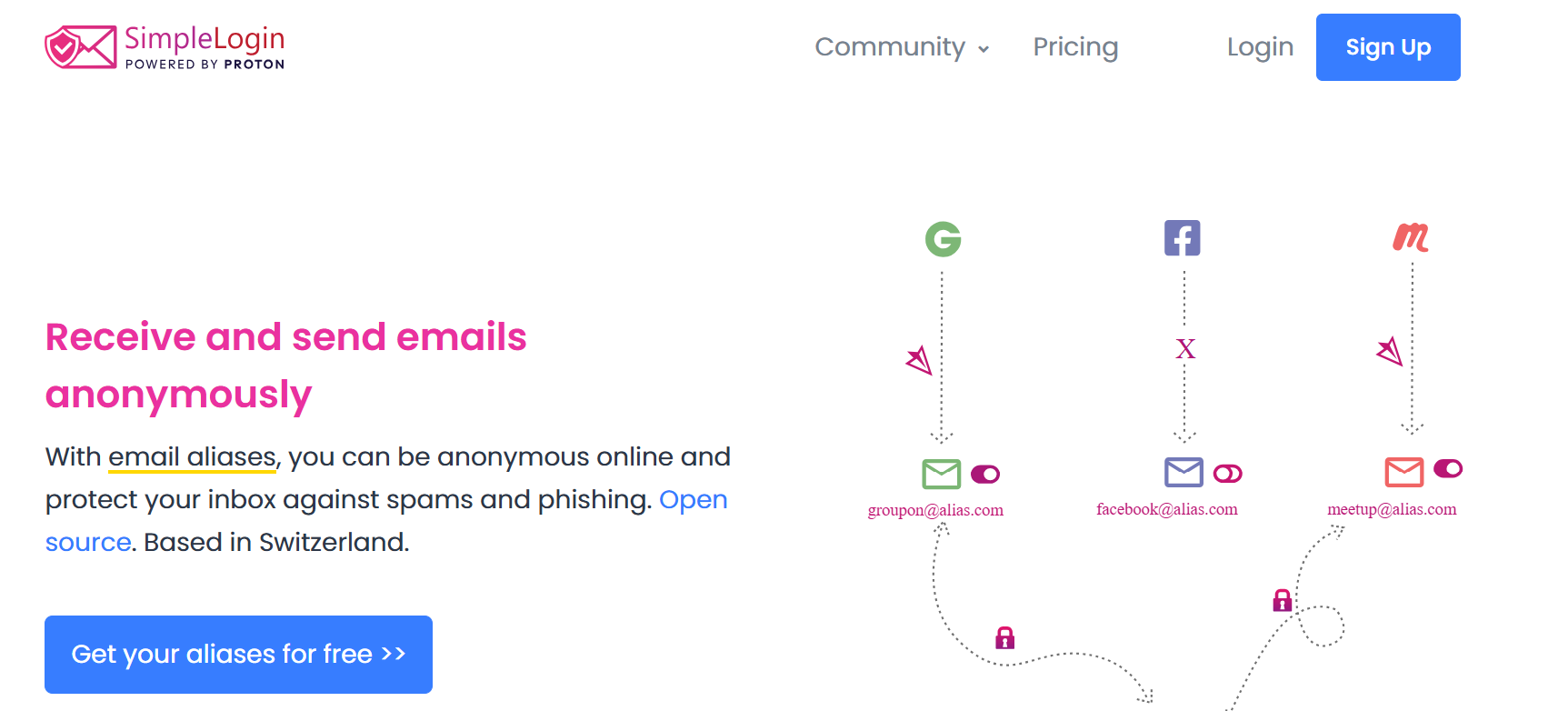
SimpleLogin is an open-source alias service owned by Proton that creates unlimited-style forwarding addresses and lets you reply from an alias without revealing your real email. It works through browser extensions and mobile apps, and can be self-hosted. SimpleLogin's Android app is rated 4.23 from about 1,500 Google Play ratings. Some Trustpilot reviewers report account bans for using multiple aliases on the same platform, which its terms prohibit.
2. DuckDuckGo Email Protection
DuckDuckGo Email Protection gives you a free @duck.com forwarding address plus unlimited private aliases, and strips known trackers from emails before they reach your inbox. It is managed inside the DuckDuckGo app and browser extension, and messages forward to your existing email accounts. Replying from aliases is more limited than SimpleLogin. The DuckDuckGo app that delivers it holds 4.7 from about 2.45 million Google Play reviews.
Secure Email Clients
A good email client handles encryption locally and blocks tracking pixels, whatever provider you use.
1. Thunderbird
Thunderbird is a free, open-source email client for Windows, macOS, Linux, and Android with built-in OpenPGP encryption, which uses public-key cryptography to secure email with anyone, and remote content blocking.
It is supported by voluntary donations, and its Android listing states it does not mine your personal data. Thunderbird is rated 4.0, "Very Good", from 108 AlternativeTo reviews with 2,562 likes, though its newer Android app rates a weaker 3.8 on Google Play.
2. FairEmail
FairEmail is a privacy-first Android email client that blocks tracking images, confirms before opening links, and supports OpenPGP and S/MIME. It stores no data on third-party servers and works with any IMAP provider. The interface has many settings, which can overwhelm new users. FairEmail is rated 4.71 from about 28,000 Google Play ratings and ranks among the top 100 communication apps.
3. PreVeil
PreVeil adds end-to-end encrypted email and file storage to Outlook, Gmail, and Apple Mail, allowing encryption without changing your email provider: you keep your existing email address, and it encrypts emails without requiring you to open new accounts with another mail provider.
TechRadar explains it stores keys only on your devices, uses AES-256 and elliptic curve encryption, offers a free 5 GB account, and charges $25 a month for the Individual plan with 5 TB. See its pricing page. PreVeil scores 4.5 from 10 G2 reviews, where reviewers note recipients need accounts.
Real-Time Communication and Encrypted Messaging Apps
End-to-end encrypted messaging protects communications from third-party interception, including by carriers and app providers. Encryption tools include both HTTPS websites and encrypted messaging apps, and messaging is where the gap is widest. Phones are now the favorite target for scammers: Verizon's 2026 breach report found mobile-centric phishing succeeds about 40% more often than email phishing, and IBM found voice and SMS phishing carried the highest average breach cost of any vector.
1. Signal
Signal is the secure messaging app security experts recommend first. It provides end-to-end encrypted text and voice communication, and video calls and group chats are encrypted by default using the Signal Protocol, and the non-profit Signal Foundation collects almost no metadata. CISA advises highly targeted officials to adopt Signal or similar end-to-end encrypted apps. It needs a phone number, though usernames can hide it. Mozilla Foundation's privacy review calls Signal widely regarded as best in class, and it has more than 100 million Google Play downloads.
2. SimpleX Chat
SimpleX Chat goes further than Signal by using no user identifiers at all, not even random numbers, so there is no phone number or username to link to you. Contacts connect via one-time links or QR codes, and messages pass through relay servers that cannot see who talks to whom. It had a security assessment by Trail of Bits. SimpleX Chat is rated 4.0 from about 2,700 Google Play reviews, with more than 1 million downloads.
3. Threema
Threema is a Swiss paid messenger that needs no phone number or email, just a random Threema ID. Messages are deleted from servers after delivery, and apps are open source. CyberInsider reports Threema holds 4.6 stars on Google Play and that a Cure53 audit described its code quality as unusually solid. The one-time fee limits adoption, a point Trustpilot reviewers raise.
Video review: Why I Trust Signal: My Go-To for Secure Messaging (Lawrence Systems)
Decentralized Social Networks
Decentralized networks let you choose the server that hosts your account, with no central company mining your feed. It matters: FTC data shows nearly 30% of people who lost money to scams in 2025 said contact began on social media.
1. Mastodon
Mastodon is the largest decentralized social network, a microblogging service with chronological timelines, no ads, and no algorithmic ranking. You can move servers and take your followers with you, and posts can be limited to followers or mentioned users. Your server's admin can see your data, so pick a trustworthy instance. Mastodon's official app is rated 4.17 from about 9,000 Google Play ratings, with 2.4 million downloads.
2. Pixelfed
Pixelfed is an ad-free, decentralized photo sharing network and a private alternative to Instagram, with chronological feeds and no tracking. It connects with Mastodon through the same federated protocol. Server choice again matters for privacy. App Store reviewers praise its algorithm-free, corporate-free feed, but some call signing up across servers convoluted.
Financial Privacy Tools
Every time you pay online, a merchant, payment processor, and their vendors receive your card number, name, and billing address. Breaches of those third parties are common: Verizon's 2026 report found a third party was involved in 48% of breaches, a 60% jump in a year.
Payment Masking Services
Payment masking services generate virtual card numbers that stand in for your real card, so a breached number is useless elsewhere and a spending limit stops surprise charges. Card fraud losses reached $33.41 billion worldwide in 2024, and the Nilson Report notes US losses are overwhelmingly card-not-present fraud, the online and phone purchases virtual cards protect. FICO expects card-not-present losses near $49 billion by 2030. New to virtual cards? Read how virtual credit cards work.
| Service | Who Can Use It | Custom Name and Billing Address | Fees | Review Score |
|---|---|---|---|---|
| Halocard | Users in 120+ countries | Yes, per card | From $12/month | Trustpilot 4.2/5 (11 reviews); Scam Detector trust score 100 |
| Privacy.com | US residents | No | Free plan available | Trustpilot 4.5/5 (3,358 reviews) |
| MySudo | US only for virtual cards | No | 2.99% + $0.31 per card transaction | App Store 4.7 (17,800 ratings) |
1. Halocard
Halocard is our top pick for private and secure payments because it separates what a merchant learns from who you are. Each card is a US-issued Visa credit card that can carry its own cardholder name and billing address, plus its own spending limits, so a website sees only those details, never your bank card or funding source. Halocard's payment masking explainer and bank statement guide confirm individual purchases stay off your bank statement, and its data policy says it keeps only your name, phone number, and email while your account is open, and never sells data to advertisers or data brokers.
Key features for privacy:
-
A separate identity per card: set a unique name, billing address, and limit for each merchant, then freeze or delete a card instantly
-
Spending controls: per-card caps by transaction, day, or month, plus single-use cards for one-off purchases
-
Global coverage: available in 120+ countries, with Apple Pay and Google Pay on every plan (check your country)
-
Flexible funding: fund with debit/credit card, Apple Pay, Google Pay, bank transfer, stablecoins, or crypto
-
Clear pricing: Essential at $12 a month for 3 cards, Pro at $15 for 12 cards, and Elite at $75 for 60 cards (see all plans)
Independent signals are positive but still early. Halocard holds 4.2/5 (11 reviews) on Trustpilot, which Traders Union also reports, and Scam Detector gives halocard.co a trust score of 100. It is private, not anonymous: identity is verified at sign-up, a point raised when Halocard was discussed on the Privacy Guides forum. Cards are issued through Third National, a Non-Bank Principal Member of Visa, and Halocard LLC is FinCEN-registered. Explore private purchases, Halocard's privacy commitments, our guide to masked card services, or the r/Halocard community.
2. Privacy.com
Privacy.com is the established US benchmark. You link a US bank account, then issue cards locked to one merchant, closed after one charge, or capped at a limit you choose, with a browser extension filling card details at checkout. It suits US residents who want merchant-locked cards and do not need custom billing details. Privacy.com carries a 4.5/5 Trustpilot rating from 3,358 reviews, where reviewers praise merchant-locked cards for stopping forgotten free trials. See Privacy.com vs MySudo vs Halocard.
3. MySudo
MySudo builds virtual cards into an identity-compartmentalization app. Each "Sudo" profile can hold its own phone number, email address, and handle, keeping shopping, dating, and selling identities apart, and its Google Play listing says no email or phone number is needed to create an account. The card is limited: MySudo's plans page says virtual cards are US-only and adds a 2.99% + $0.31 fee to each transaction, while SudoMax includes nine Sudo profiles. MySudo rates 4.7 from about 17,800 App Store ratings and 4.05 from 3,239 Google Play ratings.
Online Gift Card Marketplaces
Buying gift cards with cryptocurrency lets you pay major retailers without sharing card details at all.
1. Coincards
Coincards is a Canadian crypto gift card store active since 2014, selling digital and physical cards from hundreds of retailers for Bitcoin, Ethereum, and other coins. It suits Canadian and US shoppers who want to spend crypto at everyday stores without linking a bank account. Coincards holds a 4-star Trustpilot rating from about 27 reviews, with a few complaints about delayed codes that support resolved.
2. Bitrefill
Bitrefill is the largest crypto gift card marketplace, covering thousands of brands, phone top-ups, and eSIMs, with Lightning Network payments for near-instant delivery. Small purchases usually need no identity check, which keeps shopping private. Bitrefill scores 4.5 from about 2,900 Trustpilot reviews, 89% of them five stars, though Trustpilot flags it as associated with high-risk investments because of its crypto focus.
Privacy-Focused Cryptocurrency
Most cryptocurrencies are public ledgers where anyone can trace payments. Privacy coins hide the sender, receiver, and amount. They carry real risk: the FBI received 181,565 cryptocurrency-related complaints with more than $11 billion in losses in 2025.
1. Monero

Monero is the leading privacy coin, using ring signatures, stealth addresses, and hidden amounts so transactions are private by default rather than as an option. Wallets and full nodes are available from its official downloads page, which urges users to verify file hashes. Buying it is getting harder: Decrypt reports Kraken delisted Monero across the European Economic Area in October 2024, following Binance, and upcoming EU anti-money laundering rules are expected to bar crypto providers from offering privacy-coin accounts from around 2027.
2. Cake Wallet
Cake Wallet is a free, open-source, non-custodial mobile and desktop wallet for Monero, Bitcoin, and other coins, with no account needed and support for your own node. Guides are in its documentation. CryptoSlate's September 2026 review praises its detailed privacy controls but notes a 2021 Bitcoin seed flaw, since fixed, that did not affect Monero wallets. Its Monero-only sister app, Monero.com, rates 4.7 from 373 App Store ratings with "Data Not Collected" listed.
Remove Your Personal Data From Data Brokers
Data brokers compile profiles from publicly available information, such as public records, plus commercial and social media data, then sell your personal data, including name, address, phone number, and relatives, to marketers and bad actors alike.
As Consumer Reports notes, these profiles are created without people's knowledge or consent. Regulators are responding: California's Delete Request and Opt-out Platform (DROP) has required registered brokers to process deletion requests since August 1, 2026, and more than 300,000 Californians signed up before enforcement began, with brokers facing fines of $200 per request per day.
Data Removal Services
Data removal services assist you in managing your personal online information: data-broker removal services request removal of your personal information from broker databases, then rescan for relisted profiles. Results vary widely. In Consumer Reports' four-month study of 32 volunteers, services removed only 117 of 332 profiles overall, while manual opt-outs by researchers worked 70% of the time. To check what is out there first, see how to check your digital footprint.
| Service | Consumer Reports Removal Rate | Price Tested | Trustpilot |
|---|---|---|---|
| Optery | 68% | $249/year (Ultimate) | 4-star rating (about 226 reviews) |
| EasyOptOuts | 65% | $19.99/year | 4-star rating (about 92 reviews) |
| Privacy Bee | Not tested | See review | 4-star rating (12 reviews) |
1. Optery
Optery helps users opt out of hundreds of data brokers, and was the most effective service in the Consumer Reports study, removing 68% of profiles, and its free plan shows where you appear with live screenshots before you pay. Paid plans submit removals automatically and provide before-and-after proof, which reviewers value. Its top tier is expensive. Optery carries a 4-star Trustpilot rating from about 226 reviews, with reviewers reporting fewer robocalls and search results.
2. EasyOptOuts
EasyOptOuts is the best value in data removal: it removed 65% of profiles in Consumer Reports' testing while costing only $19.99 a year, the cheapest service tested. It covers more than 200 brokers, needs only information already public on broker sites, and rescans regularly. The dashboard is basic. EasyOptOuts holds a 4-star Trustpilot rating from about 92 reviews, and one reviewer notes it takes payment through PayPal.
3. Privacy Bee
Privacy Bee removes personal information from data broker websites, targets more brokers than most rivals, and adds tracker blocking and breach alerts, but its results deserve scrutiny. All About Cookies tested it for six months and did not see removals anywhere near its claimed 1,100-plus brokers. It suits people who want the broadest coverage and a detailed dashboard. Privacy Bee has only 12 Trustpilot reviews, including complaints that canceling is difficult.
Video review: Optery Review (2026): Is This the Best for Personal Data Removal?
Identity Theft Protection Services
Identity theft protection services often include credit monitoring, watch for your details on the dark web, alert you to suspicious activity and new credit inquiries, and help you recover if fraud happens. The biggest risk is manipulation rather than hacking: imposter scams were nearly one in three FTC fraud reports in 2025, and the costliest often start with a fake bank security alert telling you to move money to "protect" it. Whichever service you choose, freeze your credit and set alerts on bank, card, and retirement accounts. See also how to recover from hacked debit cards.
1. Norton LifeLock
Norton LifeLock is the largest identity theft protection brand, offering identity protection with extensive monitoring services, including credit and dark web monitoring with alerts when someone applies for credit in your name. Its Trustpilot profile says victims get a dedicated US-based Identity Restoration Specialist backed by a Million Dollar Protection Package. Higher tiers add three-bureau credit monitoring, and prices rise after the first year. LifeLock holds a 5-star Trustpilot rating from about 16,700 reviews, many invited by the company.
2. Aura
Aura bundles identity monitoring, credit alerts, a VPN, antivirus, and a password manager, with $1 million identity theft insurance on every plan. U.S. News gave Aura its highest recommendation among identity theft protection services in 2026, with individual plans at $12 a month. Aura was not immune itself: SecurityWeek reports a March 2026 phone phishing attack exposed about 900,000 records, mostly marketing contacts, and Have I Been Pwned confirms no Social Security numbers, passwords, or financial data were involved. Aura carries a 4-star Trustpilot rating from about 1,250 reviews.
Password Manager, MFA, and Account Security Tools
Stolen and reused passwords remain a front door for attackers. Security.org found 43% of cardholders reuse passwords, and credential abuse appeared somewhere in 39% of breaches in Verizon's 2026 data.
Password Managers
Password managers help create unique passwords for each site and fill them only on the real site, which also defends against phishing pages. Using a password manager also prevents one data breach from exposing your other accounts, because each leaked password unlocks only one site.
| Password Manager | Free Plan | Paid Price | Review Score |
|---|---|---|---|
| Bitwarden | Unlimited passwords and devices | Premium $19.80/year; Families $47.88/year | Capterra 4.7 |
| KeePassXC | Fully free | None | GetApp 4.7 (14 reviews) |
| NordPass | Yes | Premium from $1.59/month | Capterra 4.5 (37 reviews) |
1. Bitwarden
Bitwarden is our top password manager and a secure password management tool: it is open source, independently audited, and its free plan includes unlimited passwords on unlimited devices. Vaults are end-to-end encrypted, and it supports passkeys, secure sharing, and email alias integrations. Bitwarden raised Premium to $19.80 a year in January 2026 and Families to $47.88 a year for six people, still among the lowest prices available. Bitwarden scores 4.7 on Capterra, and CheckThat's aggregate shows 4.7 across G2 and Capterra but 3.6 on Trustpilot.
2. KeePassXC
KeePassXC is a free, open-source, offline password manager for Windows, macOS, and Linux that stores your vault as an encrypted file you control, with no cloud account. Its documentation explains how a YubiKey or OnlyKey can add hardware challenge-response protection to the database, and version 2.7.6 added Nitrokey 3 support. You handle syncing yourself. KeePassXC scores 4.7 from 14 GetApp reviews, though a Capterra reviewer notes Firefox autofill rarely worked for them.
3. NordPass
NordPass is the most polished mainstream option, from the team behind NordVPN. It offers end-to-end encryption for password management using XChaCha20 with a zero-knowledge design, and includes a breach monitor and email masking on Premium, and Security.org notes a free-forever plan and Premium from $1.59 a month. It is closed source, and CheckThat warns renewal prices can be higher than introductory rates. NordPass scores 4.5 from 37 Capterra reviews.
Video review: Bitwarden Software Review 2026: Complete Beginners Guide
Multi-Factor Authentication Tools
Multi-factor authentication (MFA) adds an extra layer of security beyond passwords, and two-factor authentication enhances security for online accounts by blocking most takeovers even when a password leaks. Microsoft research found MFA reduced the risk of compromise by 99.22%, and by 98.56% even when credentials had leaked, with authenticator apps outperforming SMS codes.
1. Ente Auth
Ente Auth is a free, open-source authenticator with end-to-end encrypted backups and sync across Android, iOS, desktop, and web, so losing a phone does not lock you out. It shows the next code in advance and imports from other apps. Backups require an Ente account. Ente Auth is rated 4.58 from about 2,100 Google Play ratings.
2. Aegis Authenticator
Aegis Authenticator is a free, open-source Android authenticator that keeps codes in an encrypted local vault, with biometric unlock, screenshot blocking, and encrypted automatic backups to a location you choose. It needs no account or cloud service, but it is Android only. Aegis is rated 4.62 from about 5,900 Google Play ratings, with about 920,000 downloads.
Hardware Security Keys
Hardware security keys provide phishing-resistant authentication, because the key only responds to the genuine website. CISA recommends phishing-resistant FIDO authentication over SMS codes.
1. YubiKey 5 Series
YubiKey 5 Series keys support FIDO2 passkeys, one-time passwords, smart card, and OpenPGP functions in one device, with USB-A, USB-C, Lightning, and NFC options. They need no battery, and their security features work with major password managers and accounts. Buy two, so a backup key is registered everywhere. YubiKey scores 4.7 from 35 G2 reviews, while Yubico's Trustpilot profile is just 1.7 from 42 reviews, mostly support complaints.
2. Nitrokey
Nitrokey is a German security key with open-source hardware and firmware, so its design can be inspected in a way closed keys cannot. The Nitrokey 3 supports FIDO2, one-time passwords, and OpenPGP, and works as a hardware unlock factor in KeePassXC. Setup can be more technical than YubiKey, as Nitrokey's own support forum shows.
Video review: Yubico YubiKey 5C NFC Review
Encrypted Storage, Files, and Productivity Tools
Encryption is still missing where it matters most: IBM's 2026 research found more than half of breached organizations lacked encryption for sensitive data. Encrypting your own files before they reach the cloud removes that dependency.
Encrypted Cloud Storage
Encrypted cloud storage secures files with client-side encryption before upload, so the provider stores only scrambled data it cannot open.
1. Proton Drive
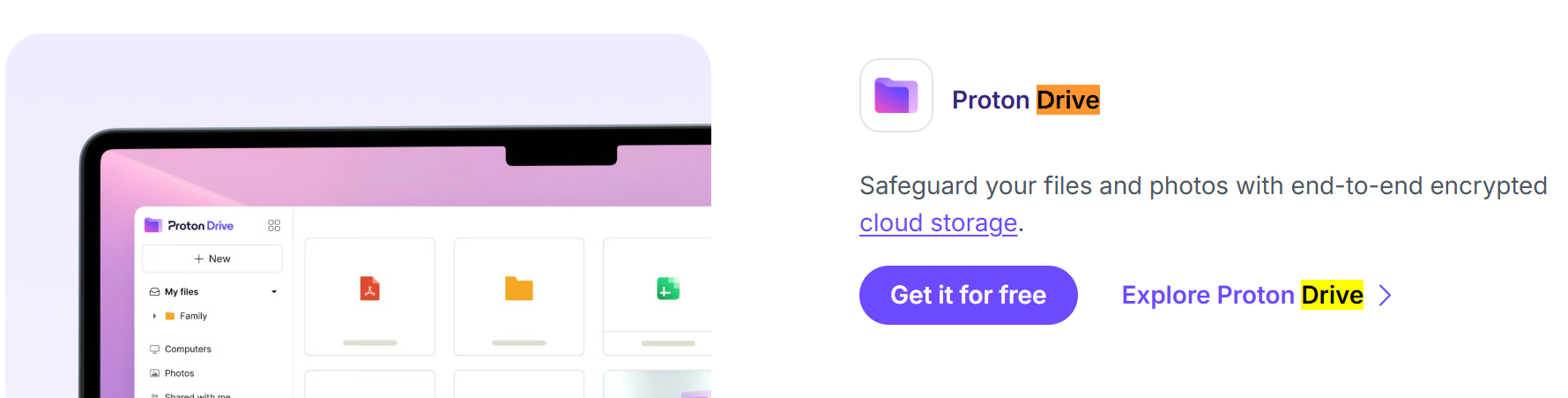
Proton Drive offers end-to-end encrypted file storage and photo backup from the Swiss company behind Proton Mail, with open-source apps, a free plan, and extra storage in the Proton Unlimited bundle. Files, file names, and folder structure are encrypted on your device. EXPERTE's analysis of 8,254 ratings across review portals found an overall 4.0, with praise for privacy but complaints about slow transfers and no Linux client. Proton Drive is rated 4.4 on Google Play.
2. Tresorit
Tresorit is a Swiss-Hungarian encrypted cloud built for professionals and regulated teams, with zero-knowledge encryption, encrypted file-sharing links with expiry dates and passwords, and detailed access controls. It costs more than consumer clouds but suits legal, health, and finance work. Tresorit scores 4.8 from 130 Capterra reviews, the highest rating in this guide from a sizeable business sample.
File Sharing and Sync
These tools move files between devices or people without parking them on a third-party cloud.
1. Syncthing

Syncthing is free, open-source software that syncs folders directly between your own devices over encrypted connections, with no central server storing your files. It runs on Windows, macOS, Linux, and Android, and suits photo libraries, password vault files, and documents. Its developers state that your data must never be open to eavesdropping or modification, and releases are GPG-signed. There is no official iOS app.
2. OnionShare
OnionShare shares files of any size over the Tor network by turning your computer into a temporary onion service, so nothing is uploaded to a company's server and the recipient only needs Tor Browser. It can also host a website or private chat, and comes preinstalled in Tails and Qubes OS. The Tor Project's support site notes that no company gets access to the files you share. Your computer must stay online during the transfer.
Private Photo Management
Photos carry faces, locations, and dates. Mainstream photo clouds scan them to power search and recommendations.
1. Ente Photos
Ente Photos is an end-to-end encrypted photo backup service with automatic uploads from iOS and Android, family sharing, and on-device face and object search. Its code is fully open source and self-hostable, its cryptography has been audited by Cure53, Symbolic Software, and Fallible, and the free plan includes 10 GB. Ente also makes Ente Auth.
Document Collaboration
Document collaboration tools let teams edit together without handing files to Google or Microsoft.
1. CryptPad
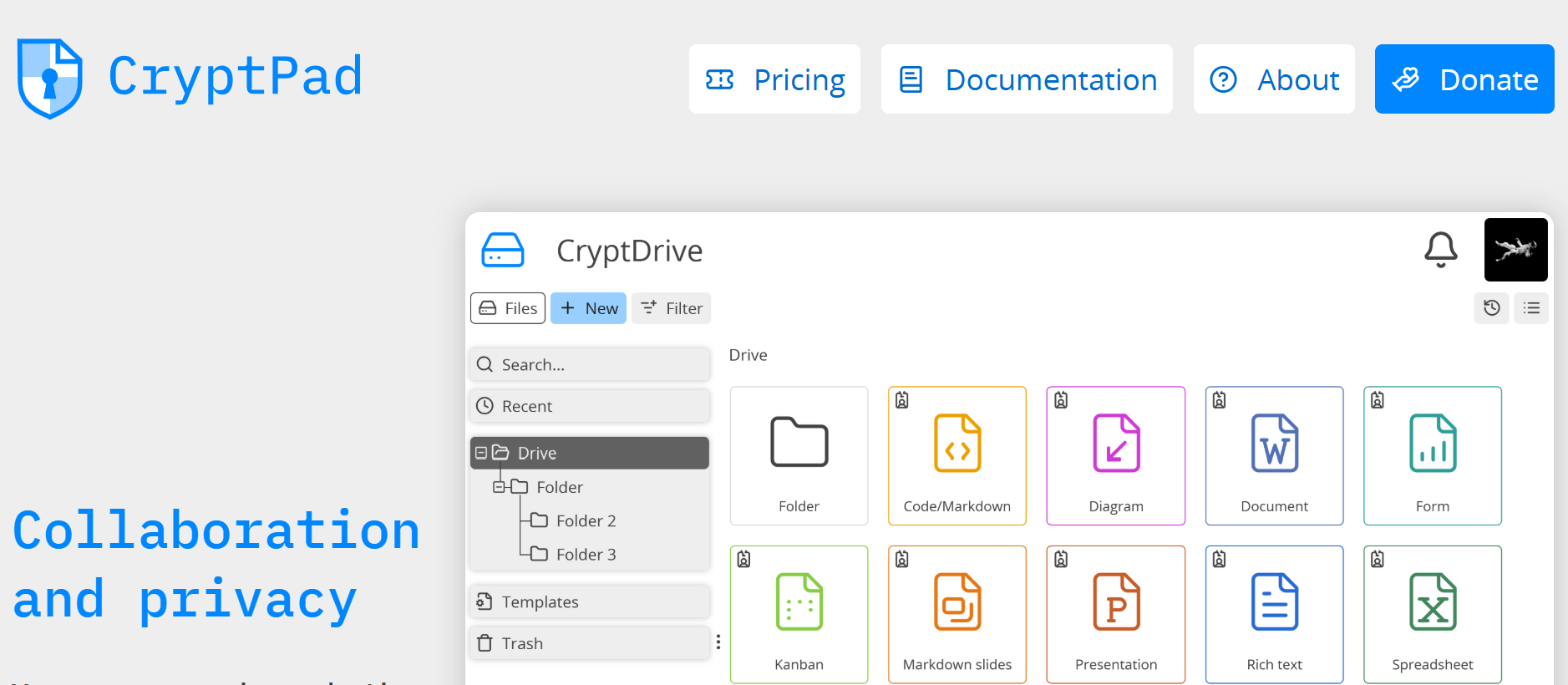
CryptPad is an end-to-end encrypted office suite that runs in the browser, with documents, spreadsheets, presentations, kanban boards, forms, and whiteboards. It's FOSS reports guests can use core features free, registered users get 1 GB free, and Premium costs €5 to €15 a month, and PrivacyTools.io notes its hosted data lives in France. Its editors are simpler than Microsoft 365.
2. Nextcloud
Nextcloud is a self-hosted platform for files, calendars, contacts, video calls, and office documents, giving organizations full control over where data lives. End-to-end encryption is optional rather than default, and self-hosting means you are responsible for updates. It's FOSS reports Nextcloud's enterprise tiers cost €67.89 to €195 per user per year, and AlternativeTo shows Nextcloud with 1,198 likes.
Office Suites
A local office suite keeps documents on your computer instead of a cloud account.
1. LibreOffice
LibreOffice is a free, open-source office suite for Windows, macOS, and Linux covering documents, spreadsheets, presentations, and databases, with no account, subscription, or telemetry. It opens Microsoft formats, though complex layouts can shift, and Capterra reviewers note saving Word-compatible files takes extra steps. LibreOffice scores 4.3 from 267 G2 reviews.
2. OnlyOffice
OnlyOffice has the closest Microsoft Office look and compatibility of the open-source suites, with free desktop editors and a self-hostable server for real-time collaboration. Capterra reviewers praise its Nextcloud integration and control over their own data. Some advanced features sit behind paid server editions. OnlyOffice Docs scores 4.5 from 105 Capterra reviews.
Private Notebooks and Note-Taking Apps
Notes collect passwords, health details, and plans. An encrypted notes app keeps them unreadable to the provider.
1. Standard Notes
Standard Notes is a simple, end-to-end encrypted notes app with sync across every platform and a long track record. Its encryption is independently audited, and only you hold the keys needed to decrypt your notes and files. Rich editors and larger storage require a subscription. Standard Notes scores 4.0 from 13 G2 reviews.
2. Notesnook
Notesnook is an open-source, end-to-end encrypted notes app with a generous free plan: unlimited notes and devices, with app lock and per-note vault passwords. Encryption uses XChaCha20-Poly1305 and Argon2, and even notebook and tag names are encrypted. MakerStack rates Notesnook 8.4 out of 10 and calls it the best value in encrypted notes, but notes it has no published third-party security audit.
Encrypted Pastebins
Encrypted pastebins share text or code that the host cannot read, useful for sending a one-off secret.
1. PrivateBin

PrivateBin is a minimalist, open-source pastebin that encrypts and decrypts pasted data in your browser with 256-bit AES, so the server has zero knowledge of what you share. Pastes can be password protected, and anyone can self-host an instance. One caveat: server access logs can still show who opened a paste, so share links through a private channel.
2. Paaster
Paaster is a modern end-to-end encrypted pastebin with a cleaner interface and paste history, and it suits people who want to run their own instance. It is younger and less battle-tested than PrivateBin.
Data and Metadata Redaction
Photos and documents hide metadata such as GPS coordinates, device models, and author names. Redaction tools strip it before you share.
1. ExifEraser

ExifEraser is a free, open-source Android app that strips metadata such as GPS location and camera details from photos before you share them. PrivacyTools.io lists it for JPEG, PNG, and WebP files, with no account needed, and you can share photos to it directly from other apps. It does not handle videos or documents.
2. MAT2
MAT2, a metadata anonymization toolkit, removes metadata from images, PDFs, audio, and office documents on Linux, from the command line or by right-clicking in the Nautilus and Dolphin file managers. PrivacyTools.io notes its repository is now archived, so treat it as stable and finished rather than actively maintained.
Encryption Software
Encryption protects sensitive data from unauthorized access, and device encryption protects stored information if a device is lost, stolen, or seized. Your operating system's built-in full-disk encryption is the best starting point because it uses hardware security chips, and security guides recommend BitLocker, FileVault, or VeraCrypt system encryption so data stays unreadable if someone boots your drive from external media. Add cross-platform tools where you need them.
Operating System Encryption
1. BitLocker (Windows)
BitLocker is the full-volume encryption built into Windows, using the Trusted Platform Module chip to protect your encryption key. For stronger protection, pair the TPM with a startup PIN. Store the recovery key somewhere safe outside your Microsoft account if you want full control.
2. FileVault (macOS)
FileVault encrypts the entire startup disk on a Mac and, on Apple silicon and T2 Macs, works with the secure enclave to protect keys. It is free, switched on in System Settings, and has little performance impact, which makes it the obvious first step before any third-party disk encryption.
3. LUKS (Linux)
LUKS, the Linux Unified Key Setup, is the standard Linux disk encryption format. PrivacyTools.io explains it is implemented through the cryptsetup utility on top of dm-crypt and supports multiple passphrases per volume. Most distributions, including Fedora, offer it during installation.
Cross-Platform Encryption Tools
1. Cryptomator
Cryptomator encrypts files individually inside a vault before they sync to Dropbox, Google Drive, OneDrive, or any cloud, so the provider only sees scrambled data, never all your data in readable form. Cloudwards' 2026 review confirms it is free, open source, independently audited, and actively developed. Since mid-2026, mobile apps are free to view vaults, with a one-time purchase of about €29.99 to edit. Cryptomator scores 4.1 from 12 G2 reviews.
2. VeraCrypt
VeraCrypt creates encrypted containers, encrypts whole drives, and supports hidden volumes for plausible deniability on Windows, macOS, and Linux. Containers are clumsy in cloud folders because the whole container re-syncs after any change. VeraCrypt scores 4.5 from 51 G2 reviews.
OpenPGP Clients
1. GnuPG
GnuPG is the free, standard implementation of OpenPGP for encrypting and signing email and files on Linux, macOS, and Windows. PrivacyTools.io describes it as the GPL-licensed implementation of the OpenPGP standard that also manages public-key directories. It is command-line first, with Gpg4win and GPG Suite adding graphical tools.
2. OpenKeychain
OpenKeychain brings OpenPGP to Android, managing your keys and your contacts' keys. PrivacyTools.io notes it integrates with email apps including FairEmail for end-to-end encrypted email. It is open source and free.
Everyday Privacy-Focused Apps
Everyday apps quietly collect some of the most personal data you create.
Private AI Chat
AI chatbots can log and train on everything you paste in. The risk is already widespread at work: Verizon found 67% of users access AI services from corporate devices using non-corporate accounts, IBM found incidents tied to unapproved AI tools more than doubled to 43%, and the FBI received about 22,000 AI-related complaints with $893 million in losses in 2025.
1. Ollama
Ollama runs open AI models entirely on your own computer, so prompts and files never leave your device. Toolradar notes a single command gives you a running model and a local OpenAI-compatible API, which is why it is the usual first step into local AI. Local models need a capable computer and trail the best cloud models on complex tasks.
2. Jan
Jan is a friendly desktop app for chatting with local AI models, closer to the ChatGPT experience than a command line. AI Thinker Lab notes Jan has zero telemetry, open-source code, no account, and locally stored chat history. One caution: connecting Jan to cloud models such as OpenAI sends your data to that company, so stick to local models for privacy.
3. Proton Lumo
Proton Lumo is a cloud AI assistant for people without the hardware to run models locally. Proton says Lumo keeps no logs of prompts or replies, does not use chats for training, stores history with zero-access encryption, and erases guest sessions. FelloAI's 2026 review found the privacy promise holds but says Proton's open-source claim deserves a footnote. Lumo is rated 3.8 on Google Play.
Encrypted Calendar Sync
Calendars reveal where you will be, who you meet, and your routines.
1. EteSync
EteSync provides end-to-end encrypted sync for contacts, calendars, and tasks using the apps you already have. Its F-Droid listing explains that both client and server are open source, you can pay for hosting or run your own instance, and changes are kept in an encrypted, tamper-proof journal. Setup guides are in its user guide. Google Play reviewers call it considerably more private than Google Calendar, though some report sync glitches.
2. Proton Calendar
Proton Calendar is an end-to-end encrypted calendar included with Proton accounts, encrypting event titles, descriptions, locations, and participants. It works on web, Android, and iOS and integrates with Proton Mail invites. Syncing with third-party calendar apps is limited. Proton Calendar is rated 4.2 on Google Play.
Health and Wellness Apps
Period, fertility, and health apps hold some of the most sensitive data you generate.
1. Drip
Drip is an open-source menstrual cycle and fertility awareness tracker with no account, cloud sync, or third-party tracking. Its F-Droid listing says everything stays on your device, and your data can be password protected and exported. Backups are manual exports.
2. Euki
Euki is a free sexual and reproductive health app that stores data locally, needs no account, and can show a fake screen if someone forces you to open it with a duress PIN. Mozilla Foundation's 2026 review of period trackers gave Euki a perfect privacy score, though its educational web pages do load third-party analytics.
Language Tools
Online grammar checkers and translators receive everything you type into them.
1. LanguageTool
LanguageTool is an open-source grammar, style, and spell checker supporting more than 30 languages, with browser extensions and office add-ins. Its browser add-on stores no text you check, and Capterra reviewers who left Grammarly for privacy reasons point to the option to host your own setup.
2. LibreTranslate
LibreTranslate is a free, open-source machine translation service you can self-host and run offline, with no reliance on Google or Azure. XDA's hands-on test found its accuracy close to Google Translate for everyday writing, while your text stays on your own machine.
Maps and Navigation Apps
Map apps know where you live, work, and travel. Offline, open-source maps avoid building that history.
1. Organic Maps
Organic Maps is a fast, offline navigation app built on OpenStreetMap data, with turn-by-turn directions for driving, cycling, and walking, and no tracking or ads. It's rated 4.3 from 41 AlternativeTo ratings, averages 4.76 on the App Store, and has 13,562 GitHub stars. PrivacyGear notes it deliberately favors simplicity over OsmAnd's extra features, and some users now prefer CoMaps, a community-run fork.
2. OsmAnd
OsmAnd is the power-user alternative, also using offline OpenStreetMap data, with contour lines, elevation profiles, cycling and hiking routes, and GPX tracking. PrivacyGear notes it has more features but is noticeably more complex. Advanced features need a paid plan. OsmAnd is rated 4.6 on AlternativeTo with 306 likes.
News Aggregators
RSS readers let you follow sites directly, with no algorithm or social platform profiling what you read.
1. NetNewsWire

NetNewsWire is a free, open-source RSS reader for Mac, iPhone, and iPad with a fast, native design, supporting RSS, Atom, and JSON Feed. PrivacyTools.io notes it has no ads or tracking and reads feeds directly without routing your reading habits through a company's servers. Feeds sync through iCloud or supported services, and there is no Android version.
2. Feeder
Feeder is a modern open-source RSS reader for Android, available on F-Droid. It needs no account and fetches feeds directly from each site. It is Android only.
Privacy-Focused Hardware and Operating Systems
Software can only be as private as the device and operating systems underneath it. Software updates are crucial for protecting personal information from vulnerabilities, so long update support matters as much as privacy features.
Privacy-Focused Mobile Phones
1. Google Pixel

Google Pixel phones are the strongest Android hardware for privacy, because they properly support verified boot for third-party operating systems and use Google's dedicated Titan M2 security chip, which Android Authority explains guards against malicious attempts to unlock the bootloader. Pixel 8 and later models get seven years of OS and security updates. The best privacy comes from pairing a Pixel with GrapheneOS, though AlternativeTo reported in September 2026 that GrapheneOS might skip the Pixel 11 series over missing MTE hardware support, so check support before buying.
Custom Android Operating Systems
1. GrapheneOS
GrapheneOS is a non-profit, open-source Android operating system for Pixel phones that hardens the kernel and memory allocator, strengthens app sandboxing, and adds per-app network and sensor permissions. Google Play services can run in a sandbox as an ordinary app rather than with system privileges. AlternativeTo reports GrapheneOS was fully ported to Android 17 in June 2026 and rates it 4.7. Installation takes about 30 minutes through a web installer.
2. CalyxOS
CalyxOS is a de-Googled Android system that bundles privacy apps and microG, which suits people who want easier Google app compatibility than GrapheneOS offers. Its history needs checking: in August 2025 the Calyx Institute paused development and security updates during a leadership transition, a move LWN covered in detail. Its news page lists a September 2026 security update, so confirm current updates for your device before installing.
Video review: GrapheneOS Overview: The Good, The Bad, & The Privacy Fortress
Privacy and Security Android Apps
1. Shelter

Shelter uses Android's Work Profile feature to run a second, isolated copy of apps, so a data-hungry app cannot see your contacts, files, or main profile. You can freeze apps in the profile so they cannot run in the background. Its F-Droid listing notes Shelter can only be as secure as your phone's Work Profile implementation. It is free and open source.
2. Secure Camera
Secure Camera is the GrapheneOS project's camera app, focused on privacy and security, with photo, video, and QR code modes. LWN reports it strips Exif metadata by default, and location data is only added if you turn it on, so photos you share reveal far less about where and how they were taken.
Alternative Ways to Obtain Android Apps
1. Obtainium
Obtainium installs and updates apps directly from developers' own release pages on GitHub, GitLab, or their websites, with no app store middleman. Designed Cybersecurity's GrapheneOS guide uses it as a primary app source for exactly that reason. You must check each source is legitimate. Obtainium has 126 likes on AlternativeTo.
2. Accrescent
Accrescent is an Android app store focused on security, privacy, and usability, with no Google account required and strict signing checks. Cake Wallet's app store guide describes it as the option that prioritizes security while offering a traditional store experience. Its catalog is still small, but LWN notes it can be installed straight from the GrapheneOS app store.
Desktop and PC Operating Systems
1. Fedora Linux
Fedora Linux is the most practical privacy upgrade from Windows or macOS for everyday use. PrivateAI's 2026 guide ranks Fedora Workstation its top recommendation for most people, noting SELinux is enabled by default, LUKS full-disk encryption is offered during installation, and the firewall is active out of the box. Updates arrive quickly, and there is no advertising or cloud account requirement.
2. Tails
Tails is a portable operating system that boots from a USB stick, routes all traffic through Tor, and forgets everything when you shut down. PrivateAI calls it the gold standard for anonymous sessions, though not a daily driver. It is built for journalists, activists, and sensitive one-off sessions rather than daily use.
3. Qubes OS
Qubes OS isolates apps and hardware in separate virtual machines called qubes, so a compromised browser cannot reach your documents or network stack. LinuxLap explains that if one part of the system is compromised, the damage stays contained. PrivateAI notes it needs 16 GB or more of RAM and real technical knowledge.
Device Integrity Verification Tools
1. Mobile Verification Toolkit
Mobile Verification Toolkit (MVT) is Amnesty International Security Lab's forensic tool for checking iPhone and Android backups for traces of mercenary spyware such as Pegasus, as PrivacyTools.io explains. Its documentation warns it is designed for technical users with forensic experience, not end-user self-assessment, and notes Amnesty paused public support requests from April 2025. If you think you are targeted, seek expert help.
2. Auditor
Auditor uses hardware-backed attestation to verify a phone's identity and confirm its operating system has not been tampered with. PrivacyTools.io explains that attestation tools like Auditor check the device against its own secure element, which answers a different question from spyware scanners, so use it alongside MVT rather than instead of it.
How to Build Your Privacy Stack by Threat Model
No one needs every tool here, and no one tool covers everything. Start with your threat model and add layers as your risks grow.
| Stack | Who It Suits | Core Tools |
|---|---|---|
| Starter | Most people who want less tracking and fewer scams | Brave or Firefox with uBlock Origin, Bitwarden, Signal, an authenticator app, Halocard for online payments |
| Hardened | People with public profiles, past breaches, or a stalker risk | Starter stack plus Proton Mail, SimpleLogin, Mullvad, YubiKey, Optery or EasyOptOuts |
| High-risk | Journalists, activists, and people facing capable adversaries | Hardened stack plus GrapheneOS on a Pixel, Tails or Qubes OS, SimpleX Chat, Monero, device integrity checks |
The Starter Stack
Switch your browser and add uBlock Origin, move passwords into Bitwarden with multi-factor authentication turned on, install Signal, and use a Halocard virtual card for online shopping and subscriptions so your real card never reaches merchants. These steps take an afternoon and close the most common gaps.
The Hardened Stack
Add an encrypted inbox and aliases so breaches cannot link your accounts, a well-audited VPN for untrusted networks, hardware keys for your email and financial accounts, and a data removal service. If you have a public profile, use separate Halocard cards with different billing details for each merchant so one leak cannot map your spending.
The High-Risk Stack
Follow CISA's mobile communications guidance, use GrapheneOS on a supported Pixel, keep sensitive work in Tails or Qubes OS, and use identifier-free messaging. Remember that no consumer tool, including a masked card, makes you anonymous to a determined state adversary.
Run a Regular Privacy Audit
Regular privacy audits help identify potential data exposure before someone else finds it.
-
Every month: review active virtual cards and cancel any you no longer use, and check your password manager's breach report.
-
Every quarter: search your name and address to see which people-search sites list you, then submit opt-outs or check your removal service's report.
-
Every six months: review app permissions, remove unused browser extensions, and confirm multi-factor authentication is on for email, banking, and cloud accounts.
-
After any breach notice: change that password, freeze your credit, and replace any exposed card. With Halocard, you can delete the affected card and issue a new one in seconds.
Where Halocard Fits, and Where It Does Not
Halocard solves one privacy problem very well: merchants never receive your real card number or bank details, each card can carry its own name and billing address, and individual purchases stay off your bank statement. It suits shopping and subscriptions, AI and cloud platform billing, managing SaaS subscriptions, and teams through Halocard for business.
It is not an anonymity tool. Identity is verified at sign-up, regulated partners keep records, and lawful requests still apply. It is not a bank, pays no rewards, and charges a monthly fee. For full financial anonymity, crypto gift cards or Monero fit better.
US residents who only need merchant-locked cards may find Privacy.com's free plan enough, and our Privacy.com alternatives, Privacy.com vs Revolut vs Halocard, and best virtual card providers guides cover the options. For background, read our ultimate guide to virtual cards, whether virtual credit cards are safe, and how to degoogle your life.
Frequently Asked Questions
What Is the Best Privacy Tool?
There is no single best privacy tool, because each protects a different part of your life. For most people, the highest-impact combination is a private browser with uBlock Origin, a password manager such as Bitwarden, Signal for messaging, and a masked payment card such as Halocard so merchants never see your real card details.
How Can I Browse Privately Without Being Tracked?
Use Brave or Firefox with uBlock Origin, switch your default search engine to Brave Search or DuckDuckGo, and turn on Global Privacy Control. For stronger anonymity, use Tor Browser. Private or incognito mode alone does not stop websites or your internet provider from tracking you.
Which App Is the Most Secure for Payments?
For online payments, a virtual card service is the most private option because merchants never receive your real card number. Halocard adds custom names, billing addresses, and spending limits per card, and is available in 120+ countries. For in-person payments, Apple Pay and Google Pay tokenize your card number.
What Are the Top 5 Best Payment Gateways?
Payment gateways are services merchants use to accept payments, so the right choice depends on your business, sales volume, and country. For consumers, the more useful question is how to pay privately, and our guide to the best virtual card providers compares options that keep your real card details away from any gateway.
What Is the Safest Way to Pay a Large Bill?
Pay large bills directly through your bank's official app or website, or by a card you control with a spending limit, and verify payment details by calling a number you already trust. Never move money because of an unexpected call or text: the FTC warns the costliest imposter scams often start with a fake bank security alert.
What Are the Top 5 Cybersecurity Tools?
For individuals, the five most useful security tools are a password manager, an authenticator app or hardware security key, a content blocker such as uBlock Origin, an encrypted messenger such as Signal, and automatic software updates on every device. Microsoft research found multi-factor authentication alone cut account compromise risk by 99.22%.
What Is 90% of Cyber Attacks?
The commonly quoted figure refers to human-driven attacks such as phishing, but current data puts it lower. Verizon's 2026 Data Breach Investigations Report found the human element in 62% of breaches, while exploitation of unpatched software was the top single entry point at 31%. That is why training yourself to spot phishing and keeping devices updated both matter.
Who Is the No.1 Hacker?
Kevin Mitnick is widely described as the world's most famous hacker. CSO Online reported that he became notorious in the 1990s for social engineering attacks before turning to security consulting, and EBSCO's biography covers his later career. His story shows that manipulating people is often easier than breaking encryption.
Does PrivacyHawk Actually Work?
PrivacyHawk sends data deletion requests to companies and brokers on your behalf, and All About Cookies' review explains how the service works and what it can and cannot remove. Compare its approach with services tested by Consumer Reports, where Optery and EasyOptOuts performed best.
What Are the Top 5 Data Governance Tools?
Data governance tools help organizations catalog, classify, and control access to data, and the right platform depends on company size and regulation. For individuals, personal data governance means knowing where your data lives: a password manager, email aliases, encrypted cloud storage, a data removal service, and masked payment cards cover most of it.
Can a Virtual Card Be Traced?
Yes, by the right parties. Merchants see only the virtual card's details, not your real card or bank, but the card issuer and its regulated partners know who holds each card and must respond to lawful requests. Halocard's payment masking explainer describes this difference between privacy and anonymity.
Does Halocard Require an SSN?
Halocard verifies identity at sign-up, as regulated card programs must, but it does not require you to be a US citizen and is available in 120+ countries. Its data policy explains what it keeps and confirms it never sells data to advertisers or brokers.
Is Halocard Available in My Country?
Halocard is available in 120+ countries. Check the current list in Halocard's country availability guide, then compare plans to choose the number of cards you need.
Sources
Review scores and prices change often, so check each provider for the latest figures.
Statistics, Research, Regulation, and News
-
Pew Research Center survey of more than 5,000 US adults
-
FTC reports consumers lost about $16 billion to fraud in 2025
-
Identity Theft Resource Center tracked a record 3,322 data compromises in 2025
-
Nearly 42% of card fraud losses, mostly from card-not-present purchases
-
51% of cardholders use one card for autopay and everyday spending
-
Consumer Reports study
-
Mobile communications guidance
-
G2 agreed in January 2026 to acquire Capterra, Software Advice, and GetApp from Gartner
-
Sponsored by the California Privacy Protection Agency
-
Signed in October 2025
-
Advises its highest-risk audience not to use personal VPNs
-
Mobile guidance
-
IBM's 2026 breach research found phishing was the most common initial attack vector for a fourth straight year
-
Phishing and spoofing were the most reported crime type to the FBI in 2025, with 191,561 complaints
-
About 80% of people in an Identity Theft Resource Center survey received at least one breach notice in a year, and 88% of recent recipients reported more phishing or spam afterwards
-
Verizon's 2026 breach report found mobile-centric phishing succeeds about 40% more often than email phishing
-
IBM found voice and SMS phishing carried the highest average breach cost of any vector
-
FTC data shows nearly 30% of people who lost money to scams in 2025 said contact began on social media
-
Verizon's 2026 report found a third party was involved in 48% of breaches, a 60% jump in a year
-
Nilson Report notes US losses are overwhelmingly card-not-present fraud
-
FICO expects card-not-present losses near $49 billion by 2030
-
The FBI received 181,565 cryptocurrency-related complaints with more than $11 billion in losses in 2025
-
Decrypt reports Kraken delisted Monero across the European Economic Area in October 2024, following Binance
-
Upcoming EU anti-money laundering rules are expected to bar crypto providers from offering privacy-coin accounts from around 2027
-
California's Delete Request and Opt-out Platform (DROP) has required registered brokers to process deletion requests since August 1, 2026
-
More than 300,000 Californians signed up before enforcement began, with brokers facing fines of $200 per request per day
-
Consumer Reports' four-month study of 32 volunteers
-
Manual opt-outs by researchers worked 70% of the time
-
It removed 65% of profiles in Consumer Reports' testing while costing only $19.99 a year
-
Microsoft research found MFA reduced the risk of compromise by 99.22%, and by 98.56% even when credentials had leaked, with authenticator apps outperforming SMS codes
-
The FBI received about 22,000 AI-related complaints with $893 million in losses in 2025
-
Euki
-
Verizon's 2026 Data Breach Investigations Report found the human element in 62% of breaches
-
CSO Online reported
-
EBSCO's biography
Independent Reviews, Ratings, and Audits
-
Five consecutive annual no-logs audits
-
Six independent assurance engagements
-
NordVPN's Deloitte assurance engagements
-
Brave holds a 4.8 rating from about 3.79 million Google Play reviews
-
Firefox
-
Tor Browser
-
AppBrain data shows Tor Browser rated 4.53 from about 270,000 Google Play ratings, with more than 50 million downloads
-
UBlock Origin is rated 4.8, "Excellent", from 108 AlternativeTo reviews
-
Firefox Add-ons listing
-
UBlock Origin Lite
-
Privacy Badger
-
All About Cookies calls Privacy Badger an effective and user-friendly tracker blocker
-
AlternativeTo users rate it 4.8
-
Tor Project has featured it on its blog
-
Onion Browser is rated 3.2 from about 2,100 App Store ratings
-
Brave Search is rated 4.0, "Very Good", from 35 AlternativeTo reviews
-
The DuckDuckGo app holds 4.7 stars from about 2.45 million Google Play reviews
-
Startpage rates about 2.4 from roughly 80 Trustpilot reviews
-
AlternativeTo lists FreeTube as a very popular YouTube client with 279 likes
-
TechRadar calls its independently audited no-logging policy one it can actually believe
-
Mullvad has charged a flat €5 a month since 2009 with no renewal price hikes, and Cure53 has audited it four times
-
VPN.com notes one account covers five devices
-
Mullvad scores 3.5 from 176 Trustpilot reviews
-
Proton VPN
-
TechRadar reported found no user activity logging
-
VPN Plus includes free Proton Mail, Drive, and Pass accounts
-
The app is rated 4.7 on Google Play
-
Trustpilot shows 2.2 from 987 reviews
-
NordVPN
-
NordVPN holds 4.2 from about 50,400 Trustpilot reviews
-
Quad9 is rated 4.6, "Excellent", from eight AlternativeTo reviews
-
NextDNS scores 3.5 from 34 Trustpilot reviews
-
AppBrain data shows RethinkDNS rated 4.05 from about 3,200 Google Play ratings, with more than 1 million installs
-
AlternativeTo shows the project with 13,148 GitHub stars
-
G2 hosts reviews of the network
-
DCSS project explains that I2P is designed for internal services rather than public internet browsing
-
OpenWrt is rated 4.0 from three AlternativeTo reviews, with 148 likes
-
OPNsense holds 4.8 from five G2 reviews
-
Proton Mail scores 4.5 from 123 Capterra reviews
-
2.2 from about 1,800 Trustpilot reviews
-
Providing secure email since 2011 from Hanover, Germany
-
Tuta rates 3.8 from about 371 Trustpilot reviews
-
TechRadar notes independent testers including Qualys and Mozilla rated it A+ for security
-
CyberInsider reports it runs on its own hardware powered by green energy
-
Mailbox Mail scores 4.2 from about 236 Trustpilot reviews
-
SimpleLogin's Android app is rated 4.23 from about 1,500 Google Play ratings
-
Trustpilot reviewers report account bans
-
Its Android listing states it does not mine your personal data
-
Thunderbird is rated 4.0, "Very Good", from 108 AlternativeTo reviews with 2,562 likes
-
Its newer Android app rates a weaker 3.8 on Google Play
-
FairEmail is rated 4.71 from about 28,000 Google Play ratings and ranks among the top 100 communication apps
-
TechRadar explains it stores keys only on your devices, uses AES-256 and elliptic curve encryption, offers a free 5 GB account, and charges $25 a month for the Individual plan with 5 TB
-
PreVeil scores 4.5 from 10 G2 reviews
-
Mozilla Foundation's privacy review calls Signal widely regarded as best in class
-
More than 100 million Google Play downloads
-
SimpleX Chat is rated 4.0 from about 2,700 Google Play reviews, with more than 1 million downloads
-
CyberInsider reports Threema holds 4.6 stars on Google Play and that a Cure53 audit described its code quality as unusually solid
-
Trustpilot reviewers raise
-
Mastodon's official app is rated 4.17 from about 9,000 Google Play ratings, with 2.4 million downloads
-
App Store reviewers praise its algorithm-free, corporate-free feed, but some call signing up across servers convoluted
-
Privacy.com
-
Its Google Play listing says no email or phone number is needed to create an account
-
MySudo rates 4.7 from about 17,800 App Store ratings
-
4.05 from 3,239 Google Play ratings
-
Coincards holds a 4-star Trustpilot rating from about 27 reviews
-
Bitrefill scores 4.5 from about 2,900 Trustpilot reviews, 89% of them five stars
-
CryptoSlate's September 2026 review praises its detailed privacy controls but notes a 2021 Bitcoin seed flaw, since fixed, that did not affect Monero wallets
-
Monero.com, rates 4.7 from 373 App Store ratings with "Data Not Collected" listed
-
Optery carries a 4-star Trustpilot rating from about 226 reviews
-
EasyOptOuts holds a 4-star Trustpilot rating from about 92 reviews
-
Privacy Bee
-
Privacy Bee has only 12 Trustpilot reviews
-
Its Trustpilot profile says victims get a dedicated US-based Identity Restoration Specialist backed by a Million Dollar Protection Package
-
U.S. News gave Aura its highest recommendation among identity theft protection services in 2026, with individual plans at $12 a month
-
Have I Been Pwned confirms no Social Security numbers, passwords, or financial data were involved
-
Aura carries a 4-star Trustpilot rating from about 1,250 reviews
-
Bitwarden scores 4.7 on Capterra
-
CheckThat's aggregate shows 4.7 across G2 and Capterra but 3.6 on Trustpilot
-
KeePassXC scores 4.7 from 14 GetApp reviews
-
A Capterra reviewer notes Firefox autofill rarely worked for them
-
CheckThat warns renewal prices can be higher than introductory rates
-
NordPass scores 4.5 from 37 Capterra reviews
-
Ente Auth is rated 4.58 from about 2,100 Google Play ratings
-
Aegis is rated 4.62 from about 5,900 Google Play ratings, with about 920,000 downloads
-
YubiKey 5 Series
-
Yubico's Trustpilot profile is just 1.7 from 42 reviews
-
Nitrokey's own support forum shows
-
EXPERTE's analysis of 8,254 ratings across review portals found an overall 4.0, with praise for privacy but complaints about slow transfers and no Linux client
-
Tresorit
-
CryptPad
-
PrivacyTools.io notes its hosted data lives in France
-
AlternativeTo shows Nextcloud with 1,198 likes
-
LibreOffice
-
LibreOffice scores 4.3 from 267 G2 reviews
-
OnlyOffice
-
Capterra reviewers praise its Nextcloud integration and control over their own data
-
Standard Notes scores 4.0 from 13 G2 reviews
-
Notesnook
-
MakerStack rates Notesnook 8.4 out of 10 and calls it the best value in encrypted notes, but notes it has no published third-party security audit
-
MAT2
-
ExifEraser
-
LUKS
-
Cryptomator
-
Since mid-2026, mobile apps are free to view vaults, with a one-time purchase of about €29.99 to edit
-
Cryptomator scores 4.1 from 12 G2 reviews
-
Jan
-
Connecting Jan to cloud models such as OpenAI sends your data to that company
-
FelloAI's 2026 review found the privacy promise holds but says Proton's open-source claim deserves a footnote
-
Google Play reviewers call it considerably more private than Google Calendar
-
Mozilla Foundation's 2026 review of period trackers gave Euki a perfect privacy score
-
Its educational web pages do load third-party analytics
-
Capterra reviewers who left Grammarly for privacy reasons point to the option to host your own setup
-
Organic Maps
-
PrivacyGear notes it deliberately favors simplicity over OsmAnd's extra features
-
OsmAnd
-
PrivacyTools.io notes it has no ads or tracking and reads feeds directly without routing your reading habits through a company's servers
-
AlternativeTo reported in September 2026 that GrapheneOS might skip the Pixel 11 series over missing MTE hardware support
-
LWN covered in detail
-
Secure Camera
-
Obtainium has 126 likes on AlternativeTo
-
Cake Wallet's app store guide describes it as the option that prioritizes security while offering a traditional store experience
-
Fedora Linux
-
Mobile Verification Toolkit
-
As PrivacyTools.io explains
-
Auditor
-
All About Cookies' review
Official Service, Pricing, and Documentation Pages
-
Ente's audits by Cure53, Symbolic Software, and Fallible
-
Brave
-
UBlock Origin
-
Onion Browser
-
Brave Search
-
Privacy notice
-
Brave Search Premium
-
DuckDuckGo
-
Startpage
-
FreeTube
-
NewPipe
-
IVPN
-
Mullvad
-
Its published policy
-
Plans start at $2.99 a month on a two-year term
-
Quad9
-
Data and privacy policy
-
NextDNS
-
Privacy policy
-
Help center
-
RethinkDNS
-
Documentation
-
Privacy policy
-
Dnscrypt-proxy
-
Wiki
-
Tor
-
I2P
-
OpenWrt
-
OPNsense
-
The project ships weekly security updates and two major releases a year
-
Downloads
-
Documentation
-
Proton Mail
-
Operational since 2013, when it was founded by scientists who met at CERN
-
500 MB of storage
-
Proton Unlimited bundle
-
Tuta
-
Mailbox Mail
-
SimpleLogin
-
Thunderbird
-
FairEmail
-
PreVeil
-
Pricing page
-
Signal
-
SimpleX Chat
-
Threema
-
Mastodon
-
Pixelfed
-
MySudo
-
SudoMax includes nine Sudo profiles
-
Coincards
-
Bitrefill
-
Monero
-
Official downloads page
-
Cake Wallet
-
Documentation
-
Optery
-
EasyOptOuts
-
Norton LifeLock
-
Aura
-
SecurityWeek reports a March 2026 phone phishing attack exposed about 900,000 records
-
Bitwarden
-
Bitwarden raised Premium to $19.80 a year in January 2026 and Families to $47.88 a year for six people
-
KeePassXC
-
Version 2.7.6 added Nitrokey 3 support
-
NordPass
-
Ente Auth
-
Aegis Authenticator
-
Syncthing
-
OnionShare
-
The Tor Project's support site notes that no company gets access to the files you share
-
Ente Photos
-
Standard Notes
-
PrivateBin
-
Security guides recommend BitLocker, FileVault, or VeraCrypt system encryption so data stays unreadable if someone boots your drive from external media
-
Ollama
-
Proton Lumo
-
EteSync
-
Its F-Droid listing explains that both client and server are open source, you can pay for hosting or run your own instance, and changes are kept in an encrypted, tamper-proof journal
-
User guide
-
Drip
-
LanguageTool
-
LibreTranslate
-
XDA's hands-on test found its accuracy close to Google Translate for everyday writing
-
NetNewsWire
-
RSS, Atom, and JSON Feed
-
Google Pixel
-
Pixel 8 and later models get seven years of OS and security updates
-
CalyxOS
-
In August 2025 the Calyx Institute paused development and security updates during a leadership transition
-
Shelter
-
Obtainium
-
Qubes OS
Video Reviews
-
Brave Browser Review 2026
-
Proton VPN Review: Full Breakdown 2026 (Gizmodo)
-
Proton Mail Review: What Encrypted Email Actually Protects
-
Why I Trust Signal: My Go-To for Secure Messaging (Lawrence Systems)
-
Optery Review (2026): Is This the Best for Personal Data Removal?
-
Bitwarden Software Review 2026: Complete Beginners Guide
-
Yubico YubiKey 5C NFC Review
-
GrapheneOS Overview: The Good, The Bad, & The Privacy Fortress
Halocard
-
Halocard Trustpilot reviews
-
Traders Union also reports
-
Discussed on the Privacy Guides forum
*Please see Halocard's Terms of Service or Pricing for the most up to date pricing and fee information. This publication is provided for general information purposes and does not constitute legal, tax or other professional advice from Halocard LLC or its subsidiaries and its affiliates, and it is not intended as a substitute for obtaining advice from a financial advisor or any other professional. We make no representations, warranties or guarantees, whether expressed or implied, that the content in the publication is accurate, complete or up to date.
Halocard Virtual Cards
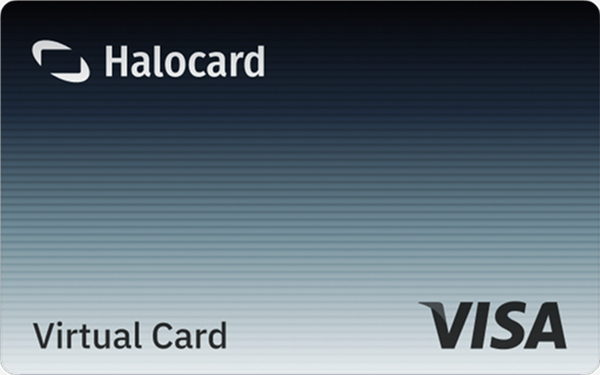

Instant approval
Create your first card in under 5 minutes.

Private purchases
Purchases never appear on your bank account.

Powered by Visa
Accepted at 175M+ merchants globally.
3 steps to create your virtual credit card
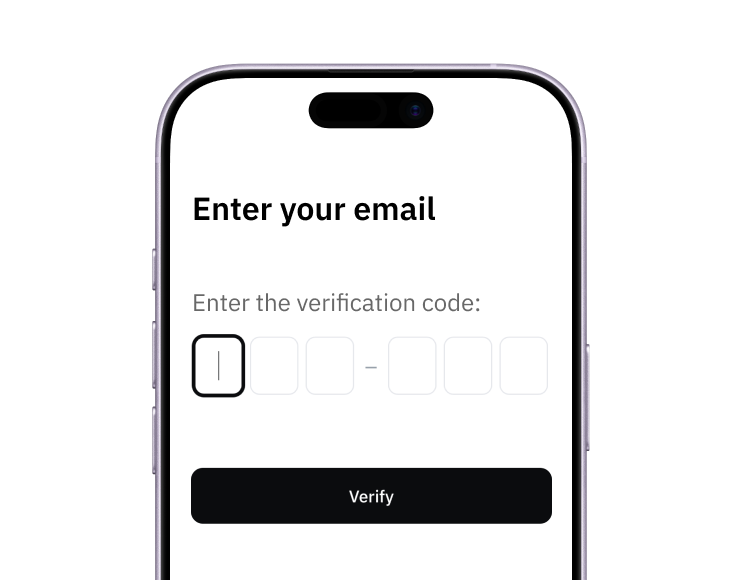
1. Sign up
Create your account from a web browser. No need to download an app.
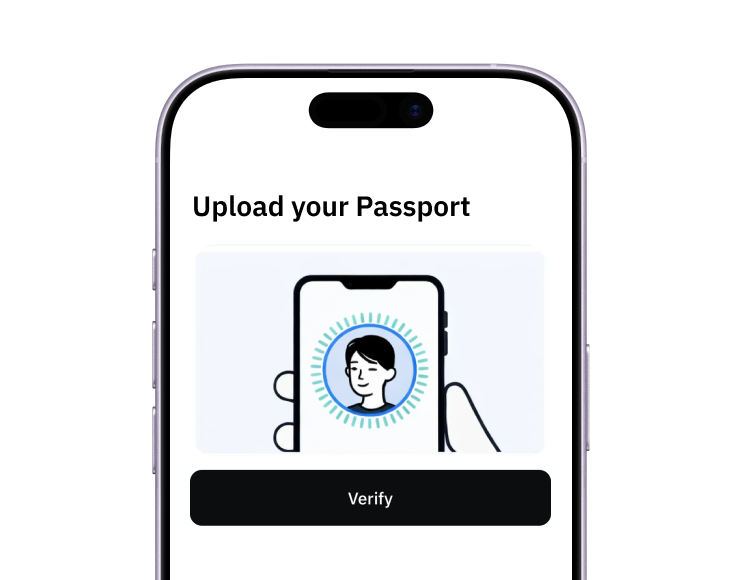
2. Verify
Verify you're a real person in 3 minutes, from the US or any of 120+ countries.
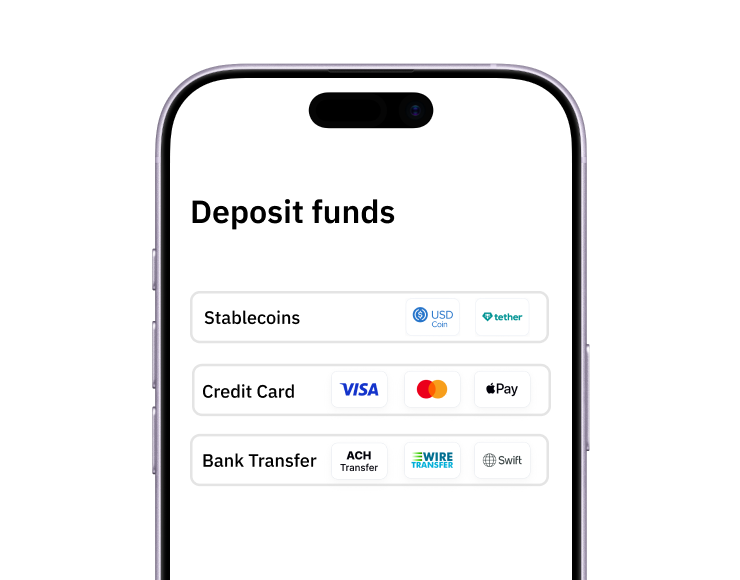
3. Fund
Add funds by debit/credit card, Apple Pay, Google Pay, bank transfer, stablecoins, or crypto.
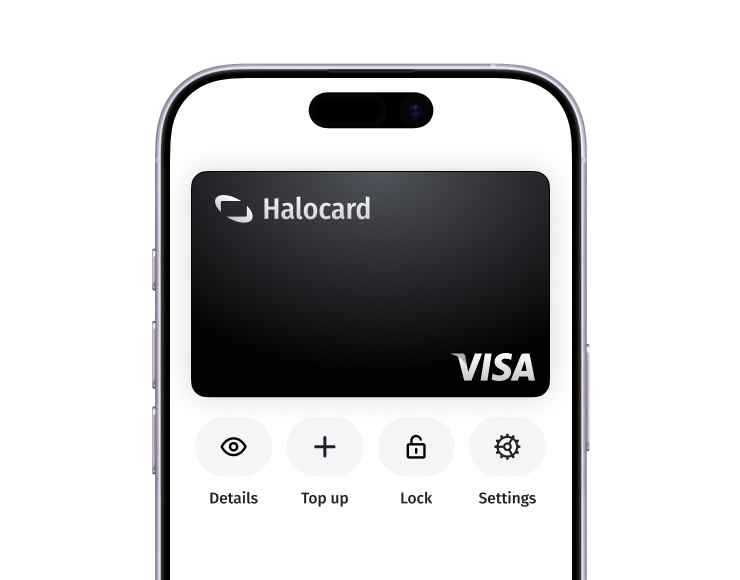
Pay with Halocard
Pay online and in-person wherever Visa is accepted. You can also order a physical Halocard if you prefer.