
-
A virtual card is simply a digital version of a credit card that has its own card number, CVV, and expiration date.
-
Generally speaking, virtual credit cards work through the same MasterCard, Visa, or Amex payment rails as a physical credit card.
-
There are three main types of virtual cards, including single-use, merchant-locked, and recurring or multi-use virtual credit cards.
-
One of the main limitations with these is acceptance, as some merchants may require a physical card, matching billing data, or support for digital wallet payments.
The Short Answer: What Happens When You Pay With a Virtual Card
When you pay with a virtual credit card, you enter your virtual card number, security code, and expiration date at the checkout instead of using your actual credit card number that is tied to your main account. The merchant then sends those virtual card details to the same payment network that is used for traditional credit card payments.
The card issuer or card provider then checks whether the virtual card is active, if the transaction fits the allowed rules, and if there are enough funds or virtual credit available. If everything is OK, the payment is approved. If the number is locked or expired, or the card is over its spending limits, or there are other problems, such as it being tied to the wrong merchant account or unsupported by the merchant, the transaction may be declined.
A benefit is that the merchant generally never sees your actual credit card details, only the virtual card details that you've used for the payment. This is an extra layer of protection that people benefit from when using virtual credit cards for online shopping, trial signups, software subscriptions, and all sorts of purchases online when privacy matters.
How Virtual Card Numbers Are Generated
Virtual credit card numbers behave and look like regular card numbers, but they're generated digitally by a bank, fintech, virtual card provider, or any other card issuer. They are not random strings, and they follow the same structure as traditional physical cards, meaning that payment networks and merchants can easily process them.
What a Virtual Card Number Includes
A virtual card number generally includes 3 core pieces of card details, including the card number, the expiration date, and the CVV or security code, which is used for card verification.
The card number is generally 15 or 16 digits, depending on the network, and the first digits identify the network and issuing bank. This is called the BIN or bank identification number. The BIN tells a merchant whether the card is a MasterCard, Visa, debit card or a credit card, prepaid card, domestic card, or foreign.
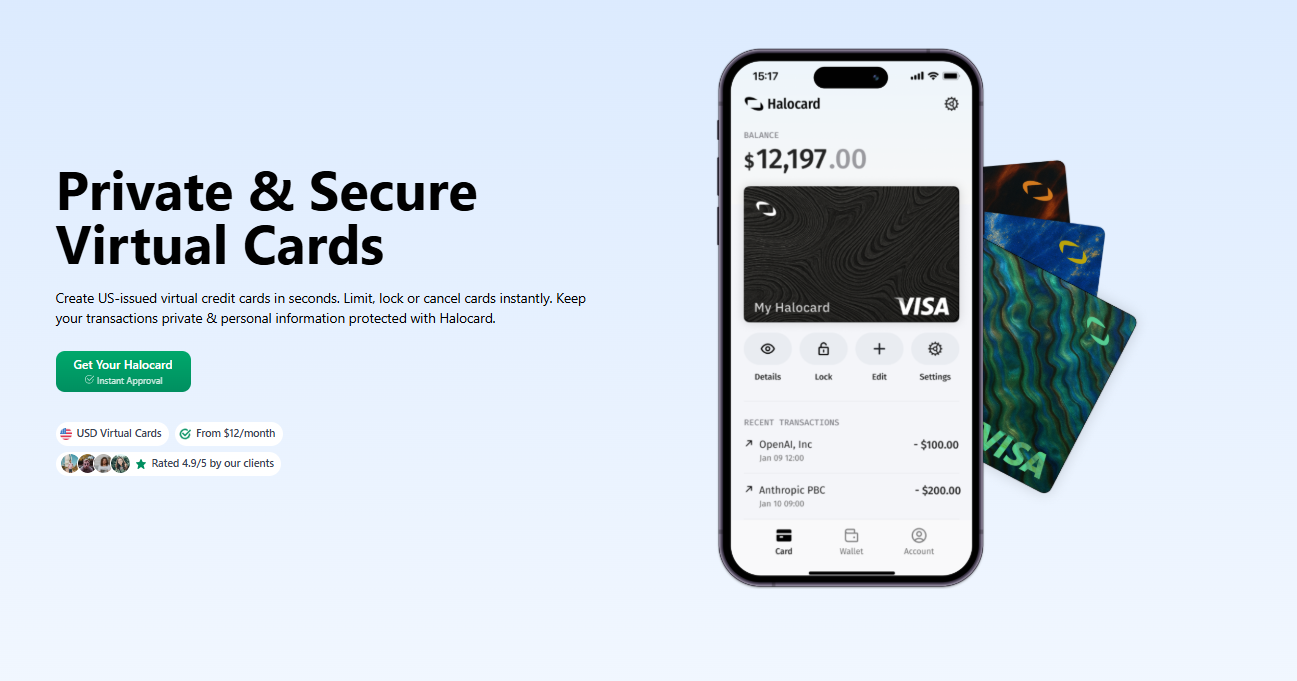
The BIN is important for many platforms because they filter payments based on card type or issuing country. For example, Halocard issues US BIN virtual cards, which helps non-us users pay US merchants and shop online in the USA, especially when strict rules about foreign cards, debit cards, or prepaid cards are involved.
Model 1: Extension of an Existing Account
Some virtual credit cards are just extensions of an existing account, meaning that the virtual card number connects back to your physical credit card or main credit card account. You might have to log into your bank, generate a virtual credit card number, and you can then use it for online transactions.
This charge still appears on your monthly statement, usually under the same credit card account. While your bank links the virtual card transactions to your real account behind the scenes, the merchant does not see your actual credit card number. This is a common model with credit card issuers that offer virtual card services as built in privacy features.
Model 2: Standalone Virtual Card Account
There are other virtual credit cards that are standalone accounts, meaning that you complete account opening with a card provider, fund it, and create virtual cards from that very same balance or a secured virtual credit line.
This is a common model with fintech platforms, business spending platforms, and various international payment tools. It can be extremely useful for freelancers, remote workers, developers, and small businesses that want to manage virtual cards separately from their main bank account.
That said, in both models, there is a similar idea, which is to create virtual cards with usable card details while keeping your main account details hidden from the merchant.
The Authorization and Settlement Flow
Interesting to note is that virtual card transactions move through the very same payment networks as physical cards do. The difference isn't actually the payment rail itself, but the card number and the rules attached to it, as well as the way you manage it.
You Enter the Virtual Card Details
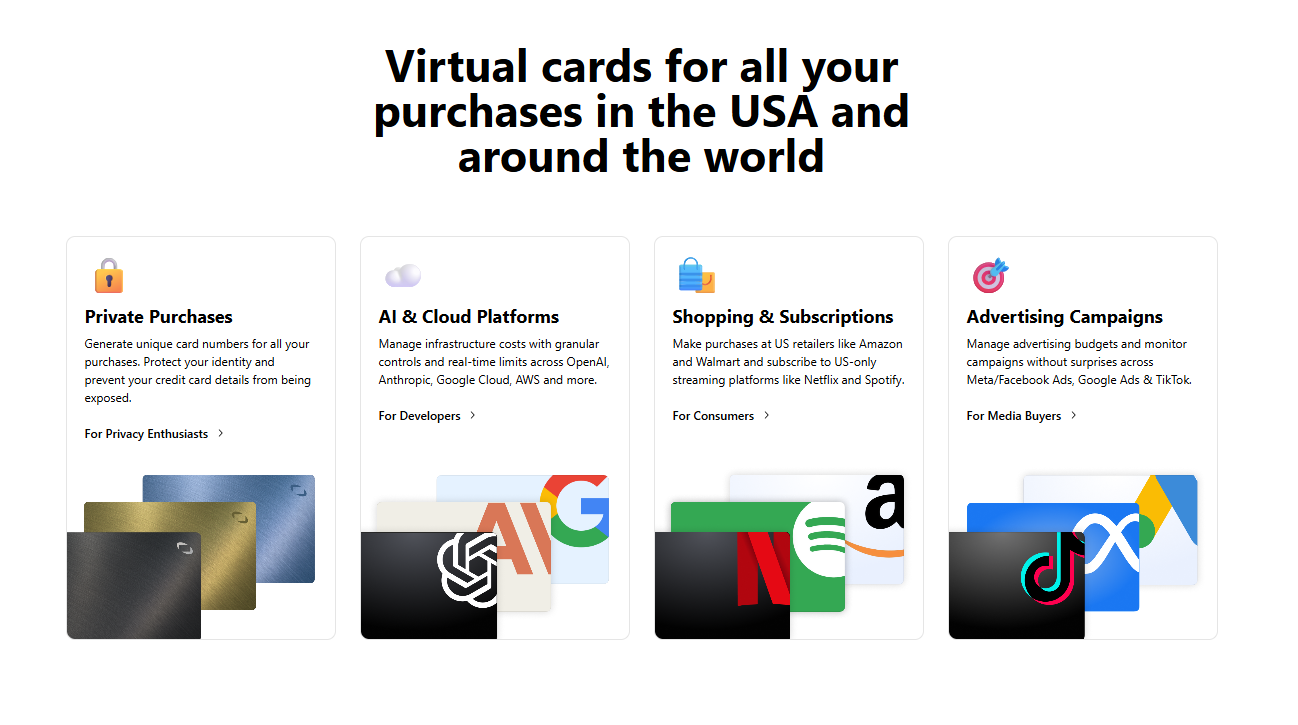
At checkout, you simply type in your virtual card number, expiration date, name, billing address, and security code. For online purchases, this is more or less identical to using a traditional credit card. That said, some virtual cards can also be added to a digital wallet, such as Google Pay or Apple Pay, which can then be used for in person transactions and in store purchases where the merchants can accept digital wallets.
The Merchant Sends the Payment Request
Next, the merchant sends the transaction to its payment processor, which reads the card number, identifies the network, and routes the request to the right payment network. This is when the merchant asks whether a particular virtual card is valid for the purchase at hand.
The Network Routes the Request
Visa, MasterCard, Amex, or another network then routes this request to the card issuer or card provider, where the virtual card is checked against the rules. For virtual credit cards, these rules may include spending limits, expiration dates, merchant restrictions, card status, available balance, and fraud checks.
The Issuer Approves or Declines
Next, the card issuer decides whether to decline or approve the payment. A virtual card may be declined for the following reasons.
-
The card is locked
-
The virtual card number has expired
-
The purchase exceeds spending limits
-
The merchant does not match a merchant-locked rule
-
The billing address does not match
-
The card provider blocks the merchant category
-
The account has insufficient funds or virtual credit
Now, this is where virtual cards work differently from most traditional physical cards. You can often pause a card, set spending limits, cancel that card, or even restrict a card to a specific merchant. For example, Halocard allows users to set spending limits through per card daily and monthly caps, which helps control software subscriptions, business spending, and vendor payments.
The Merchant Receives the Approval
Next, if approved, the merchant will receive the authorization code, meaning that the card issuer has agreed to honor the payment, assuming that the merchant later submits it correctly for settlement. Your order may be confirmed instantly, but the money might not fully move yet. It all depends on the merchant's settlement process.
The Transaction Settles
Finally, the transaction settles, which usually happens a little later. The merchant submits the final charge, the payment network clears it, and the funds are then collected from your account tied to the virtual credit card.
On your side, the transaction will likely appear in your app dashboard, credit card account, business spending platform, or monthly statement. Some platforms may also provide you with real time monitoring, which is useful for helping to track employee expenses, company expenses, or recognize unusual spending patterns.
How This Differs From a Physical Card
With a physical credit card, the same plastic card number is used repeatedly. The problem is that if that number is exposed, you might need to replace the physical card and update every payment method tied to it.
However, with a virtual card, you can lock or delete the virtual card number without replacing the actual credit card behind it. This is the number one privacy benefit. As the merchant gets usable payment details, but your underlying account details stay separate and protected.
Types of Virtual Cards
As you're about to see, there are three main types of virtual cards, and they don't all work the same way. The best option really depends on whether you need privacy for one off purchases, control over recurring payments, or flexible payment apps for everyday online shopping.
Single-Use Virtual Cards
A single-use virtual card is designed for one transaction. Once the payment goes through, the virtual card can then not be used again. This is a very useful type of virtual credit card when you want to shop online at a merchant that you don't fully trust, when you want to test a new service, or if you want to make one off purchases without leaving usable card details behind.
This is valuable because if the merchant suffers a data breach, the stolen card number has no value. The trade off however is refund complexity, as some merchants issue refunds back to the original payment method. If the single-use card is closed, the refund may still route correctly through the card provider, but the process is much less straightforward than with the standard physical credit card.
Merchant-Locked Virtual Cards
Next, we have merchant-locked virtual cards, which only work with one merchant. For example, you could create a virtual card for Netflix, another for Google ads, and another for your accounting software.
Generally speaking, this is one of the most useful security features for subscriptions. The reason is that if one merchant is compromised the stolen virtual card number cannot be used for other purchases. It's also great for budgeting because you can set spending limits for each vendor.
Merchant-locked virtual credit cards are especially useful for small teams that need to distribute cards without handing out traditional corporate cards. Each employee or vendor can have a dedicated card with specific rules attached.
Recurring or Multi-Use Virtual Cards
Finally, we then have multi-use or recurring virtual credit cards, which can be used more than once. They're generally used for ad platforms, business tools, travel bookings, software subscriptions, and other purchases that require ongoing billing.
These cards feel closer to a physical card, but they still provide you with more control.
You can generally pause the card, change the limit, update the expiration date, and even cancel it without affecting your actual credit card.
This type of virtual credit card works very well when you want a stable payment method for a trusted merchant, but still want enhanced security, the ability to manage virtual cards from an application, and better overall tracking.
| Type | Charges | Refund Complexity | Best For |
|---|---|---|---|
| Single-Use Virtual Card | One charge only | Higher, especially if the merchant refunds after closure | One off purchases, trial signups, unfamiliar merchants |
| Merchant-Locked Virtual Card | Multiple charges from one merchant | Moderate, usually clean if the card remains active | Subscriptions, vendor payments, online shopping control |
| Recurring or Multi-Use Virtual Card | Multiple charges across allowed use cases | Lower, closest to a standard credit card | Software subscriptions, business spending, regular online transactions |
Tokenization vs Raw Virtual Card Numbers
A raw virtual card number is still a real card number that is generated by the card provider. You can copy it, paste it into a checkout form, and use it for a variety of online transactions the exact same way you would use a physical credit card number.
That said, tokenization is different. Tokenization replaces your actual credit card number with a secure token that works in a specific context, such as for a merchant, device, or digital wallet.
Is Apple Pay a Virtual Card?
No, Apple Pay is not a virtual card in the usual sense. Instead, Apple Pay is a digital wallet that uses tokenization. For instance, when you add a credit card to Apple Pay, the wallet does not simply show merchants your actual credit card number. Instead, it uses a device specific token for payment. The same general principle applies to Google Pay and other mobile wallets. It protects sensitive data by keeping the actual credit card details away from the merchant during many transactions.
How Payment Apps and Mobile Wallets Fit In
Payment apps and mobile wallets can store physical credit cards, debit cards, and sometimes even virtual credit cards. The wallet is the container, and the card is the underlying payment method. A virtual card is still a card. However, a digital wallet is the tool used to pay with that card in a digital format. Many cards, such as Halocard, support mobile wallets, while others are designed for only online purchases.
This is an important distinction because not every merchant accepts every type of digital wallet. One store may accept Apple Pay for in store purchases, but a website might still require card details at checkout. If this is the case, then you need the virtual card number, expiration date, and CVV.
Where Virtual Cards Work (and Where They Do Not)
Virtual credit cards are generally strong for online transactions, but they don't work everywhere. One of the biggest limitations is that some merchants still expect a physical card, especially for services such as hotel check in, car rentals, deposits, travel, or identity verification.
A virtual card may also fail if a merchant checks the issuing country, card type, billing address, or BIN. This is why the card provider matters. A virtual credit card that features a US BIN, such as Halocard, can be very useful for international users who need to pay US merchants that decline foreign cards or certain debit cards.
Common Acceptance Scenarios
| Scenario | Usually Works? | Why |
|---|---|---|
| Standard online shopping | Yes | Most e-commerce checkouts process virtual credit cards like regular credit cards. |
| Software subscriptions | Yes | Recurring or merchant-locked virtual cards are built for subscription billing. |
| App stores and streaming platforms | Often | Acceptance depends on BIN country, billing address, and card type. |
| Ad platforms and SaaS tools | Often | Some platforms are strict about prepaid, foreign, or mismatched cards. |
| Hotel check-in or car rental deposit | Sometimes | The merchant may require a physical card matching your ID. |
| In store purchases | Sometimes | Works only if the virtual card can be added to a digital wallet and the store accepts it. |
| Cash withdrawal | Rarely | Most virtual cards are not designed for ATMs or cash access. |
Why Virtual Cards Get Declined
Declines generally always come down to the rules, as some virtual cards may be blocked, expired, or declined due to its spending limits. Some cards may also be restricted to other merchants, or incompatible with the merchant's payment system. Another layer to the equation is international payments. Some merchants prefer cards that are issued in the same country as the billing address.
Others may block foreign currencies, cards from specific regions, or prepaid cards. This doesn't necessarily mean that virtual credit cards work poorly, but rather that the card type, merchant, and BIN all need to line up.
Virtual Cards vs Physical Cards: Key Differences
| Feature | Virtual Card | Physical Card |
|---|---|---|
| Format | Digital version with card details in an app or dashboard | Plastic card carried in a physical wallet |
| Card Number | Can be unique, disposable, merchant-locked, or reusable | Usually one long-term card number |
| Best Use Case | Online purchases, subscriptions, team controls, vendor payments | In person transactions, travel, stores, card-present payments |
| Replacement | Can often be locked or deleted instantly | Usually requires replacing the physical card |
| Spending Controls | Often supports custom spending limits | Depends on issuer, usually less granular |
| Security | Strong privacy and enhanced security features | Strong security features, but exposed card details are harder to isolate |
| Digital Wallet Support | Sometimes supports Apple Pay, Google Pay, or mobile wallets | Many physical credit cards support digital wallet use |
| Rewards | May earn the same rewards if linked to the same credit card account | Usually earns rewards based on issuer terms |
The bottom line here is that virtual cards are best when you want privacy, control, and separation between merchants. Yes, a physical card is still better when the merchant needs to inspect the card, take a deposit, or process a card-present payment.
For many people the right setup is not either a virtual card or a physical card, but rather both. You can use virtual credit cards for online shopping, employee spending subscriptions, and high risk merchants, while keeping a physical card for restaurants, travel, retail stores, and other purchases where card-presence acceptance matters.
Frequently Asked Questions
Are Virtual Credit Cards Safe for Online Purchases?
Yes, virtual credit cards are usually safe for online purchases because they hide your actual credit card number for merchants. Many also include enhanced security features, such as merchant blocks, spending limits, instant cancellation, and real time monitoring. While they do not remove all fraud risk, they greatly reduce the damage if cards are stolen.
What Are the Disadvantages of a Virtual Credit Card?
The main disadvantages of a virtual credit card are acceptance issues, refund complexity, and limited use for in person transactions. Some merchants may require a physical card for verification. A virtual credit card may also be declined if the billing address, BIN country, or card type does not match merchant rules.
Can I Use a Virtual Credit Card for Subscriptions?
Yes, virtual credit cards are great for recurring payments and subscriptions. The reason being that you can create a virtual card for one merchant, set spending limits, and cancel the card without ever replacing your actual credit card. This is very useful for streaming services, memberships, trials, and other purchases that renew automatically.
Is Apple Pay a Digital Wallet or a Virtual Card?
Apple Pay is a digital wallet, not a virtual card. It stores payment methods and uses tokenization to protect card details during payments. A virtual card is the payment method itself, while Apple Pay is one way to use a supported card through a mobile wallet.
Do Card Issuers and Credit Card Issuers Support International Merchants?
Yes, many credit card issuers and virtual card issuers support international merchants, but the approval depends on the BIN country, billing address, card provider, and card type. Some merchants may reject prepaid cards or foreign cards. Some may also require support for foreign currencies or a local billing profile.
Can I Use Virtual Cards for In Person Transactions, Debit Cards, and Mobile Wallets?
Sometimes virtual cards can be used for in person transactions, as long as they can be added to mobile wallets, and as long as the merchant accepts contactless payments. Some platforms also issue debit cards or prepaid cards in virtual form, although rental companies, hotels, and other retailers may still require a physical card for verification.
Why Was My Virtual Card Number Declined by the Card Provider?
Your virtual card number may have been declined by the card provider because it was locked, expired, over its spending limits, restricted to another merchant, or missing correct billing details. Declines may also happen when a merchant blocks the card type, issuing country, or digital payment method. If payments fail, check the card number, expiration date, CVV, billing address, and available balances.
How Many Cards Can I Create to Distribute Cards and Add Enhanced Security?
The number of cards you can create depends on your card provider, as some banks let you create only a few virtual credit card numbers, whereas other providers, such as Halocard, allow you to produce many. The rate limit depends on whether you need to distribute cards for personal shopping, vendor payments, company spending controls, employee expenses, or anything in between.
Which Virtual Card Is Right for You?
The right virtual card depends on where you live, what you need to pay for, and how much control you need over each card.
If You Are a US Resident
If you are a US resident, a virtual card from your existing bank or credit card issuer can be the most convenient option when that bank already supports virtual cards. However, because it remains tied to your primary account, it provides less privacy and separation than a standalone card. If your bank does not offer virtual cards, or you want to keep online spending separate from your main account, Halocard is likely the better fit.
If You Are a Non-US User Paying US Merchants
If you are a non-us user paying for US merchants, look for a virtual card provider with strong US acceptance, support for the merchants you actually use, and clear pricing. This is very important for SaaS tools, subscriptions, ad platforms, and other services that often reject foreign cards. A US issued credit card reduces the friction that often comes with cross-border online transactions.
If You Are a Developer or Business User
If you're a developer or business user, you might need to distribute cards, track employee spending, manage vendor payments, and control company expenses. In this case, you want to look for controls, and this means that a virtual card is likely the best.
| User Profile | Best Fit | Why |
|---|---|---|
| Non-US user paying US merchants | Halocard secured Visa credit card | Best for international users who need a US-issued virtual credit card for US merchants, subscriptions, SaaS tools, ad platforms, and stronger US acceptance. |
| US resident | Bank-issued virtual card or Halocard | A bank-issued card is convenient if your existing bank supports virtual cards, but it remains tied to your main account and offers less privacy. If your bank does not support virtual cards, Halocard is likely the best fit for separate, controlled online spending. |
| Developer or business user | Business virtual card platform | Best for teams that need to distribute cards, control employee spending, manage vendor payments, and track company expenses by card, merchant, or project. |
Sources
-
JP Morgan. What is a Virtual Credit Card and How Does It Work? | J.P. Morgan
-
Capital One. What Is a Virtual Credit Card Number? | Capital One
-
Credit Card Genius. What Is a Virtual Credit Card and How Do You Get One? | creditcardGenius
-
Stripe. Electronic credit cards: What they are and how they work | Stripe
Sources checked on May 5, 2026.
*Please see Halocard's Terms of Service or Pricing for the most up to date pricing and fee information. This publication is provided for general information purposes and does not constitute legal, tax or other professional advice from Halocard LLC or its subsidiaries and its affiliates, and it is not intended as a substitute for obtaining advice from a financial advisor or any other professional. We make no representations, warranties or guarantees, whether expressed or implied, that the content in the publication is accurate, complete or up to date.
Halocard Virtual Cards

Instant approval
Create your first card in under 5 minutes.

Private purchases
Purchases never appear on your bank account.

Powered by Visa
Accepted at 175M+ merchants globally.
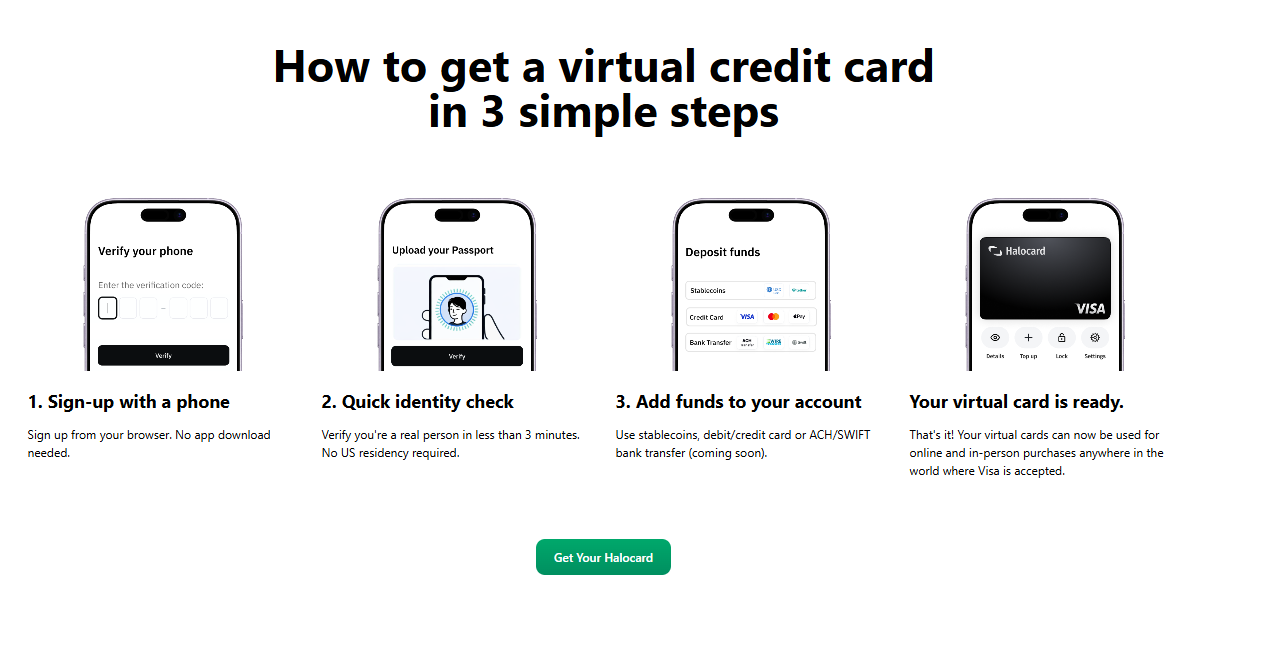
3 steps to create your virtual credit card
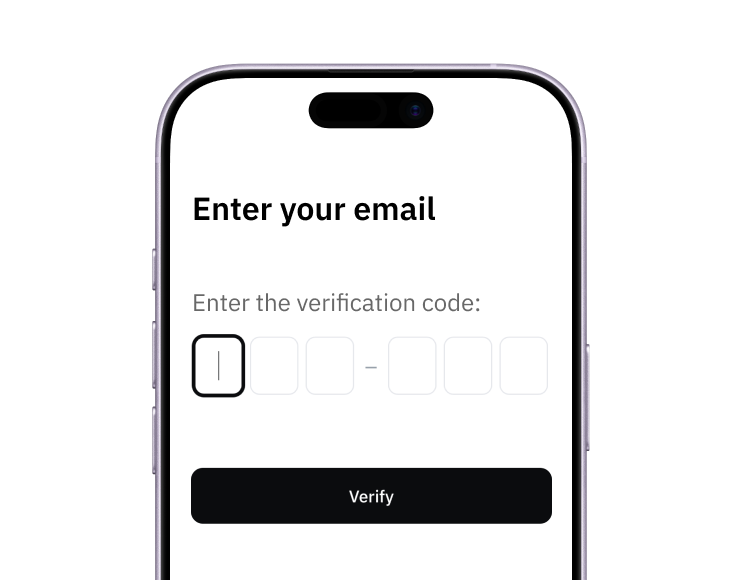
1. Sign up
Create your account from a web browser. No need to download an app.
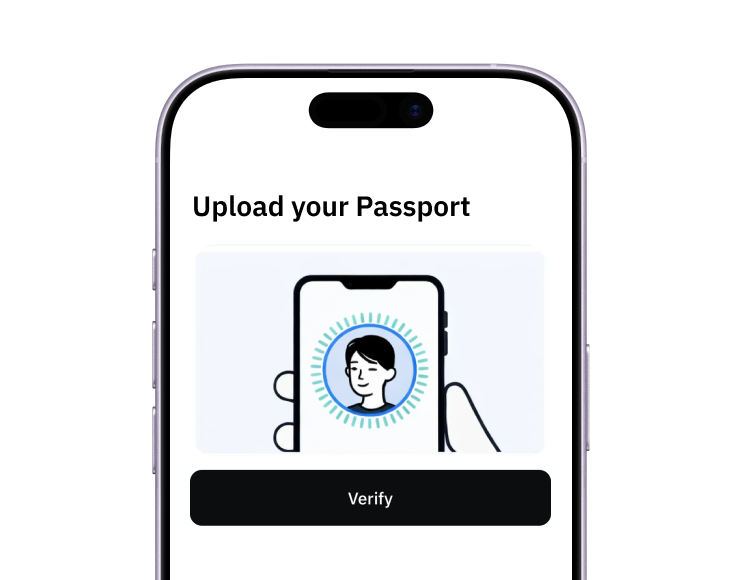
2. Verify
Verify you're a real person in 3 minutes. No US residency required.
3. Fund
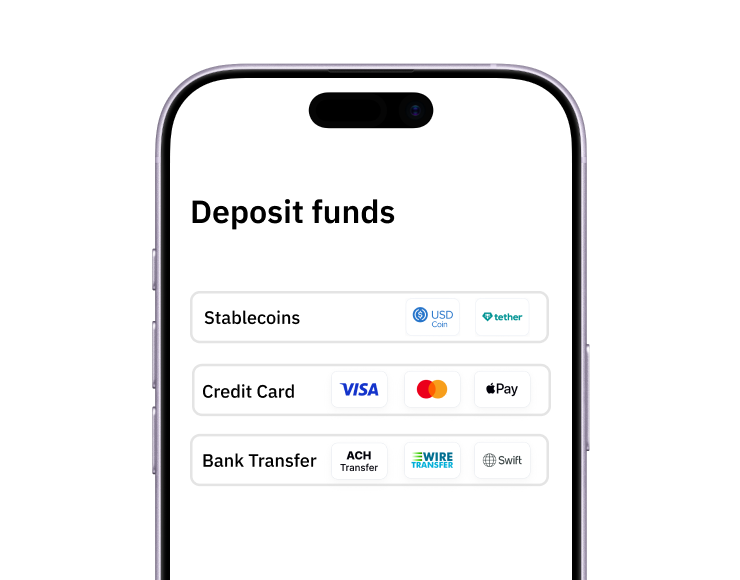
Add funds with a debit/credit card, bank transfer, stablecoins, or crypto.
Pay with Halocard
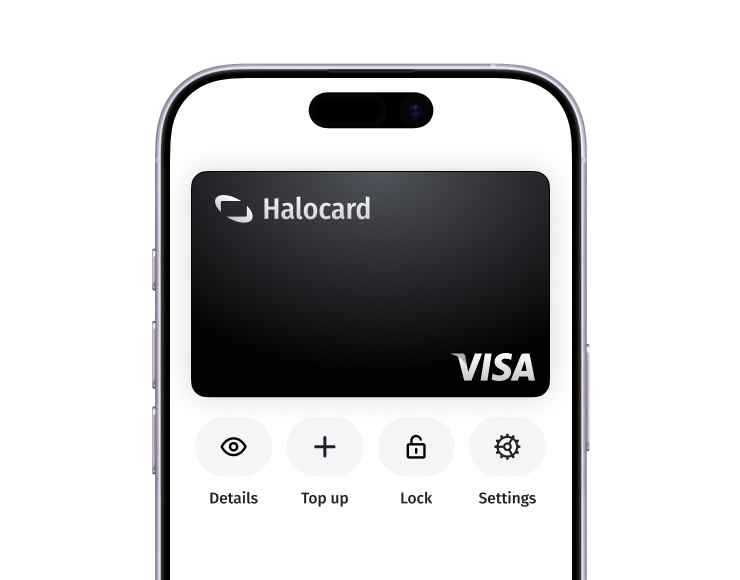
Pay online and in-person wherever Visa is accepted. You can also order a physical Halocard if you prefer.