

Quick Answer: Andrej Karpathy's digital hygiene checklist maps to ten tools: 1Password, YubiKey, Signal, Brave, a per-merchant card, Virtual Post Mail, Proton Mail, Mullvad VPN, NextDNS, and Little Snitch. His own card service, Privacy.com, only serves US residents with a US bank, so Halocard is our pick for private payments in 120+ countries.
In March 2025, Andrej Karpathy, a founding member of OpenAI and the former head of Tesla's Autopilot vision team, published a short post called Digital hygiene. It describes how he keeps his personal and financial data away from what he calls the internet's vast fraud apparatus: tech companies build profiles, data brokers enrich and resell them, breaches push the results into dark web archives, and scammers turn that data into phishing, card fraud, and identity theft.
Karpathy organizes his advice by category and, in most cases, names the product he personally pays for. This guide takes each category one step further. For every one, you get a specific tool, the reason Karpathy chose it, its main features, what reviewers on Trustpilot, G2, and app stores actually say, and an honest list of pros and cons. In the one category where his pick is closed to most of the world, private payments, we explain why we recommend Halocard instead. Karpathy has no connection to Halocard and has not endorsed it.
Key Takeaways
-
Karpathy's list is a working setup, not an advertisement. He pays for the services he names so that he is the customer, and he openly lists what he still has not fixed, such as relying on Gmail.
-
Passwords and second factors come first. A password manager plus two or three hardware keys closes the door attackers use most, which matters when CrowdStrike found 82% of detections in 2025 involved no malware at all.
-
Separation is the idea behind every tool. A card per merchant, a mailbox address instead of your home, disappearing messages, and a VPN used selectively all follow the same principle: give each service only what it needs.
-
Halocard is our pick for private payments, in the US and beyond. Privacy.com requires US residency and a US checking account, while Halocard issues US Visa credit cards with per-card limits and billing addresses in 120+ countries.
-
Habits matter as much as apps. Automatic updates, 3-2-1 backups, and deleting old accounts do as much for your digital security as anything you install.
Who Is Andrej Karpathy, and Why Trust Him With Your Digital Life?
Few people have spent as long inside the technology that collects, labels, and learns from the world's data. His career explains why his privacy advice carries weight:
-
Education. Born in Bratislava, he moved to Toronto at 15, studied computer science and physics at the University of Toronto, and earned a Stanford PhD in 2015 under Fei-Fei Li, where he designed and taught Stanford's first deep learning course.
-
OpenAI. He was a founding member and research scientist from 2015 to 2017, then returned for roughly a year before leaving again in February 2024.
-
Tesla. From 2017 to 2022 he was director of AI, leading Autopilot's vision team, which handled in-house data labeling, neural network training, and deployment on Tesla's custom chip.
-
Education at scale. He founded Eureka Labs, an AI-native education company, in July 2024, and his YouTube lectures on building neural networks have taught millions of developers.
-
Recognition. TIME placed him on its 2024 TIME100 AI list, highlighting his influence as one of the leading educators on neural networks.
-
Today. In May 2026 he joined Anthropic's pre-training team.
That background matters for three reasons. He understands, at a technical level, how scattered details about a person get aggregated and modeled. He is a highly visible public figure, which makes him an obvious target for the SIM swaps and phishing he writes about, and he notes that several of his friends have been SIM swap victims. And he explains the reasoning behind every pick, so you can adapt his setup rather than copy it blindly.
One honest caveat: his expertise is AI and large-scale engineering, not professional information security, and the post describes a personal setup rather than an audited standard. That is why we checked every category against a second practitioner and against independent user reviews.
Where Karpathy and Techlore Independently Agree
Henry Fisher of Techlore, who has spent more than a decade teaching people to protect their privacy and security, published his own list of privacy tools he relies on in October 2024. Working separately, the two landed on the same product in six categories: YubiKey, Signal, Mullvad, Brave, NextDNS, and Privacy.com. Fisher prefers Proton Pass over 1Password but acknowledges 1Password is popular with people around him. When two experienced users reach the same answer independently, that is stronger evidence than either list alone.
What Karpathy Admits Is Still Missing
Karpathy ends his post with a list of compromises. He still uses Gmail and Google Workspace because they are convenient, he stays on X rather than a decentralized alternative, he has not adopted a VoIP burner phone service such as MySudo, and he does not yet create a unique email alias for every site, though he wants to. That candor is part of what makes the rest of the list credible. If aliasing is on your own to-do list, our Privacy.com vs MySudo vs Halocard comparison covers how phone aliases and card aliases fit together.
Why Digital Hygiene Matters in 2026
Digital hygiene refers to the routine habits used to maintain system health, keeping your accounts, devices, and data in good order the way handwashing keeps illness away. Maintaining good digital hygiene protects personal data from cyber threats because most attacks do not rely on brilliant hacking. They rely on reused passwords, clicked links, and details people share without thinking.
The cost of getting it wrong keeps climbing. IBM's 2024 breach report put the global average cost of a data breach at $4.88 million, a 10% jump in a single year. The entry point is usually human: the widely cited statistic that 91% of breaches start with phishing attacks traces back to PhishMe's research showing 91% of cyberattacks begin with a phishing email, and its successor company Cofense still reports about 90% of data breaches beginning with phishing.
Your digital identity is the sum of those scattered pieces: an email here, a birthday there, a home address stored by a retailer you used once. Individually they seem harmless. Combined, they let a stranger reset your accounts, pass security questions, or write a convincing message in your bank's name. The tools below keep those pieces apart and blunt the most common digital threats.
Top 10 Privacy Tools at a Glance
The table below lists each category in the order Karpathy covers it, along with the tool we recommend, its starting price, and who it suits best.
| # | Category | Recommended Tool | Starting Price | Best For |
|---|---|---|---|---|
| 1 | Password manager | 1Password | $47.88/year Individual | Replacing reused passwords |
| 2 | Hardware security key | YubiKey | One-time purchase per key | Protecting email and your vault |
| 3 | Encrypted messaging | Signal | Free | Private chats and calls |
| 4 | Browser and search | Brave | Free; Search Premium $3/month | Leaving Chrome and Google Search |
| 5 | Private payments | Halocard | From $12/month | Per-merchant cards in 120+ countries |
| 6 | Virtual mailbox | Virtual Post Mail | Paid monthly plans | Keeping your home address private |
| 7 | Encrypted email | Proton Mail | Free; Mail Plus about $4 to $5/month | Moving sensitive email off Gmail |
| 8 | VPN | Mullvad VPN | €5/month flat | Masking your IP when it matters |
| 9 | DNS blocker | NextDNS | Free to 300,000 queries; Pro $1.99/month | Network-wide ad and tracker blocking |
| 10 | Network monitor | Little Snitch | $59 license | Seeing which Mac apps call home |
1. Password Manager: 1Password
Karpathy starts with passwords because they are your first factor, the "something you know." His rule is blunt: create a new, hard, unique password for every website you sign up for, and pair a password manager with a browser extension so generating and filling them takes seconds.
He uses 1Password, and he is clear about the trade-off it creates. Once every credential sits in one vault, that vault needs the strongest protection you have, which is why the next tool on his list exists. He also stores made-up answers to security questions in 1Password, treating them as extra passwords instead of facts a scammer can look up.
A strong password is your first line of defense, but only when it is not also guarding ten other accounts. Reuse is the real problem: Verizon's breach research team found that in the median case, only 49% of a person's passwords across different services were distinct. Infostealer malware turns that habit into mass compromise.
Microsoft's Digital Crimes Unit identified over 394,000 Windows computers infected by the Lumma malware between March and May 2025, software designed to lift saved passwords, bank details, credit card numbers, and crypto wallets. Using a password manager can enhance password security by making every stolen credential worthless everywhere except the one site it came from.
Main Features
-
Every vault is end-to-end encrypted with your account password plus a Secret Key created on your device, so 1Password's servers never hold what is needed to read your data.
-
The built-in generator creates long random passwords or a memorable passphrase, and the browser extension fills them on computers and mobile devices.
-
Watchtower scans your vault for weak, reused, and breached passwords and flags sites where you have not yet switched on two-step sign-in.
-
Passkeys and one-time codes are stored next to your logins, so two-step authentication does not require a separate app.
-
Travel Mode can remove selected vaults from your devices before you cross a border, then restore them later.
-
You can unlock the app with Face ID or Touch ID, as Karpathy recommends, and protect the account itself with a hardware security key.
What People Say About 1Password
1Password holds a rating of 4.6 out of 5 across 1,813 reviews on G2. The biggest clusters of praise concern ease of use (333 reviews) and security (271 reviews). One small-business owner said she no longer knows any of her own passwords and prefers it that way, and noted her team moved over easily after struggling with LastPass and Dashlane.
The most frequent complaints are price, raised in 91 reviews as expensive for individuals, and autofill that occasionally misses fields, especially on payment pages. That price sentiment sharpened in 2026, when 1Password raised its annual Individual plan from $35.88 to $47.88 for renewals after March 27.
1Password Pros
-
The Secret Key design adds protection even if your account password is exposed.
-
Polished apps and extensions cover every major operating system and browser.
-
Watchtower turns vague password advice into a specific list of things to fix.
-
It works with hardware keys, biometrics, passkeys, and stored one-time codes.
1Password Cons
-
There is no permanent free plan, only a short free trial.
-
The 2026 increase makes it one of the pricier consumer password managers.
-
G2 reviewers report autofill gaps on some login and checkout forms.
-
If you lose both your account password and Secret Key, recovery is very difficult by design.
2. Hardware Security Key for Two Factor Authentication: YubiKey
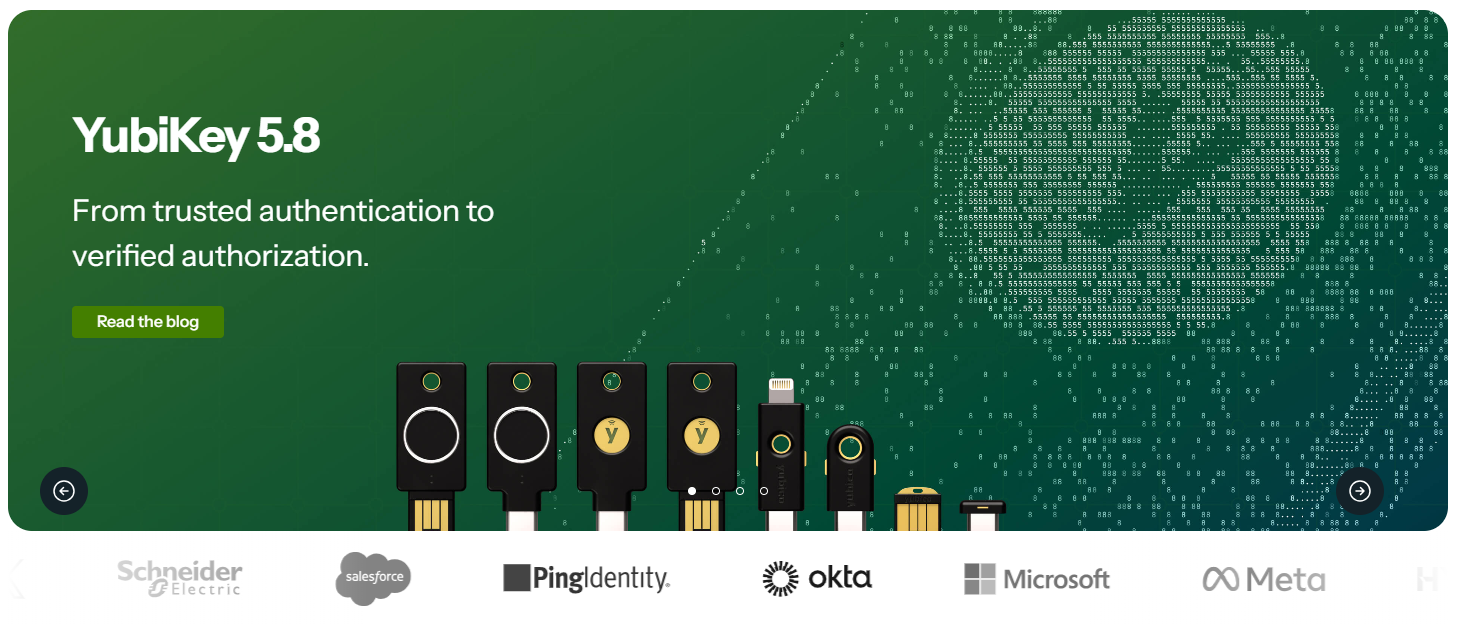
Karpathy's second step protects the vault with a second factor, the "something you have." He warns that the most common second factor, a code sent by text message, is exposed to SIM swapping, where an attacker persuades your phone carrier to move your number onto a SIM they control.
His answer is a YubiKey, which creates and stores its private key on a secure chip so the key never sits on your laptop. With the U2F or FIDO2 option switched on, an attacker needs both your password and the physical key. Karpathy estimates this cuts the odds of being compromised roughly a thousandfold, and he recommends buying two or three keys kept in different places so a lost key never locks you out.
The research backs him up. In a year-long study with New York University and UC San Diego, Google found security keys stopped every automated bot, bulk phishing attempt, and targeted attack it observed, while SMS codes blocked 76% of targeted attacks. That gap matters more each year because attackers increasingly log in rather than break in.
CrowdStrike's 2026 threat report found that 82% of detected cyberattacks in 2025 involved no malware, with intruders moving through valid credentials and trusted tools instead. When the attack is a stolen login, multi-factor authentication adds an extra layer of security that a phished password alone cannot get through.
Main Features
-
Supports FIDO2, WebAuthn, and U2F, the phishing-resistant standards that confirm the real website before responding, so a lookalike login page receives nothing useful.
-
NFC models let you tap the key against a phone to approve sign-ins on mobile devices.
-
The key can hold TOTP secrets for the Yubico Authenticator app, which Karpathy prefers over software-only authenticator apps.
-
It can store passkeys for services that support passwordless sign-in.
-
It needs no battery or network connection and works with Windows, macOS, Linux, Android, and iOS.
What People Say About YubiKey
YubiKey scores 4.7 out of 5 from 35 reviews on G2, 28 of them five stars. Reviewers describe setup as simple enough to deploy for non-technical colleagues and praise the strength of FIDO2 protection. The complaint that comes up most is cost, with one reviewer noting the price can slow adoption even though the security justifies it.
Techlore's Fisher carries a YubiKey too, citing strong security, phishing protection, and everyday convenience, and the CISA mobile guidance names hardware FIDO keys such as Yubico's as the most effective form of multi-factor authentication where they are practical.
YubiKey Pros
-
Resistant to phishing by design, unlike SMS codes or push approvals.
-
The private key never leaves the hardware.
-
Durable, battery-free, and compatible across platforms.
-
Backed by Google's research and recommended by CISA.
YubiKey Cons
-
Each key is a hardware purchase, and you need at least two.
-
Many banks and websites still do not accept security keys, so some accounts fall back to authenticator codes.
-
G2 reviewers rate ease of setup lower than ease of use.
-
Losing every registered key without saved backup codes can lock you out of an account.
3. Encrypted Messaging: Signal
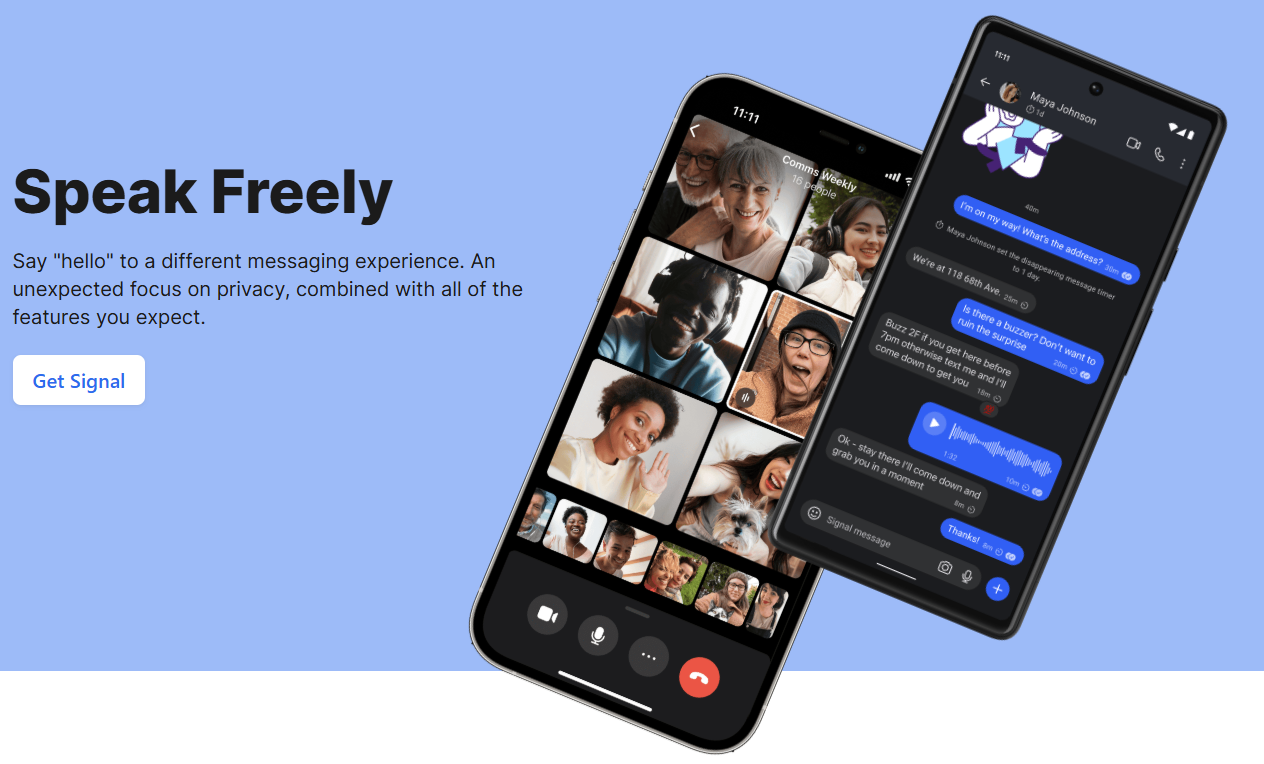
Karpathy recommends Signal over standard text messages for two reasons: it end-to-end encrypts all of your communications, and it avoids storing the metadata that apps such as iMessage and WhatsApp keep. He also switches on disappearing messages, suggesting 90 days as a sensible default, because a years-deep archive of old conversations is an information risk with little benefit.
End-to-end encrypted messaging apps protect sensitive communications even when the network carrying them is compromised, which is exactly what the Salt Typhoon breaches of US telecom carriers exposed. In response, CISA's best practice guidance tells highly targeted people to use end-to-end encrypted apps such as Signal, to stop relying on SMS for sign-in codes, and to keep their operating systems and apps updated.
Main Features
-
Messages, voice calls, and video calls are end-to-end encrypted by default with the Signal Protocol, so there is no setting to forget.
-
Disappearing messages can be set for a single chat or as the default timer for every new conversation.
-
Usernames let you give someone a handle instead of your phone number.
-
Apps run on Android, iOS, Windows, macOS, and Linux.
-
Signal is open source and operated by a nonprofit funded through donations rather than advertising.
What People Say About Signal
Signal's iPhone app is rated 4.7 out of 5 from about a million ratings on the Apple App Store. On G2 it scores 4.4 across 453 user reviews, where security (53 reviews) and a clean interface (33 reviews) draw the most praise.
The top complaint is social rather than technical: 14 reviewers say too few of their contacts use Signal, which makes it hard to replace WhatsApp for work. Others mention trouble sending large files and notifications that arrive late on some Android phones. Fisher sums up why it is still his main messenger: none of the more obscure alternatives he has tried match its balance of safety and ease of use.
Signal Pros
-
Encryption is on for every chat and call without any configuration.
-
It collects very little metadata and its code is open to inspection.
-
Free, ad-free, and run as a nonprofit.
-
Named by CISA as an example of secure mobile messaging.
Signal Cons
-
You still need a phone number to register, even if usernames hide it from contacts.
-
It only protects conversations with other Signal users.
-
Its user base is far smaller than WhatsApp's or iMessage's.
-
Reviewers report issues with large files and delayed Android notifications.
4. Private Browser and Search: Brave
Karpathy browses with Brave, a privacy-first browser built on Chromium. Almost every Chrome extension works and the experience feels familiar, but Google no longer gets a front-row seat to everything you do online.
He pairs it with Brave Search as his default engine because it runs on its own index instead of repackaging another company's results, and he pays $3 a month for the premium version because, in his words, he would rather be "the customer, not the product." When Brave Search misses, he adds "!g" to the start of a query to send it to Google.
Main Features
-
Brave Shields blocks ads, trackers, and third-party cookies by default, with no extension required.
-
Brave Search uses an independent index and can be set as your default engine in the browser settings.
-
Separate browser profiles keep work, personal, and project accounts apart, which is how Techlore's Fisher juggles several YouTube channels and social accounts.
-
Optional paid add-ons include ad-free Search Premium at $3 a month and Brave VPN at $9.99 a month.
-
Because it is built on Chromium, most Chrome extensions and web apps run without changes.
What People Say About Brave
Brave averages 4.6 out of 5 from roughly 500 G2 reviews of Brave and 4.7 from 349 users on GetApp. Reviewers most often credit built-in ad and tracker blocking and speed, and one recent reviewer said they enjoy watching the running tally of blocked ads and trackers.
Negative comments center on limits with some extensions and syncing between devices. Fisher, who uses Brave every day, describes it as fast and dependable but dislikes how much comes bundled in by default.
Brave Pros
-
Strong tracking protection straight out of the box.
-
Keeps access to Chrome's large extension library.
-
Independent search with an affordable ad-free option.
-
The core browser is free.
Brave Cons
-
Rewards, a crypto wallet, and an AI assistant ship by default, which some users see as clutter.
-
It still depends on Google's Chromium engine.
-
Some reviewers report extension and sync limitations.
-
Search results can trail Google on complex queries, which is why Karpathy keeps the "!g" shortcut handy.
5. Private Payments and Virtual Cards: Halocard
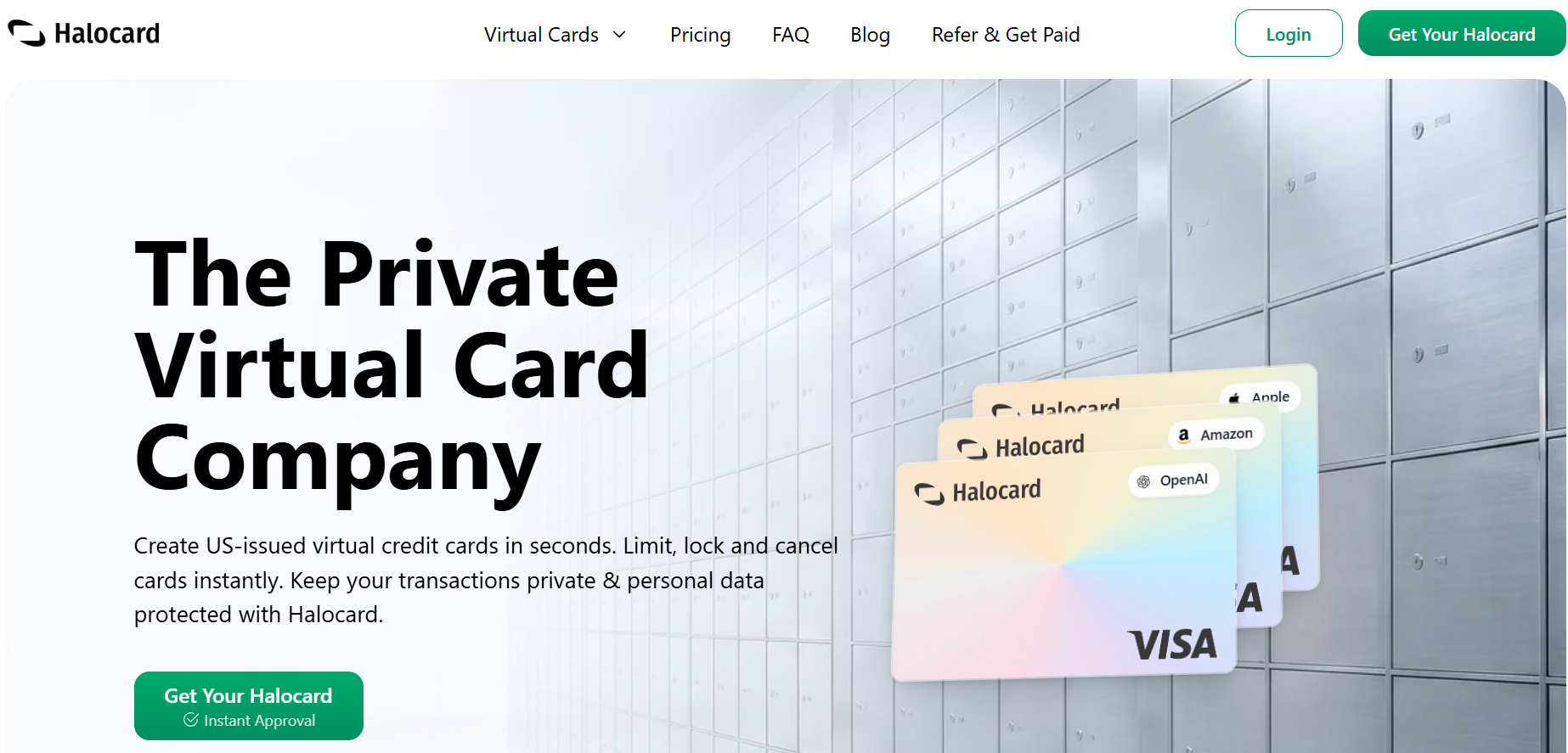
This is the one category where our recommendation differs from Karpathy's own setup, so here is the reasoning in full. His rule is to create a new, unique card for every merchant. One card used everywhere lets companies link your purchases across services, and every merchant that stores the number is another place it can leak.
He uses Privacy.com, likes getting a notification for every charge, sets limits such as $50 a month on individual cards, and values being able to enter an invented name and address at checkout, since random online stores have no reason to know where you live.
Privacy.com is a strong product, but it only accepts US residents with a US checking account. Halocard brings the same card rules to people in 120+ countries, including the many readers Privacy.com cannot serve.
The per-merchant approach answers a problem you can measure. The Security.org 2026 fraud report found that 51% of cardholders run autopay and everyday purchases through the same card, so a single breach hits both, and it recommends keeping those uses on separate cards.
Worldwide, card fraud losses hit $33.41 billion in 2024, according to the Nilson Report. Infostealers such as Lumma, covered in section 1, harvest saved card numbers alongside passwords, so a number that only works at one merchant, under a cap you chose, helps limit exposure and turns a leak into a minor inconvenience.
Main Features
-
Each card is a US-issued Visa credit card with its own number, so no merchant ever holds a card you use somewhere else.
-
Every card can carry its own billing address, the Halocard version of Karpathy's invented checkout details, which also helps payments pass address checks on US platforms.
-
You decide how much each card may spend per purchase, per day, and per month, and you can freeze or cancel any card with a single tap.
-
Single-use cards shut themselves down after one charge, which suits free trials and merchants you will only buy from once.
-
Sign-up works in 120+ countries without an SSN for non-US residents, with no credit check, and Halocard doesn't store your ID documents, which are held by its verification provider as banking laws require.
-
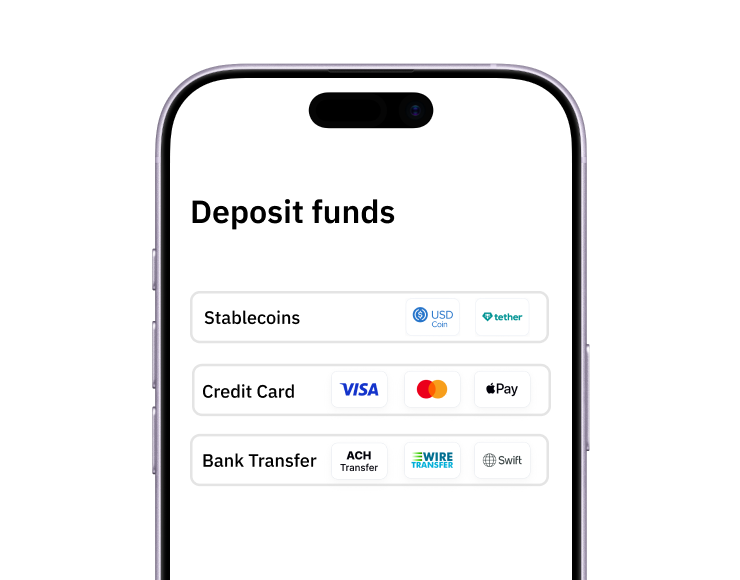
You can fund a card with debit/credit card, Apple Pay, Google Pay, bank transfer, stablecoins, or crypto, and cards work in Apple Pay and Google Pay.
Plans start at $12 a month for 3 cards on Essential, then $15 for 12 cards and $75 for 60. Purchases in US dollars carry no fee, and purchases in other currencies cost 1.5% + $0.30. The full breakdown sits on the Halocard pricing page, and how Halocard handles privacy is documented separately.
What People Say About Halocard
Halocard's Trustpilot profile shows 4.2/5 (11 reviews), which is too few to lean on, and we would rather say that plainly. The reviews that exist tell a consistent story. One reviewer had spent over a decade looking for a card Apple would accept for iCloud and AppleCare+ and said Halocard was the first that worked.
A reviewer in Hong Kong compared ten providers and chose Halocard as the only one offering a billing address outside their region without crypto top-ups or company registration, adding that the founder answered questions within 15 minutes.
A media buyer had a card running on Meta ten minutes after signing up, and a team spread across Germany, the US, Kenya, and the Philippines picked it as a cross-border Privacy.com alternative. The complaint that comes up is the monthly subscription. For context, Privacy.com holds about 4.5/5 from 3,358 Privacy.com reviews, a far longer track record.
Halocard Pros
-
Per-merchant cards, spending caps, and billing addresses cover every payment habit Karpathy describes.
-
Available across 120+ countries rather than the US alone.
-
Cards register as credit, which helps with platforms that reject prepaid or foreign cards.
-
No fee on US dollar purchases.
Halocard Cons
-
A subscription from $12 a month, with no free plan unless referrals cover the cost.
-
No cashback, while Privacy.com's upper tiers pay 1%.
-
A 1.5% + $0.30 fee on purchases in currencies other than US dollars.
-
Private from merchants but not anonymous, since identity verification is required, and Halocard is not a bank.
-
A small public review base so far.
If you want to go deeper, see how virtual cards work, whether virtual cards are safe, and our roundup of Privacy.com alternatives.
6. Virtual Mailbox to Shrink Your Digital Footprint: Virtual Post Mail
Karpathy's view on addresses is simple: most online services and merchants have no need for your physical address. A virtual mail service gives you an address to hand out, receives your post, scans it into an app, and lets you decide whether to shred, forward, or keep each item.
When he wrote his post he was using Earth Class Mail, said he was a little embarrassed about it, and planned to move to Virtual Post Mail because of its stronger privacy and security commitments, its ownership structure, and its reputation.
Limiting your digital footprint reduces your exposure to threats. Every home address stored in a retailer's database is another personal detail that data brokers can package and a scammer can use to make a phishing message or identity theft attempt more believable. If you have never looked at how much of you is already out there, start with our guide to check your digital footprint.
Main Features
-
Provides a real US street address for letters and packages, with email alerts that include an image of each envelope.
-
Lets you request open-and-scan, forwarding, shredding, or archiving from a web or mobile dashboard.
-
Handles mail on-site at locations the company owns instead of passing it to third-party partners.
-
Holds SOC 2 Type II certification, supports HIPAA requirements, and protects logins with two-factor authentication.
-
Includes remote check deposit and free registered agent service on its mailbox plans.
What People Say About Virtual Post Mail
Virtual Post Mail scores 4.2 out of 5 from about 40 reviews on Trustpilot. Several reviewers are expats who have used it since 2009 or 2011 and like previewing scans before deciding what to keep, and a reviewer traveling across the US in early 2026 reported smooth mail access and package forwarding.
The negative reviews include a customer who says they were billed after asking to cancel and a dispute over a missing package. The company replies to its negative reviews and, in one response, pointed out that it does not offer in-person pickup.
Virtual Post Mail Pros
-
Keeps your home address out of merchant and service databases.
-
Audited security controls and in-house mail handling.
-
A long operating history, with some customers going back more than a decade.
-
Practical extras such as check deposit.
Virtual Post Mail Cons
-
US virtual mailboxes require a notarized USPS Form 1583 with two forms of ID, so the provider still knows exactly who you are.
-
US addresses only, with no in-person pickup.
-
A monthly cost for something your home address does for free.
-
A modest review count, including some billing complaints.
7. Encrypted Email: Proton Mail
Karpathy is candid that he still uses Gmail for convenience but has started partly using Proton Mail. His more important email advice works with any provider. Never click links inside emails, because sender addresses are easy to spoof; instead, go to the service directly and log in there. And turn off automatic image loading, since hidden tracking images tell senders when you open a message, and scammers use confusing images to slip past spam filters.
Recognizing phishing scams prevents malware infection and data loss, and phishing awareness has never mattered more. SlashNext recorded a 1,265% increase in malicious phishing emails in the twelve months after ChatGPT launched, along with a 967% rise in credential phishing, as attackers used AI tools to produce cleaner and more convincing lures.
Main Features
-
Messages between Proton users are end-to-end encrypted, and stored mail uses zero-access encryption so Proton cannot read your inbox.
-
Password-protected emails let you send sensitive information in encrypted form to people using Gmail, Outlook, or any other provider.
-
Hide-my-email aliases, with 10 included even on free Proton Pass, give each website its own address, the aliasing habit Karpathy says he wants to build.
-
The company is based in Switzerland and funded by subscriptions rather than advertising.
-
The free plan includes 1 GB of storage and 150 sent messages a day, while Mail Plus raises storage to 15 GB and adds dark web monitoring.
What People Say About Proton Mail
Opinion splits sharply depending on where you look. Proton Mail scores just 2.3 out of 5 from roughly 1,700 Trustpilot reviews, with complaints about messages not being delivered, slow support, and billing surprises. Business users on G2 rate it 4.4 across about 130 reviews, praising its end-to-end encryption and easy setup while noting fewer integrations than mainstream suites. Take both seriously: the encryption is well regarded, but test delivery for anything critical before moving your main address.
Proton Mail Pros
-
End-to-end and zero-access encryption, even on the free plan.
-
Built-in aliases through the wider Proton account.
-
Swiss jurisdiction and a business model based on subscriptions.
-
One login covers Proton Pass, VPN, Drive, and Calendar.
Proton Mail Cons
-
Full end-to-end encryption only applies between Proton users or on password-protected messages, and subject lines are not end-to-end encrypted.
-
The free plan's storage and sending limits fill up quickly.
-
A weak Trustpilot score driven by deliverability and support complaints.
-
Fewer integrations than Gmail, the kind of convenience gap that keeps Karpathy partly on Google.
8. VPN: Mullvad VPN
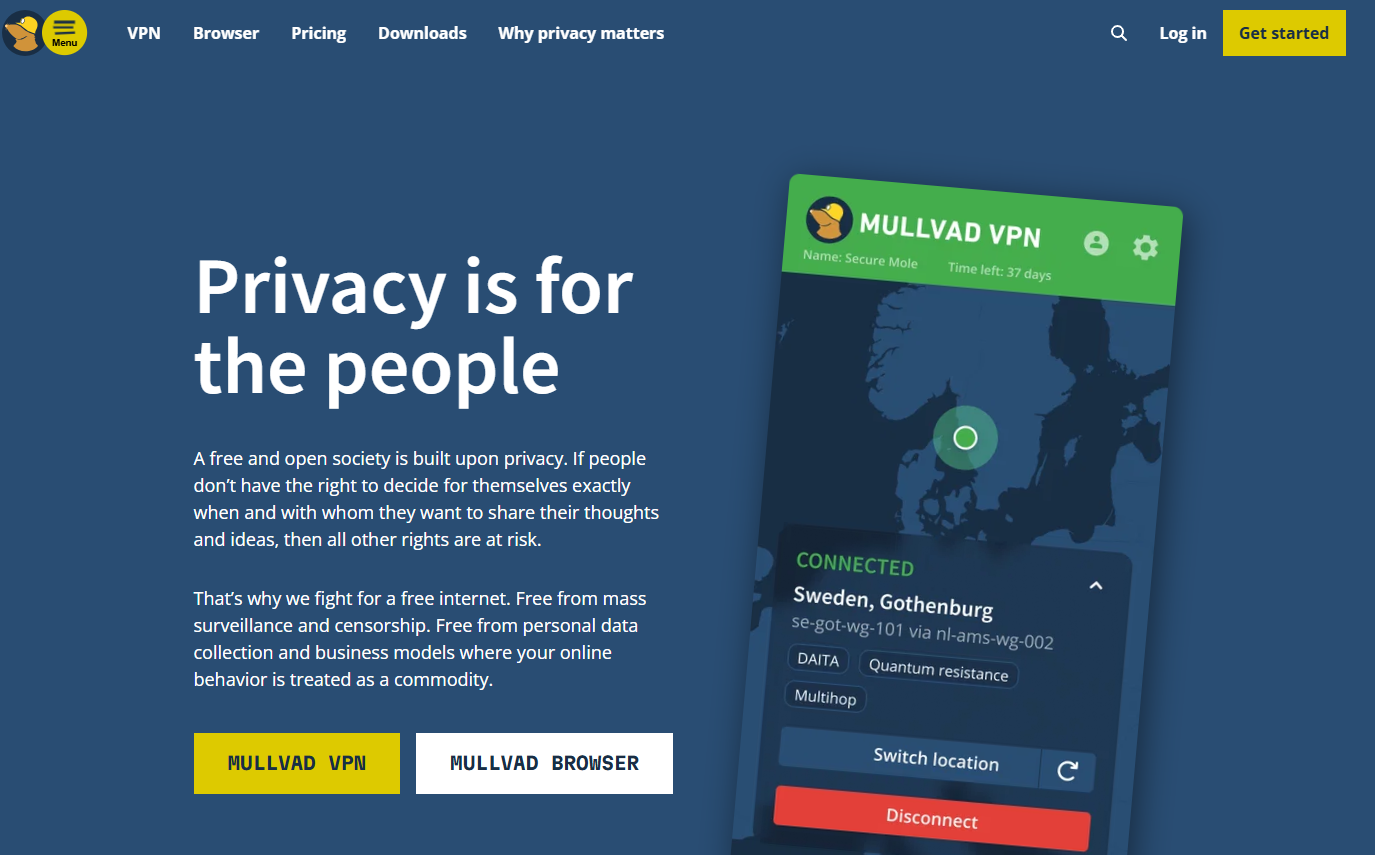
A VPN sends your traffic through another server so the sites you visit see that server's IP address instead of yours. Karpathy recommends Mullvad VPN but keeps it off by default, switching it on when he deals with services he trusts less. Using a VPN secures connections and protects personal data on public Wi-Fi, where you have no idea who controls the network or whether the hotspot is genuine.
A VPN moves trust rather than removing it, because the provider can see what your internet provider used to. CISA's guidance for highly targeted officials goes as far as advising them to avoid personal VPNs for that reason, which is exactly why Mullvad's habit of collecting almost nothing about its customers matters.
Main Features
-
Sign-up requires no email address: you get a random account number and can pay with cash, cryptocurrency, bank wire, or card.
-
One flat price of €5 a month applies whether you pay for a month or a year, with no introductory deals or renewal hikes.
-
Up to five devices can connect at once over WireGuard, with extras such as multihop routing and DAITA protection against traffic analysis.
-
Apps are open source, servers run from RAM, and the service has passed independent audits.
-
It integrates with Tailscale, which is how Techlore's Fisher routes traffic through Mullvad while reaching his home storage remotely.
What People Say About Mullvad VPN
Mullvad scores 3.7 out of 5 from 176 reviews on Trustpilot. Supporters single out the anonymous account number, with one reviewer likening it to a burner phone in the best sense, along with transparent pricing and responsive support. Critics describe Windows network conflicts after installing or removing the app and poor results in China. PCWorld's review gave Mullvad an Editors' Choice award for its speed, low price, and unrivaled anonymity, while flagging a smaller server network and difficulty unblocking streaming services.
Mullvad VPN Pros
-
Among the most anonymous sign-up and payment options available.
-
Honest, flat pricing.
-
Open-source apps, RAM-only servers, and outside audits.
-
Fast WireGuard connections.
Mullvad VPN Cons
-
Weak at unblocking streaming services.
-
A smaller network and fewer extras than the big commercial VPNs.
-
No discount for paying a year or more in advance.
-
Like every VPN, it cannot stop phishing, malware, or a password you give away.
9. DNS Ad and Tracker Blocker: NextDNS
Before any device loads a website or an app contacts its servers, it asks a DNS resolver where to go. Karpathy uses NextDNS to block ads and trackers at that step, refusing to resolve whole domains before any content arrives. For people who enjoy tinkering, he points to Pi-hole as the self-hosted hardware equivalent. Because NextDNS works at the network level, it also covers devices that cannot run an ad blocker, such as smart TVs and other internet-connected gadgets, which Karpathy otherwise suggests avoiding altogether.
Main Features
-
Custom blocklists filter ads, trackers, telemetry, and known malicious domains across every device on a profile.
-
It can run on your router to protect the whole home network or on individual phones and computers.
-
DNS queries between your device and NextDNS are encrypted.
-
Query logging is optional and can be switched off entirely.
-
The free plan covers 300,000 queries a month, and Pro costs $1.99 a month for unlimited use.
What People Say About NextDNS
NextDNS scores 3.4 out of 5 from 34 reviews on Trustpilot. Satisfied users call it set-and-forget, say it is faster than their internet provider's DNS, and describe it as easier than maintaining a Pi-hole, with several happily paying about $20 a year for Pro. The negatives focus on support: more than one reviewer says they never received a reply, and one feels development has slowed compared with rival Control D. TechRadar notes that the company was founded by veterans of Netflix and Dailymotion.
NextDNS Pros
-
Blocks ads and trackers on every device, including ones with no app store.
-
Inexpensive, with a genuinely usable free tier.
-
No hardware to maintain, unlike Pi-hole.
-
Encrypted queries and optional logging.
NextDNS Cons
-
After a free account passes 300,000 queries in a month, NextDNS keeps resolving but stops blocking until the next month, according to Control D's pricing breakdown.
-
Community support only, and reviewers report slow or missing replies.
-
It sees every domain you look up, so it is one more company you have to trust.
-
Aggressive blocklists can break some websites until you allow them.
10. Network Monitor: Little Snitch
The final tool on Karpathy's list keeps an eye on everything else. Little Snitch runs on his MacBook and shows which apps are communicating, how much data they send, and when. His rule of thumb is that an app talking far more than you would expect is suspicious and may deserve deleting. It is the same principle as the rest of his list, applied to your own computer: know what leaves, and stop whatever does not need to.
Main Features
-
A connection alert appears whenever an app tries to reach the internet, and you can allow or deny it once or with a lasting rule.
-
The network monitor shows every connection on a live traffic chart and map, grouped by app, domain, or country.
-
Version 6 added one-click blocklists and encrypted DNS.
-
Silent Mode lets connections through at first so you can review and decide later, which cuts down on interruptions.
-
Little Snitch Mini, a lighter App Store edition, offers free monitoring with blocking on a low-cost subscription.
What People Say About Little Snitch
Little Snitch averages 4.0 out of 5 from 45 user votes on Softpedia, where it also earned an Editor's Pick. On AlternativeTo it scores 3.3 from a handful of reviews, and one reviewer calls it their favorite macOS firewall, arguing the frequent alerts some people dislike are the entire point. German Apple site ifun.de found the first days a little tedious, since even legitimate apps need approval, but said the prompts become rare and meaningful once your rules settle in.
Little Snitch Pros
-
Shows exactly which apps call home and where their data goes.
-
Detailed per-app rules plus ready-made blocklists.
-
A one-time license instead of a subscription.
-
More than 20 years of development from an established Vienna-based developer.
Little Snitch Cons
-
Built for the Mac, with version 6 requiring macOS 14 Sonoma or later and no Windows edition.
-
A $59 license, according to TidBITS, with paid upgrades from older versions.
-
The first days bring a lot of prompts.
-
heise reported a leak issue involving TCP connections that persists partly because of limits in Apple's own frameworks.
Good Digital Hygiene Beyond the Tools: Habits That Dramatically Reduce Risk
Several items in Karpathy's post are habits rather than products, and they matter as much as anything you install. Digital hygiene habits can dramatically reduce exposure to cyber threats, mostly because they remove the easy target attackers go looking for.
Lock Down Devices With Biometrics and Encryption
Karpathy turns on Face ID almost everywhere on iOS, including to open 1Password, since biometrics are the third factor, the "something you are." He also calls disk encryption a no-brainer. FileVault on a Mac, or BitLocker on Windows, means a stolen laptop is a hardware loss rather than a data breach. Apply the same idea to encrypted drives: any external hard drive holding important data should be encrypted too.
Back Up With the 3-2-1 Rule
Regular backups are your strongest defense against ransomware. The 3-2-1 backup rule recommends three copies of your data, stored on two different kinds of media, with one copy kept offsite, such as your laptop, an encrypted external drive, and an encrypted cloud service. If Google Drive is where your offsite copy lives, protect that account with a security key as well, because a backup is only as safe as the login in front of it.
Treat Security Questions Like Passwords
A mother's maiden name or first school takes minutes to research. Karpathy refuses to give real answers, generating random responses to random questions and storing them in his password manager.
Keep Smart Devices and Work Computers at Arm's Length
Karpathy avoids smart home gadgets whenever he can, describing them as poorly secured, internet-connected computers that collect data and often contain microphones. He recalls a cheap carbon dioxide monitor that demanded his precise location before it would show a reading. He also keeps personal accounts off work computers, since employers commonly run monitoring software that can log network activity, keystrokes, and screenshots.
Update Everything and Delete What You Do Not Use
Regular software updates fix security vulnerabilities, so set your operating systems, browsers, and apps to update automatically. Regularly delete unused apps to reduce security risks, and remove accounts you no longer need. Deleting unused accounts limits entry points to cybercriminals, and data minimization reduces the attack surface by closing old accounts before a breach exposes them. Clear out old files holding personal details you no longer need while you are at it.
Adjust Privacy Settings on Social Media Platforms
Take ten minutes to adjust privacy settings on social media platforms so your birthday, location, friend lists, and old posts are not public. Those details feed security question guesses, targeted phishing, and online harassment. This is especially important for young people, whose online behavior tends to share more and whose accounts are often reused elsewhere. Parents can review the settings together with teenagers rather than for them.
Your Digital Hygiene Checklist
Work through this list in order; the first two rows protect everything below them.
| Habit | Tool From This List | Time Needed |
|---|---|---|
| Move every login into a password manager and replace reused passwords | 1Password | An evening |
| Add a hardware key to your email and password vault | YubiKey | 30 minutes |
| Move important chats to Signal with disappearing messages on | Signal | 10 minutes |
| Replace your default browser and search engine | Brave | 10 minutes |
| Give each merchant and subscription its own card | Halocard | A few minutes per card |
| Stop handing out your home address | Virtual Post Mail | About a week, including Form 1583 |
| Turn off automatic image loading and stop clicking email links | Proton Mail or any provider | 5 minutes |
| Use a VPN on public Wi-Fi and untrusted services | Mullvad VPN | 10 minutes |
| Block ads and trackers across your network | NextDNS | 20 minutes |
| Review which apps call home | Little Snitch | Ongoing |
| Switch on automatic updates and a 3-2-1 backup | Built-in operating system tools | An afternoon |
| Delete unused accounts, apps, and old files | None needed | 15 minutes a month |
Frequently Asked Questions
These are the questions people ask most often when they start tightening up their digital hygiene.
What Is Digital Hygiene?
Digital hygiene is the set of routine habits that keep your devices, accounts, and data healthy and secure. It covers strong, unique passwords, two-step sign-in, software updates, backups, and limiting how much personal and financial information you hand out. The aim is not perfection. It is building regular habits that make you a much harder target than most people online.
Is Cyber Hygiene the Same Thing as Digital Hygiene?
Largely, yes. Cyber hygiene is the term more often used in corporate and government security, where it describes organization-wide practices such as patching and access control. Digital hygiene usually refers to the same principle applied to an individual's digital world: your phone, your accounts, your email, and your payments.
Why Are Strong Passwords and Unique Passwords Still the First Line of Defense?
Because most account takeovers begin with a stolen, guessed, or reused credential. A strong password should not include dictionary words, names, or dates an attacker could guess, and length matters more than sprinkling in special characters. Strong passwords should be unique for every account, since reuse means one leak opens many doors. Use strong, unique passwords for every account and let a password manager remember them. The one password you do memorize, for the vault itself, works best as a long, randomly generated strong passphrase, where the strength comes from randomness and length.
Is SMS Two Factor Authentication Good Enough?
It is far better than nothing, but it is the weakest common option. SIM swapping lets attackers take over your number, and CISA advises against relying on SMS codes for high-value accounts. Use an authenticator app for everyday accounts, a hardware security key for email and your password manager, and switch off SMS as a backup method once something stronger is enrolled.
Is a Hardware Security Key Overkill for Everyday Digital Security?
Not for the handful of accounts that unlock everything else, such as your email, password manager, Apple or Google account, and bank where supported. Google's research found security keys blocked every attack type it studied. For less important accounts, an authenticator app is a reasonable middle ground. Just buy at least two keys so losing one is an inconvenience rather than a lockout.
Why Isn't Privacy.com the Recommendation for Private Payments?
Privacy.com is Karpathy's own choice, and for US residents it is excellent: a free tier with 12 new cards a month, merchant-locked cards, and a large, positive review base. The limitation is eligibility, since it requires US residency and a US checking account, and its lower tiers add a 3% foreign transaction fee. Halocard serves 120+ countries, issues cards that register as credit, and adds custom billing addresses, at a cost from $12 a month. If you live in the US and want a free option, Privacy.com is a sensible pick; if you do not, Halocard applies Karpathy's card rule wherever you are.
Can a Virtual Card Be Traced?
By the right people, yes. A virtual card keeps your real details away from the merchant, but it is not an anonymous instrument: the issuer confirms who you are, keeps a record of each transaction, and must respond to lawful requests and anti-money-laundering rules. What changes is your exposure. A leaked virtual number reveals nothing reusable, and a card restricted by a cap or a single use cannot be quietly drained.
Do I Need a VPN on Public Wi-Fi?
It is a sensible precaution. Most websites now use encrypted connections, so a public Wi-Fi operator usually cannot read what you send, but they can see which sites you visit, and fake hotspots are easy to set up. Switch a VPN on in airports, hotels, and cafes, and remember it does nothing against phishing emails or installing malware yourself.
How Do I Reduce My Digital Footprint?
Start by listing the accounts you no longer use and deleting them, then opt out of the largest data broker sites. From then on, give services an alias email, a virtual mailbox address, and a card that only works at that merchant. Regularly check breach notification services to see where your email has leaked, and read our guide on finding your digital footprint for a step-by-step audit.
How Can Young People Stay Safer on Social Media Platforms?
Set accounts to private, keep school names, locations, and daily routines out of public posts, and switch on two-step sign-in. Block and report online harassment instead of engaging, and move personal conversations to an end-to-end encrypted app like Signal. Teens should also avoid reusing their social media password anywhere else, since those accounts are frequent phishing targets.
Is Halocard Available in My Country?
Most likely. Halocard serves 120+ countries, and the excluded list is short, covering China, India, Russia, Turkey, and Iran along with a few others. Anyone living outside the US can sign up without an SSN or ITIN, and the current country list is kept up to date on the Halocard website.
Put Karpathy's Card Rule Into Practice With Halocard
If you adopt only one habit from this guide this week, make it the card rule. A password manager and security key protect your logins, but your card number is the credential you hand to more strangers than any other. Halocard lets you give every merchant, subscription, and free trial a number that works nowhere else, with a limit you set and a billing address you choose. It is built for private purchases, shopping and subscriptions, AI and cloud billing, and media buying, and teams can use Halocard for business.
Here is what it will not do. Halocard is not a bank, pays no rewards, and does not make you anonymous, and it costs a monthly subscription. If you are a US resident who wants a free card service and has a US bank account, Privacy.com is worth a look first.
For more background, read our guide to virtual cards, learn about masked card services, see how a US billing address helps at checkout, explore managing subscriptions with virtual cards, and bookmark our advice on recovering from a hacked card. You can also compare the cards or browse the full Halocard blog.
Get Started in Five Steps
-
Open an account at halocard.co in any browser.
-
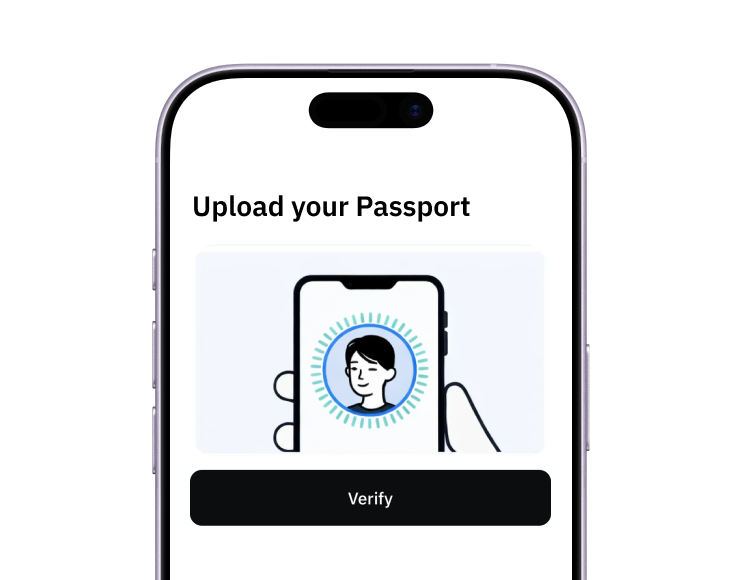
Complete identity verification with a passport or national ID, which takes under three minutes and needs no SSN outside the US.
-
Make your first deposit of at least $30.
-
Create one card per merchant or subscription, then give each its own spending cap and billing address.
-
Watch the alert for every charge, and freeze any card the moment something looks wrong.
Sources
-
Andrej Karpathy. Digital Hygiene
-
Andrej Karpathy. Personal Website
-
TechCrunch. Andrej Karpathy Is Leaving OpenAI Again
-
TechCrunch. Andrej Karpathy Joins Anthropic's Pre-Training Team
-
University of Toronto Department of Computer Science. U of T CS Alumni Among TIME100 Most Influential People in AI
-
Techlore. 10 Privacy Tools I Can't Live Without
-
IBM. Escalating Data Breach Disruption Pushes Costs to New Highs
-
Dark Reading. 91% of Cyberattacks Start With a Phishing Email
-
Security Magazine. Credential Phishing Accounted for 91% of Active Threat Reports
-
Security Magazine. Report Shows 1265% Increase in Phishing Emails Since ChatGPT Launched
-
Verizon. Credential Stuffing Attacks: 2025 DBIR Research
-
Microsoft. Disrupting Lumma Stealer
-
CrowdStrike. 2026 Global Threat Report Press Release
-
Google Online Security Blog. How Effective Is Basic Account Hygiene at Preventing Hijacking
-
CISA. Mobile Communications Best Practice Guidance
-
Security.org. 2026 Credit Card Fraud Report
-
Nilson Report via GlobeNewswire. Global Card Fraud Losses at $33 Billion
-
1Password. Homepage
-
G2. 1Password Reviews
-
9to5Mac. 1Password Announces Price Increases
-
Yubico. Homepage
-
G2. YubiKey Reviews
-
Signal. Homepage
-
Apple App Store. Signal Private Messenger
-
G2. Signal Reviews
-
Brave. Homepage
-
Brave. Brave Premium
-
G2. Brave Reviews
-
GetApp. Brave Reviews
-
Trustpilot. Halocard Reviews
-
Trustpilot. Privacy.com Reviews
-
Virtual Post Mail. Homepage
-
Trustpilot. Virtual Post Mail Reviews
-
Proton. Proton Mail
-
Trustpilot. Proton Mail Reviews
-
G2. Proton Mail for Business Compared
-
Mullvad. Homepage
-
Trustpilot. Mullvad Reviews
-
PCWorld. Mullvad VPN Review
-
NextDNS. Homepage
-
Trustpilot. NextDNS Reviews
-
TechRadar. NextDNS Review
-
Control D. NextDNS Pricing Explained
-
Objective Development. Little Snitch
-
Softpedia. Little Snitch for Mac
-
AlternativeTo. Little Snitch
-
TidBITS. Little Snitch 6.0
-
heise online. Little Snitch 6: Outbound Firewall Gets Blocklists and DNS Encryption
Sourced on September 16, 2026
*Please see Halocard's Terms of Service or Pricing for the most up to date pricing and fee information. This publication is provided for general information purposes and does not constitute legal, tax or other professional advice from Halocard LLC or its subsidiaries and its affiliates, and it is not intended as a substitute for obtaining advice from a financial advisor or any other professional. We make no representations, warranties or guarantees, whether expressed or implied, that the content in the publication is accurate, complete or up to date.
Halocard Virtual Cards

Instant approval
Create your first card in under 5 minutes.

Private purchases
Purchases never appear on your bank account.

Powered by Visa
Accepted at 175M+ merchants globally.
3 steps to create your virtual credit card
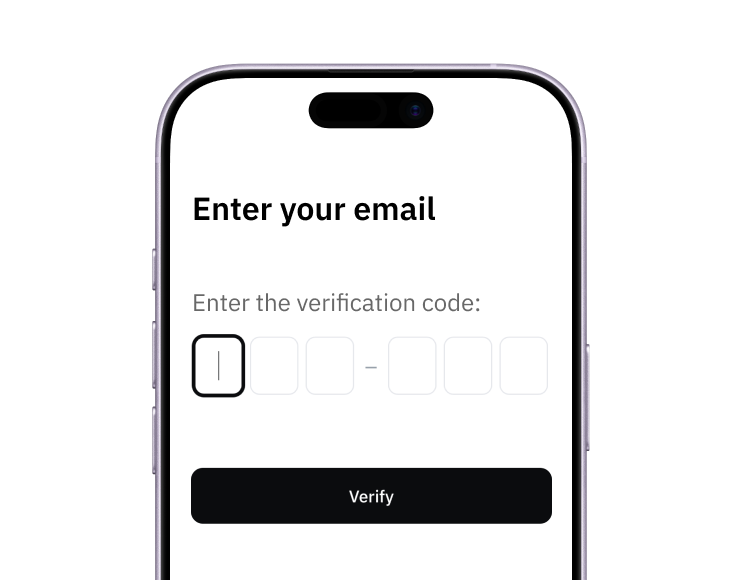
1. Sign up
Create your account from a web browser. No need to download an app.
2. Verify
Verify you're a real person in 3 minutes, from the US or any of 120+ countries.
3. Fund
Add funds by debit/credit card, Apple Pay, Google Pay, bank transfer, stablecoins, or crypto.
Pay with Halocard
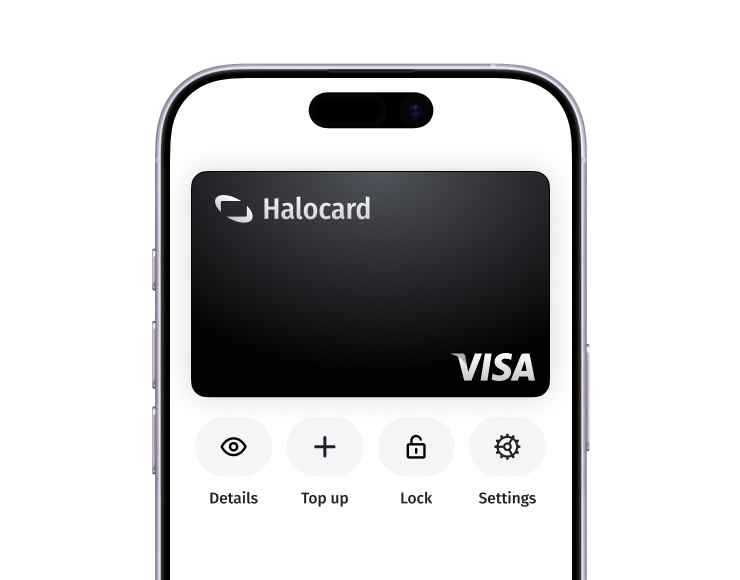
Pay online and in-person wherever Visa is accepted. You can also order a physical Halocard if you prefer.