How to Manage SaaS Subscriptions With Virtual Cards

Edward Taylor

-
Assign one virtual card to every software vendor to create clear ownership and visibility.
-
Set per-card spend limits to prevent any unexpected charges, surprise renewals, or pricing increases.
-
Instantly cancel or lock a card to stop future charges without disrupting other unrelated subscriptions.
-
Halocard provides international businesses access to US-issued virtual cards without requiring a US entity, credit check, or a US SSN.
The SaaS Subscription Problem
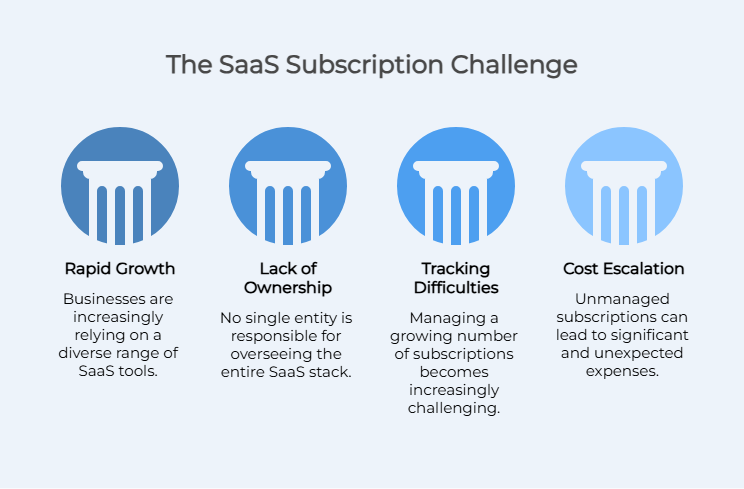
Most businesses don't realize how quickly SaaS subscriptions can multiply and add up. Just a few years ago, a company may have relied on just 5 or 10 core applications, but today, it's common for small businesses to use dozens of software tools across marketing, finance, operations, sales, customer support, and more.
Every department needs the best solution for its needs, but the problem is that nobody is generally responsible for the entire SaaS stack. As more subscriptions are added, tracking becomes harder, ownership becomes unclear, and costs quickly increase. What started out as a handful of subscriptions can quickly turn into a major subscription management challenge.
Shadow IT Creates Visibility Gaps
An employee might discover a useful SaaS tool, sign up using the company credit card, and start using it right away. Then, another team might purchase a separate platform that solves a similar problem. Months later, nobody remembers who approved the purchase, who owns the account, or whether the tool is still being actively used.
This creates a growing collection of active subscriptions with unclear ownership, and these costs add up, especially when unused tools keep charging for monthly usage.
Shadow IT also creates security risks, because when former employees leave, their accounts remain active. These applications may still have access to sensitive business data. Without a structured approach to SaaS management, these subscriptions often remain invisible until someone performs a formal audit.
Surprise Renewals Inflate SaaS Spend
The second problem is surprise renewals, with many vendors relying heavily on automatic renewals. A monthly subscription may upgrade into an annual subscription, the pricing may increase before the next billing cycle, or a free trial may expire.
The issue is even worse when businesses lose track of their renewal date. Most companies don't intentionally overspend on software, but many also lack visibility into what's being renewed and whether the tool still provides value. Over time, these forgotten recurring subscriptions increase wasted SaaS spend.
Reconciliation Becomes a Monthly Headache
The third problem affects finance teams directly, because many businesses place every single subscription on a corporate card or shared card. It might seem convenient at first, until the statement arrives.
There are dozens of charges mixed together, and this means that finance teams have to determine which department owns each transaction and whether it was authorized.
This creates a lot of unnecessary work for accounting teams, and moreover, when dozens or even hundreds of software subscriptions are charged to the same card, visibility all but disappears, with every transaction requiring investigation.
Cancellation Doesn't Always Stop the Charges
The final challenge here is with cancellation, as many vendors make it very hard to cancel subscriptions. Someone might submit a cancellation request, but then weeks later, another charge appears.
Some vendors require support tickets, others require conversations with account managers, and some vendors automatically renew contracts unless notice is provided before a deadline.
The result here is that businesses keep paying for products that they no longer use. Without proper controls, organizations continue funding subscription payments long after the software has stopped delivering value. This is the reason why effective SaaS subscription management needs more than just a spreadsheet.
Need a virtual card for SaaS, AI tooling, and international online payments? Read our guide on the 15 best Privacy.com alternatives.
How Virtual Cards Fix SaaS Sprawl
The best way to regain control of a growing SaaS stack is to change how subscriptions are paid for. The rule here is that each vendor should have a single card.
One Vendor. One Card.
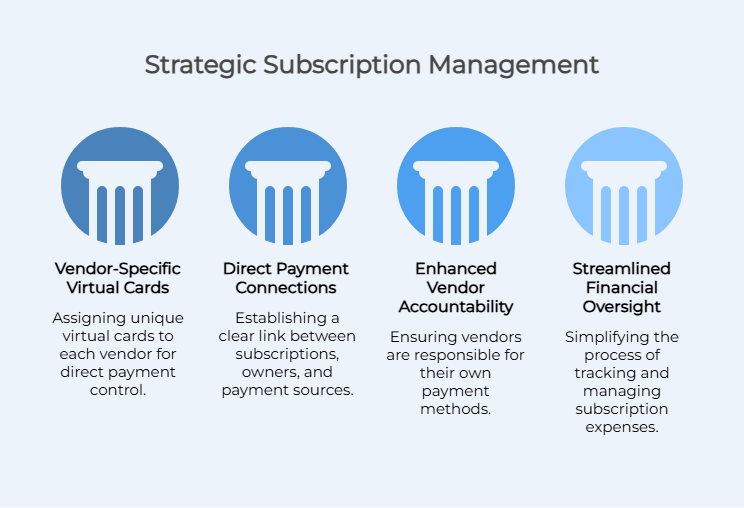
Instead of putting every application on the same payment method, you should assign a separate virtual card to each vendor. When each vendor receives its own dedicated virtual card, it creates a direct connection between the subscription, the owner, and the payment source. This provides four major benefits.
Spend Caps Prevent Billing Surprises
The first benefit is that each card can have its own card limit. For example, if a subscription costs $50 per month, you can assign a $55 limit.
It's a small buffer that accommodates taxes or minor pricing adjustments while preventing unexpected increases. These kinds of spend limits create immediate protection against unauthorized charges and billing errors.
Better Vendor-Level Control
When every vendor has a dedicated card, ownership is clear. You can see who requested the software, which department owns it, how much it costs, and when it renews.
Instead of trying to manage dozens of vendors through a single account, businesses gain much more control over individual subscriptions. It's one of the easiest ways to improve spend management while reducing waste.
Instant Lock and Cancellation Controls
One of the biggest advantages of using virtual cards for SaaS is flexibility. If a subscription is no longer needed, you can instantly lock the associated card.
You can also permanently cancel it, if needed. Unlike using a physical card, cancelling a virtual card does not affect every other vendor attached to the account. This means that you can easily stop future vendor charges without disrupting other services.
Cleaner Reconciliation
The other major benefit here is cleaner reconciliation. Every charge is automatically associated with a single vendor, and this greatly improves real-time tracking, real-time visibility, and reporting accuracy. Instead of having to sort through dozens of mixed transactions, finance teams can identify where spending occurred and who owns it.
Many providers also support Mastercard or Visa 3D Secure authentication, adding another layer of protection against fraud, helping to reduce the impact of a potential security breach.
How to Set Up a One-Card-Per-Vendor System
Implementing this system is easy. Just follow the steps below.
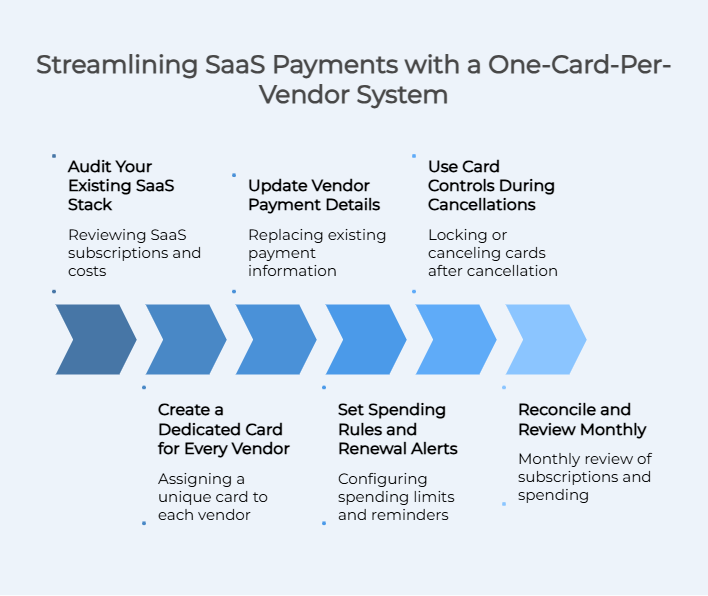
1. Audit Your Existing SaaS Stack
Before you can manage SaaS subscriptions, you need to understand what you're paying for. This means that you need to review credit card and bank statements, expense reports, procurement records, accounting software, and department budgets.
You'll then want to create a spreadsheet that contains the vendor name, monthly or annual cost, subscription owner, department, current payment method, next renewal date, and contract status. This simple exercise can reveal duplicate platforms, forgotten free trials, and unused tools that can be removed.
2. Create a Dedicated Card for Every Vendor
You then want to create a dedicated card for each vendor. When every vendor receives its own card, this structure creates cleaner vendor payments, stronger subscription management controls, and better reporting. Always avoid assigning multiple vendors to the same card, because the effectiveness of this system depends on maintaining a one-to-one relationship between the payment source and the subscription.
3. Update Vendor Payment Details
Log into every vendor account you have and replace the existing payment information. Like the card details, card number, expiration date, and security code.
Although this takes time initially, it really only needs to happen once. From this point on, every new subscription receives its own subscription card as part of the onboarding process. This creates great consistency for all SaaS payments.
4. Set Spending Rules and Renewal Alerts
You then want to configure spending controls for each subscription. For instance, if a subscription costs $30, create a $35 limit. The goal here is to allow for normal billing while also preventing unexpected increases. You'll then also want to create reminders for yourself, including ones for 30 days, 14 days, and seven days before the renewal.
This provides subscription owners with more than enough time to evaluate if the software is still necessary before auto renewals occur. By proactively reviewing subscriptions before they auto renew, businesses are able to significantly reduce unnecessary spend.
5. Use Card Controls During Cancellations
When it's time to cancel a subscription, always follow the vendor's cancellation process, save all confirmation emails, and then lock or cancel the associated card. Keep one thing in mind however, which is that cancelling the card doesn't automatically terminate a contract.
If the vendor agreement remains active, the business may still be responsible for outstanding obligations. Card controls are ideal to help you stop paying for future charges, but they can't replace proper contract termination procedures.
6. Reconcile and Review Monthly
The final step here is ongoing maintenance. This means that every single month you should review active subscriptions, monthly spending, upcoming renewals, department ownership, and usage levels.
These kinds of monthly reviews help prevent waste and keep financial operations aligned with your business needs. Most importantly, they also ensure that your growing collection of recurring payments remains under control instead of becoming another expense category.
Choosing the Right Virtual Card for SaaS Management
Not all virtual cards for SaaS are equal.
Before selecting a provider, evaluate:
-
Geographic availability
-
Card acceptance rates
-
Number of virtual cards included
-
Per-card spend limits
-
Vendor controls
-
Instant lock and cancellation features
-
Custom billing address support
-
Funding options
-
Accounting integrations
-
Pricing structure
-
Support for global business payments
Find out more about the best virtual card providers
| Feature | Halocard | Ramp | Brex | BILL Spend & Expense | Cledara |
|---|---|---|---|---|---|
| Card Type | Visa credit card | Corporate charge card | Corporate credit/commercial card | Corporate card platform | Virtual credit/debit cards |
| Geographic Availability | US + 120+ countries | US, Canada, UK, EEA | Accepted in 210+ countries | Primarily US businesses | US, UK, Europe |
| Funding Method | Card, Apple Pay, Google Pay, Bank Transfer, Stablecoins & Crypto | Credit facility | Credit facility | Credit facility | Platform account funding |
| Virtual Cards Included | 30–500 cards depending on plan | Unlimited | Unlimited | Virtual cards included | Free virtual cards |
| Per-Card Spend Limits | Yes | Yes | Yes | Yes | Yes |
| Vendor Controls | Yes | Yes | Yes | Limited | Yes |
| Instant Lock/Cancel | Yes | Yes | Yes | Yes | Yes |
| Custom Billing Addresses | Yes | No | Limited | No | No |
| SaaS Management Features | Subscription-focused controls | Spend management platform | Finance automation platform | Expense platform | Dedicated SaaS platform |
| Pricing (USD) | $29–$299/month | Free, or Plus from $15/user/month plus platform fees | $0/user/month or $12/user/month Premium | Custom pricing | $75/month to $500+/month |
| Best For | Global SaaS-heavy teams | US finance teams | Scaling startups and mid-market companies | SMB spend management | Dedicated SaaS procurement |
Halocard and Cledara are the most specialized options for managing large volumes of software subscriptions. Cledara combines software lifecycle management with procurement workflows, whereas Halocard focuses on flexible global card issuance, broad payment acceptance, and granular card-level controls.
Ramp, Brex, and BILL Spend & Expense take a broader approach. Their platforms combine spend management, reimbursement workflows, approvals, accounting automation, and business payments into a one stack. Ramp vs Brex vs Halocard compares the first two with Halocard in detail.
For companies looking for complete financial operations in one place, these are attractive solutions. However, for businesses that are primarily focused on SaaS management, the additional functionality is likely unnecessary. The most important takeaway here is that your payment infrastructure should always match your subscription strategy. For those who need broad global acceptance, Halocard is the best option.
Why Halocard Works for SaaS-Heavy Teams
Many virtual card platforms simply assume that customers are U.S. companies with U.S. bank accounts.
For many e-commerce businesses, remote organizations, startups, agencies, and international companies, this creates problems, as they often rely on American software vendors. Halocard was actually built specifically around that problem.
It is accessible to users in 120+ countries and allows people to create US-issued virtual cards without requiring a U.S. company, US residency, or a personal credit check.
Built Around the One-Card-Per-Vendor Model
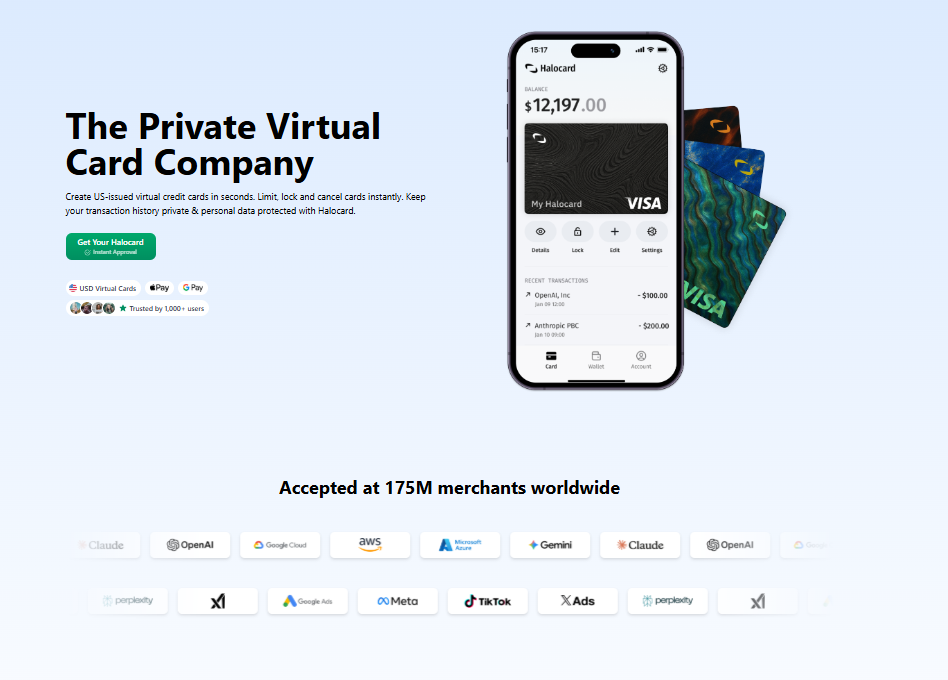
Halocard allows businesses to create multiple cards and assign each one to a specific vendor. Depending on the selected plan, users can manage up to 500 cards simultaneously. This makes it a practical option to assign one card for each and every single software subscription. Instead of running dozens of subscriptions through a shared card, every vendor gets its own payment source.
Granular Spending Controls
Halocard supports daily, monthly, and per-transaction spend limits. Businesses can create cards specifically for subscriptions, set the exact budget, and prevent unexpected charges from exceeding approved thresholds.
This is very useful for auto renewals, usage billing, cloud infrastructure spending, AI platform consumption, and marketing software. If a price happens to change unexpectedly, the card limit prevents the charge from going through.
Instant Locking and Cancellation
Halocard allows users to instantly lock or cancel cards permanently. This means that businesses don't have to replace an entire company credit card just because one vendor relationship ended. This kind of control is ideal as payments are isolated to individual subscriptions.
Custom Billing Addresses
Another capability that distinguishes Halocard from many of its competitors is that it supports custom billing addresses on individual cards. In other words, each and every single card can have a custom US billing address. This improves overall compatibility with many vendors, while providing additional flexibility for international businesses working with US-based services.
Stablecoin Funding and Global Accessibility
Unlike many other providers, Halocard supports stablecoin funding alongside traditional card funding methods, as well as crypto. This funding flexibility, combined with its global accessibility and broad acceptance, makes Halocard an ideal option for international companies that require access to US payment infrastructure.
OpenClaw API and Modern Payment Support
For businesses that require automation, Halocard supports OpenClaw API, allowing for opportunities to automate card issuance, controls, and payment workflow. The platform also supports Apple Pay, Google Pay, and Visa 3D Secure authentication.
Frequently Asked Questions
Can You Use a Virtual Card for SaaS Subscriptions?
Yes, virtual cards can be used for Saas subscriptions, including monthly plans, annual contracts, AI platforms, cloud services, and collaboration tools.
How Do Virtual Cards Handle Recurring SaaS Payments?
Virtual cards handle recurring payments just like traditional cards. The difference is that businesses get better visibility, ownership tracking, and spend controls for every subscription.
Why Do Finance Teams Prefer Dedicated Cards for SaaS Management?
Finance teams prefer dedicated cards for SaaS management thanks to cleaner reporting, simpler reconciliation, and clearer ownership.
Can a Corporate Card Be Used for SaaS Subscription Management?
Yes, a corporate card is ideal for SaaS subscription management as it can be used for software purchases while providing excellent spend control.
What Happens If a SaaS Vendor Overcharges Your Subscription Card?
If spend limits have been configured, transactions that exceed this limit will likely be automatically declined.
How Do Virtual Cards Improve Vendor Payments and Subscription Control?
Virtual cards improve vendor payments and subscription control because they create a direct relationship between the payment source and vendor.
What's the Best Way to Manage Annual Subscriptions Without Renewal Surprises?
The best way to manage annual subscriptions without renewal surprises is to use virtual cards with spend controls set. Also, track every renewal date, assign ownership to every subscription, create reminders before renewal, and review all annual subscriptions before they automatically renew.
Do Virtual Cards Provide Real Time Tracking for SaaS Spend?
Yes, most modern providers provide real-time tracking features and transaction monitoring, allowing businesses to immediately identify spending changes.
Sources
-
Ramp. Ramp - Unlimited Virtual + Physical Cards
-
Ramp. Ramp Pricing and Plans
-
Cledara. Cledara Pricing — SaaS Management Plans & Packages
-
Cledara. Cledara | The SaaS Management Platform for Spend & Risk
-
BILL Spend and Expense. Introducing BILL Spend & Expense
-
Brex. Brex Pricing Plans | Get Started Today
-
Brex. Brex: The Modern Finance Software Platform | Spend Smarter
-
Open. How Can Virtual Cards Help You Manage SaaS Spends | OPEN Money Blog
-
Infini. How to Pay Subscriptions with a Virtual Card — Infini Blog
-
Cardboard. Virtual cards for SaaS payments drive automation & efficiency | Cardboard
-
Funccards. How to Manage SaaS Subscriptions With Virtual Cards
-
Reddit. how do you manage virtual cards for SaaS subscriptions? : r/SaaS
*Please see Halocard's Terms of Service or Pricing for the most up to date pricing and fee information. This publication is provided for general information purposes and does not constitute legal, tax or other professional advice from Halocard LLC or its subsidiaries and its affiliates, and it is not intended as a substitute for obtaining advice from a financial advisor or any other professional. We make no representations, warranties or guarantees, whether expressed or implied, that the content in the publication is accurate, complete or up to date.
Halocard Virtual Cards


Instant approval
Create your first card in under 5 minutes.

Private purchases
Purchases never appear on your bank account.

Powered by Visa
Accepted at 175M+ merchants globally.
3 steps to create your virtual credit card
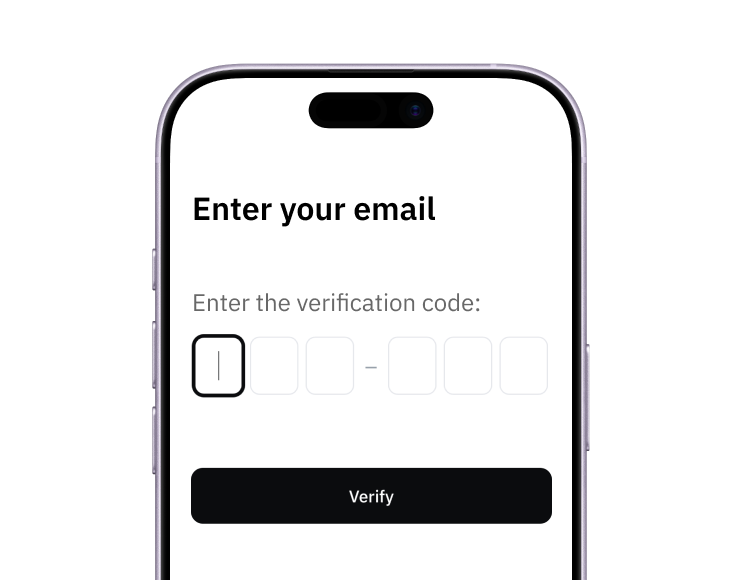
1. Sign up
Create your account from a web browser. No need to download an app.

2. Verify
Verify you're a real person in 3 minutes, from the US or any of 120+ countries.
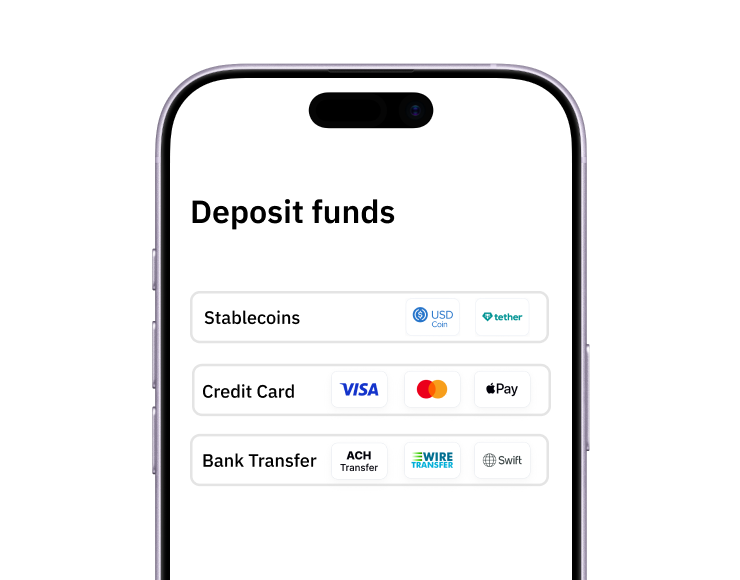
3. Fund
Add funds by debit/credit card, Apple Pay, Google Pay, bank transfer, stablecoins, or crypto.
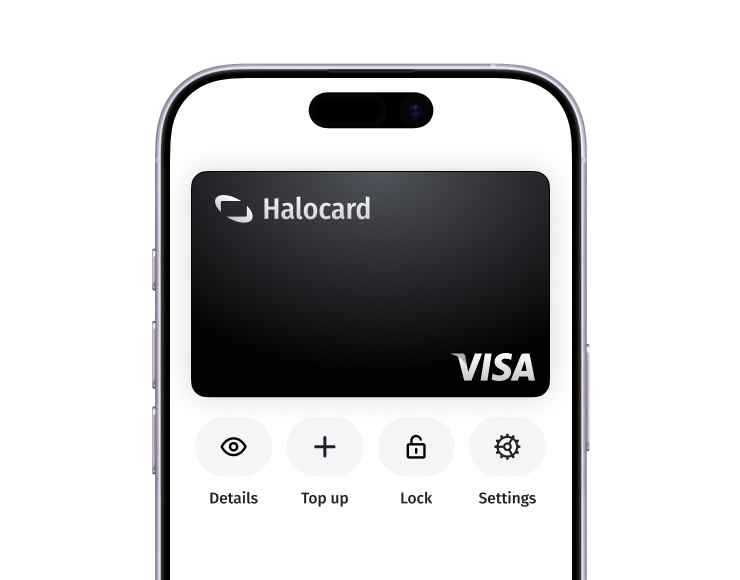
Pay with Halocard
Pay online and in-person wherever Visa is accepted. You can also order a physical Halocard if you prefer.