

Quick Answer: Mozilla Firefox is the most capable browser you can use without handing your browsing to Google. It runs on Mozilla's own Gecko engine, blocks trackers by default, ships a free VPN with 50 GB a month, and is the only major browser still running full uBlock Origin. The trade-offs are heavy memory use with many tabs open and slower JavaScript benchmarks.
Firefox has been around for quite some time, and most people only look at it again when something pushes them, usually a privacy story about Google Chrome or an ad blocker that stops working. We spend so much time in the browser that the choice matters.
We installed Firefox on Windows from a clean download and used it as our default web browser for everyday use: shopping, banking, searching, video, and a lot of open tabs. Here is what setup felt like, which settings to change on day one, and where it struggled.
Key Takeaways
-
Firefox blocks social media trackers, cross-site cookies, cryptominers, and fingerprinters by default using a list from Disconnect.
-
Firefox is the last major browser that still runs the full uBlock Origin, after Chrome and Edge finished moving to Manifest V3.
-
The built-in VPN gives you 50 GB of browsing a month free, which no other mainstream browser matches.
-
Business reviewers rate Firefox 4.4 out of 5 on G2 and Capterra, while Trustpilot sits near 1.7 from roughly 400 reviews.
-
Memory use is the recurring complaint, and it is the price of the site isolation architecture that keeps each site in its own process.
Mozilla Firefox at a Glance
| Feature | Details |
|---|---|
| Developer | Mozilla, a nonprofit-backed organization |
| Price | Free and open source, with optional paid Mozilla services |
| Platforms | Windows, macOS, Linux, Android, and iOS |
| Engine | Gecko, the only major engine that is not Chromium |
| Tracker blocking | Enhanced Tracking Protection, on by default in three modes |
| Built-in VPN | Free beta, 50 GB a month, in select countries |
| Extensions | Thousands of add ons, including full uBlock Origin |
| Best for | People who want privacy and customization without Chromium |
Our Rating
| Category | Score |
|---|---|
| Privacy protections | 4.7 / 5 |
| Ease of use | 4.4 / 5 |
| Speed and performance | 3.9 / 5 |
| Features and value | 4.6 / 5 |
| Site compatibility | 4.2 / 5 |
| Overall | 4.3 / 5 |
What Is the Firefox Browser?
Mozilla Firefox is a free, open source web browser built around user privacy. It matters more than its market share suggests, because it runs on Gecko, the only major engine not controlled by an advertising company. Chromium based browsers, including Google Chrome, Microsoft Edge, Opera, and Brave, all inherit their engine from Google.
That independence has practical consequences. Mozilla kept the extension technology that full ad blockers need, so Firefox is the last major browser with access to full uBlock Origin, after Google removed it from Chrome on August 31, 2026. Mozilla's reply was blunt: that support is not going anywhere.
Firefox also uses site isolation, loading each site in its own process so a malicious page cannot read another site's data. Good security, and the reason this software is hungry for memory.
Installing Firefox and Setting It as Your Default Browser
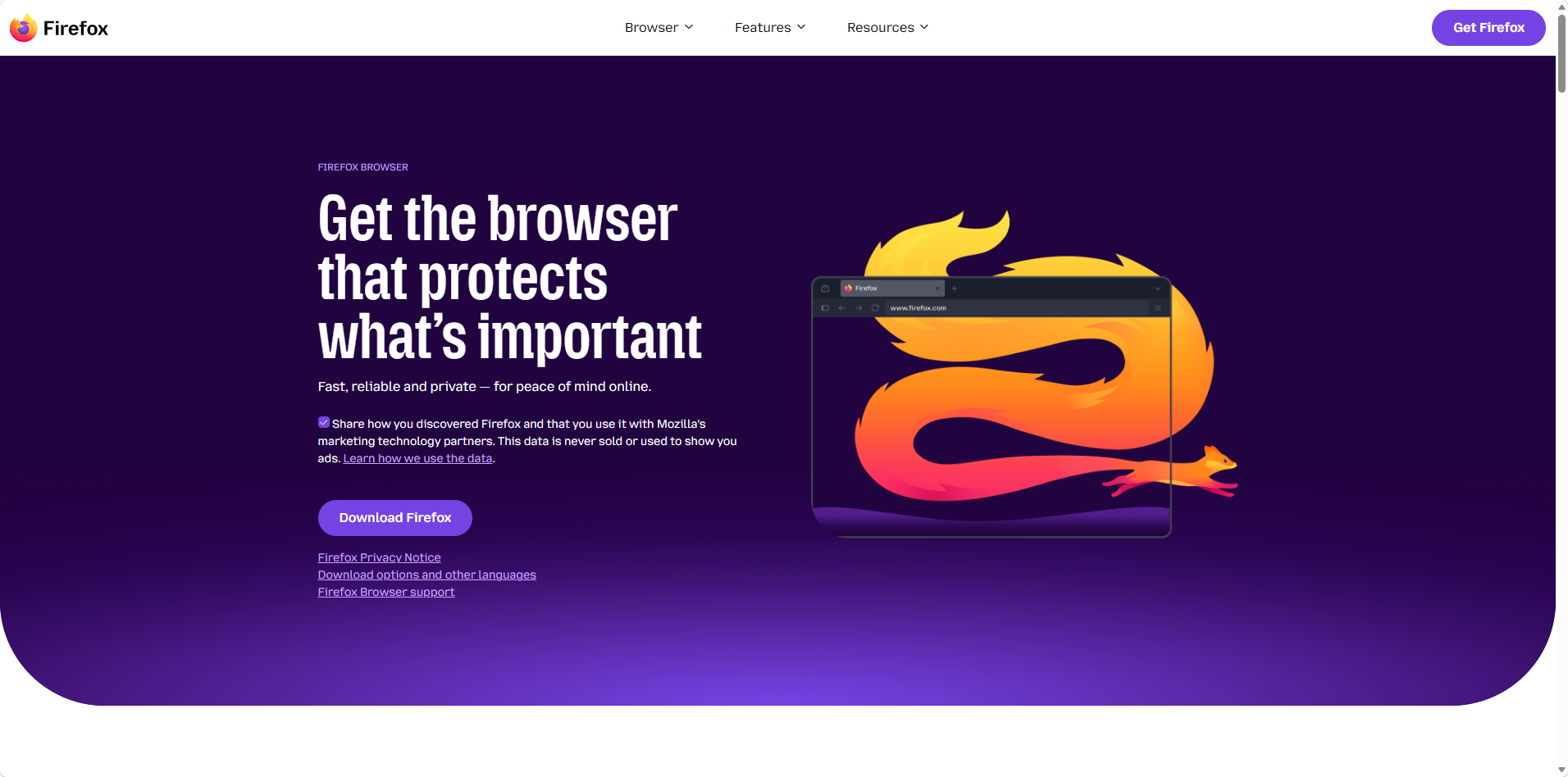
The first privacy decision comes before you install anything. On the download page, a box is pre-checked that shares how you found Firefox with Mozilla's marketing partners.
We unchecked the data sharing box under the tagline before clicking Download Firefox.
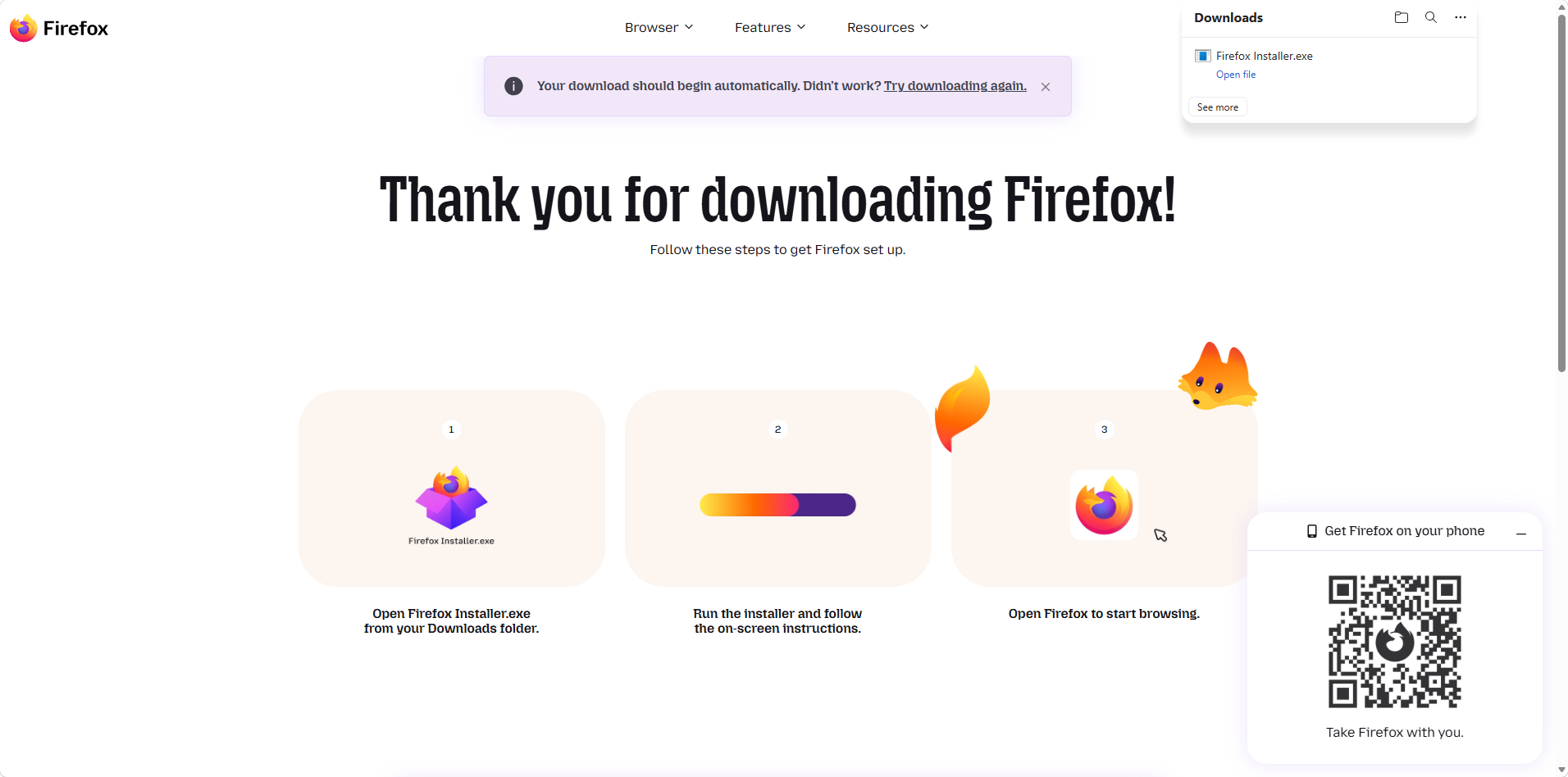
The download starts automatically, and the three-step guide shows where the installer lands.
Installation took under a minute, with no options to wade through.
First launch is where Mozilla asks for something. The welcome screen says Firefox sends diagnostic and interaction data, with a "Manage diagnostic and interaction data" section most people scroll past. You can stop Firefox from sending telemetry there or later in settings.
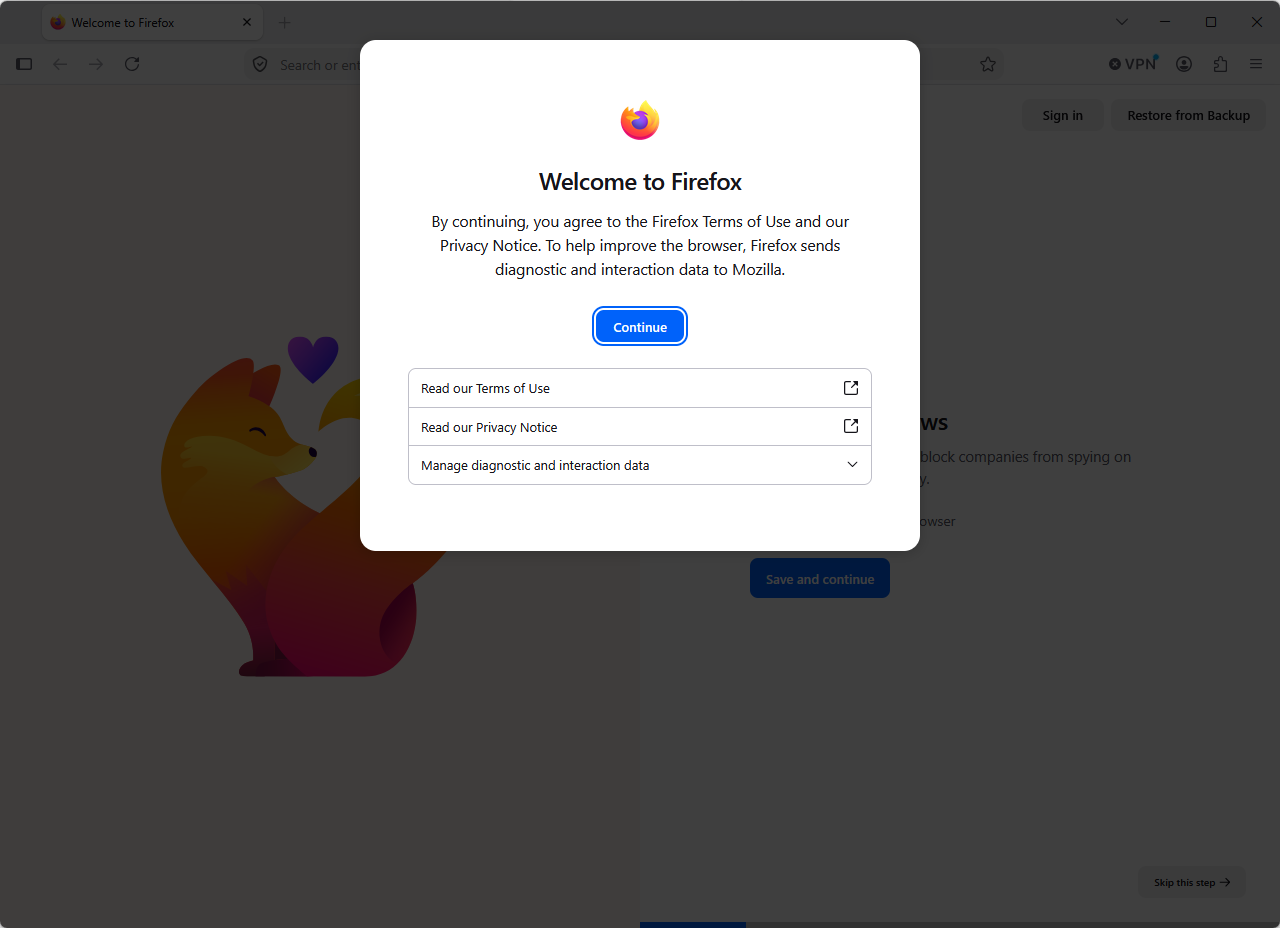
The diagnostic data section is collapsed by default. Expanding it is step one.
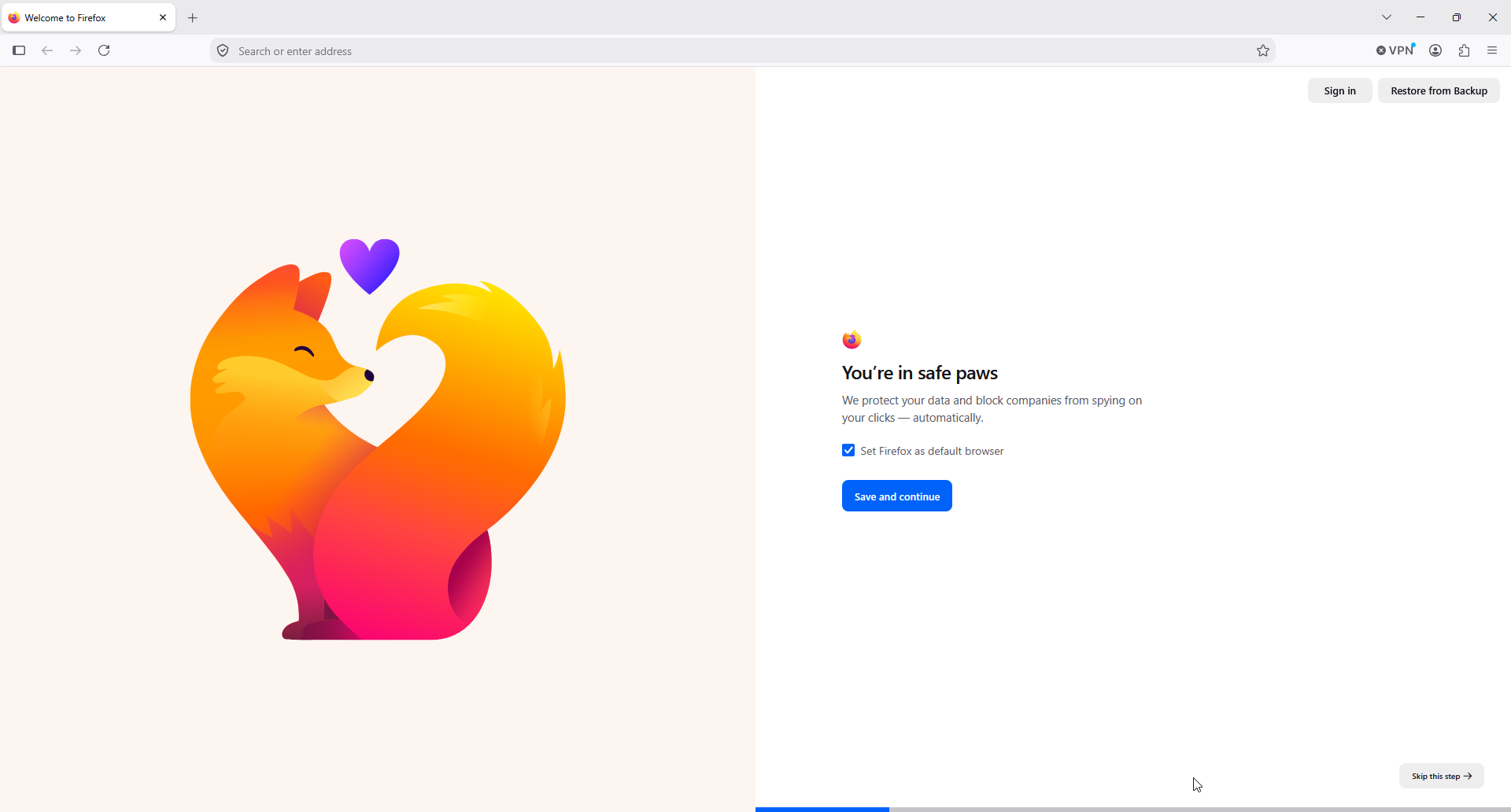
Firefox pre-checks the default browser box, so read this screen before continuing.
Migration is painless. Firefox imports bookmarks, passwords, and history from Chrome or Safari, and your imports land on the bookmarks toolbar where you left them. Signing in encrypts and syncs tab groups, history, bookmarks, and shortcuts between devices, which is what makes a seamless browsing experience across a laptop and a phone. Changing the default search engine in the address bar or search bar takes two clicks in settings.
Privacy Protections on Every Web Page
Enhanced Tracking Protection is Firefox's core privacy feature, and it works on every web page without setup. Firefox relies on a list of known trackers provided by Disconnect, and the shield icon in the address bar shows what was blocked on the site you are reading.
There are three tracker-blocking modes:
-
Standard, the default, which blocks social media trackers, cross-site tracking cookies, crypto miners, and known fingerprinters, with Total Cookie Protection keeping each site's cookies in their own jar.
-
Strict, which adds tracking content and bounce tracking protection, and which Mozilla warns can break sites.
-
Custom, where you choose exactly which trackers, cookies, and scripts to block.
Firefox layers other important features on top. HTTPS-Only mode forces secure connections, which is worth switching on before you use hotel or airport WiFi. DNS over HTTPS encrypts the lookups that reveal which sites you visit. Built-in phishing and malware protection warns you before you open a dangerous website or download, and the password manager stores strong passwords and flags any caught in a breach.
Mozilla keeps iterating. Its newest anti-fingerprinting work cut the share of users who look unique to fingerprinters by almost half.
Private Browsing Mode and the Built-In VPN
Private browsing mode erases history and cookie data when you close the window, and it gets extra protection: fingerprinter blocking is enabled there by default.
The bigger news is the VPN. Firefox 149 added a free built-in VPN with 50 GB of browsing a month, and the prompt appeared in our toolbar on first run.
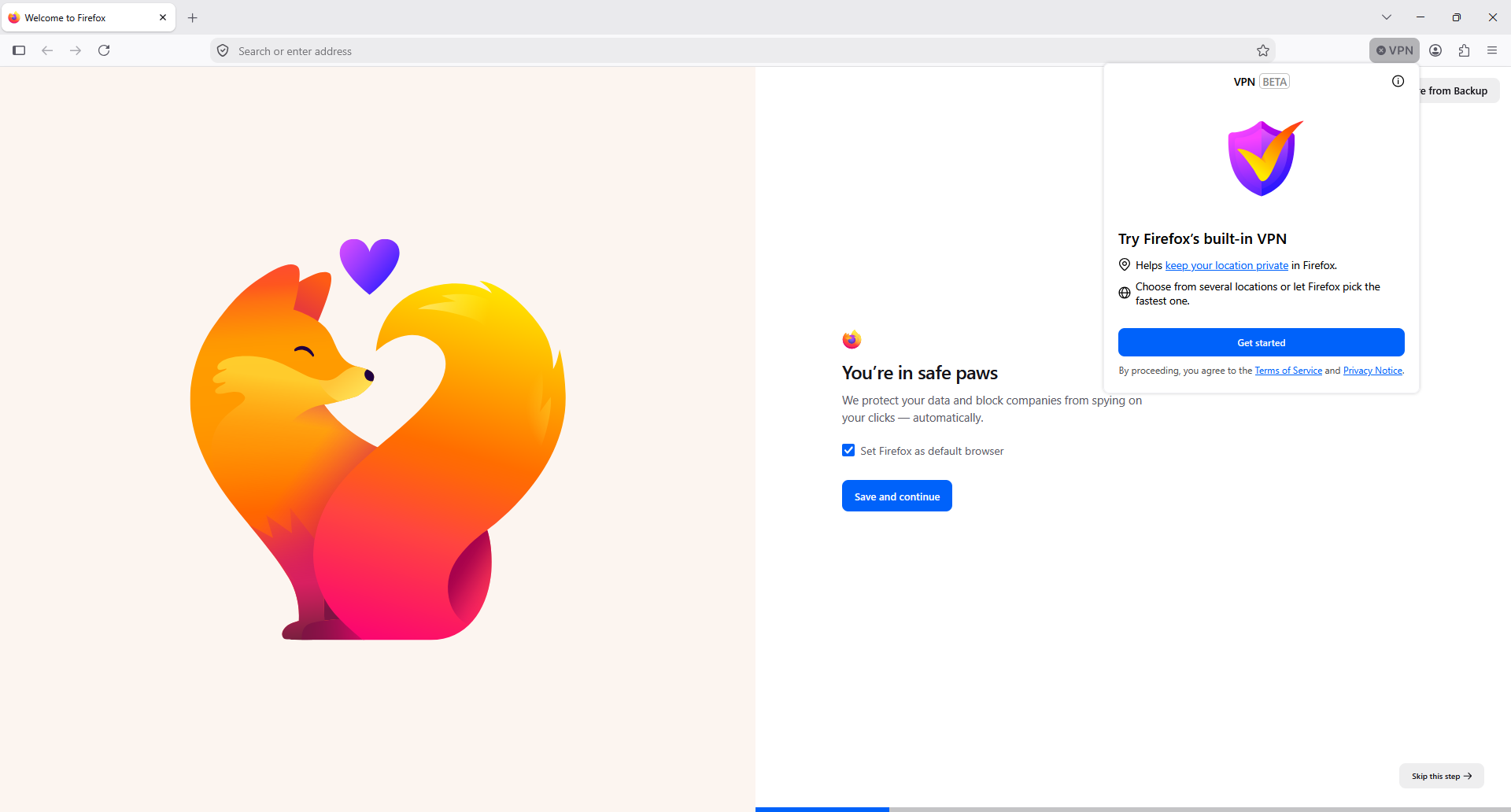
The VPN prompt appears in the top right corner of the toolbar. It is still labeled Beta.
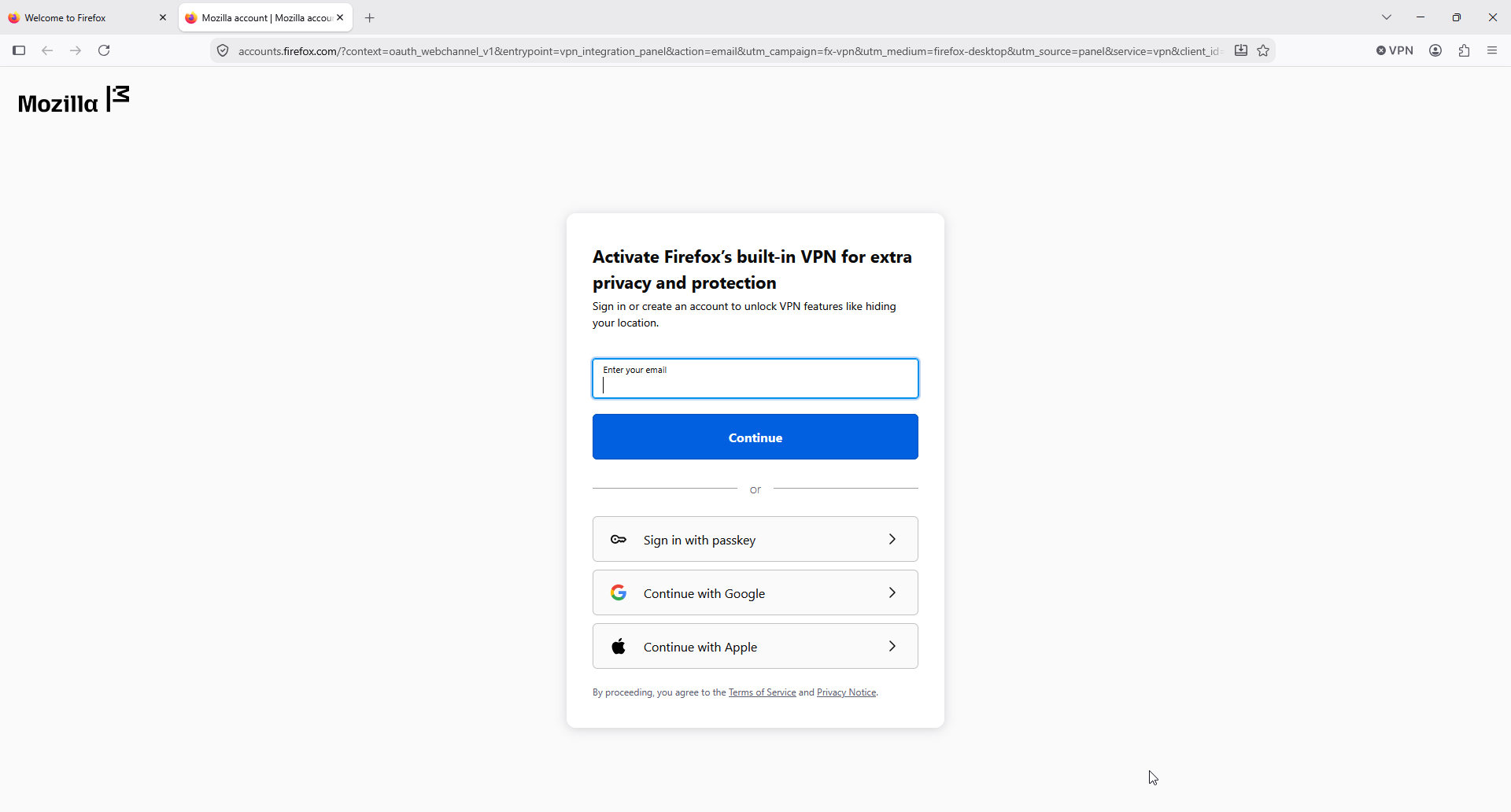
Activating it requires a Mozilla account, which is the one piece of friction in an otherwise free feature.
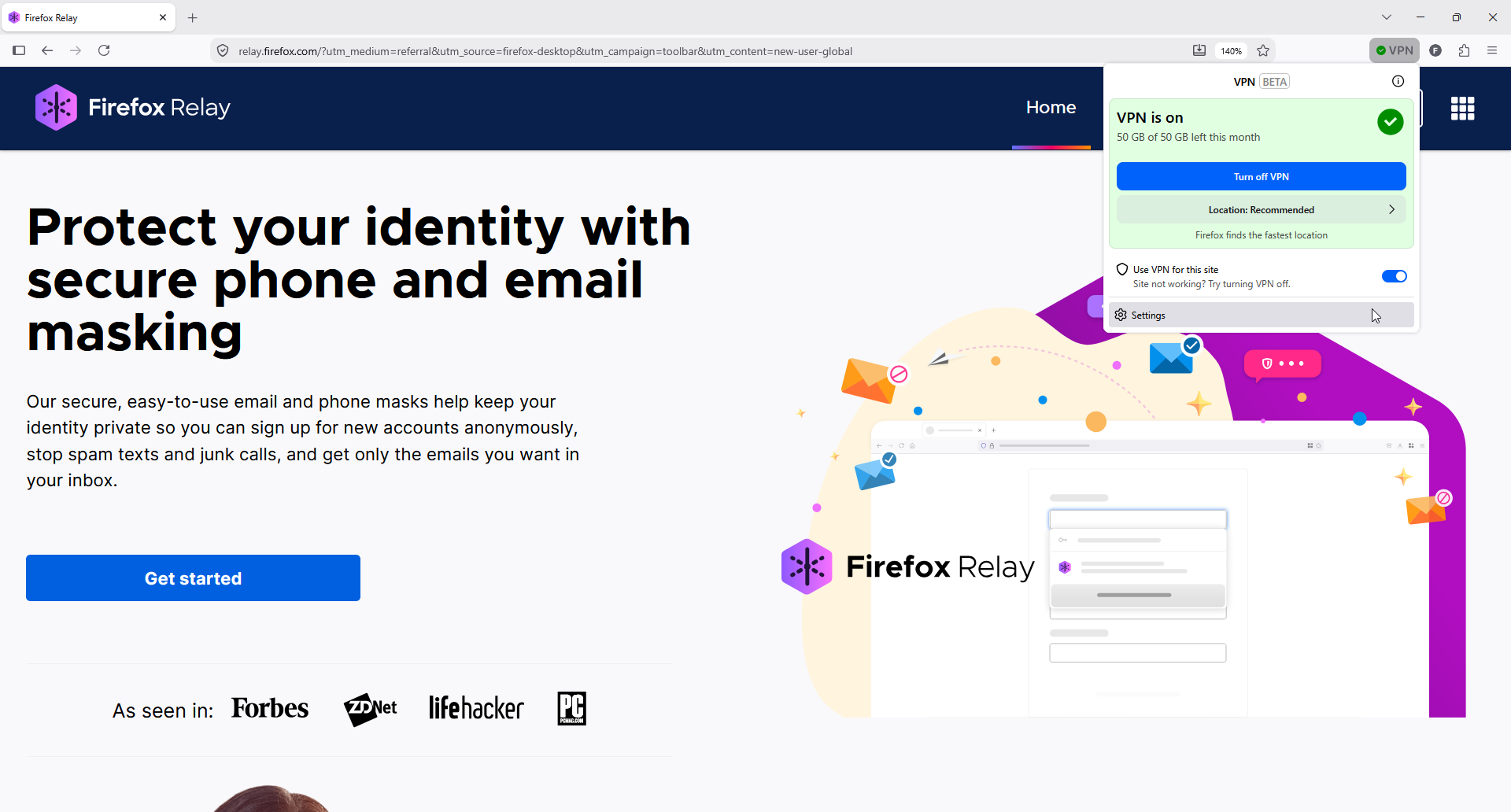
The panel tracks remaining data and lets you turn the VPN off per site.
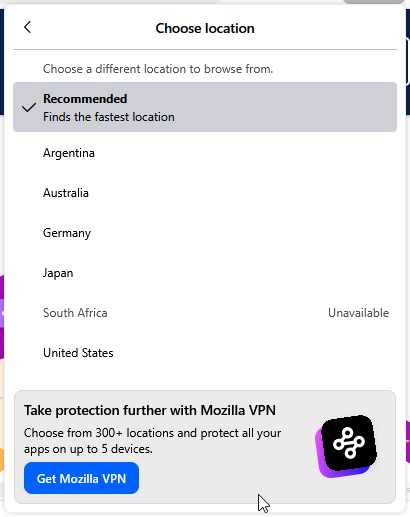
Location selection arrived in May 2026. Our list held six countries.
Two caveats: it covers Firefox traffic only, not your other apps, and Mozilla logs technical data such as whether a connection succeeded. For device-wide coverage, Mozilla sells a full VPN.
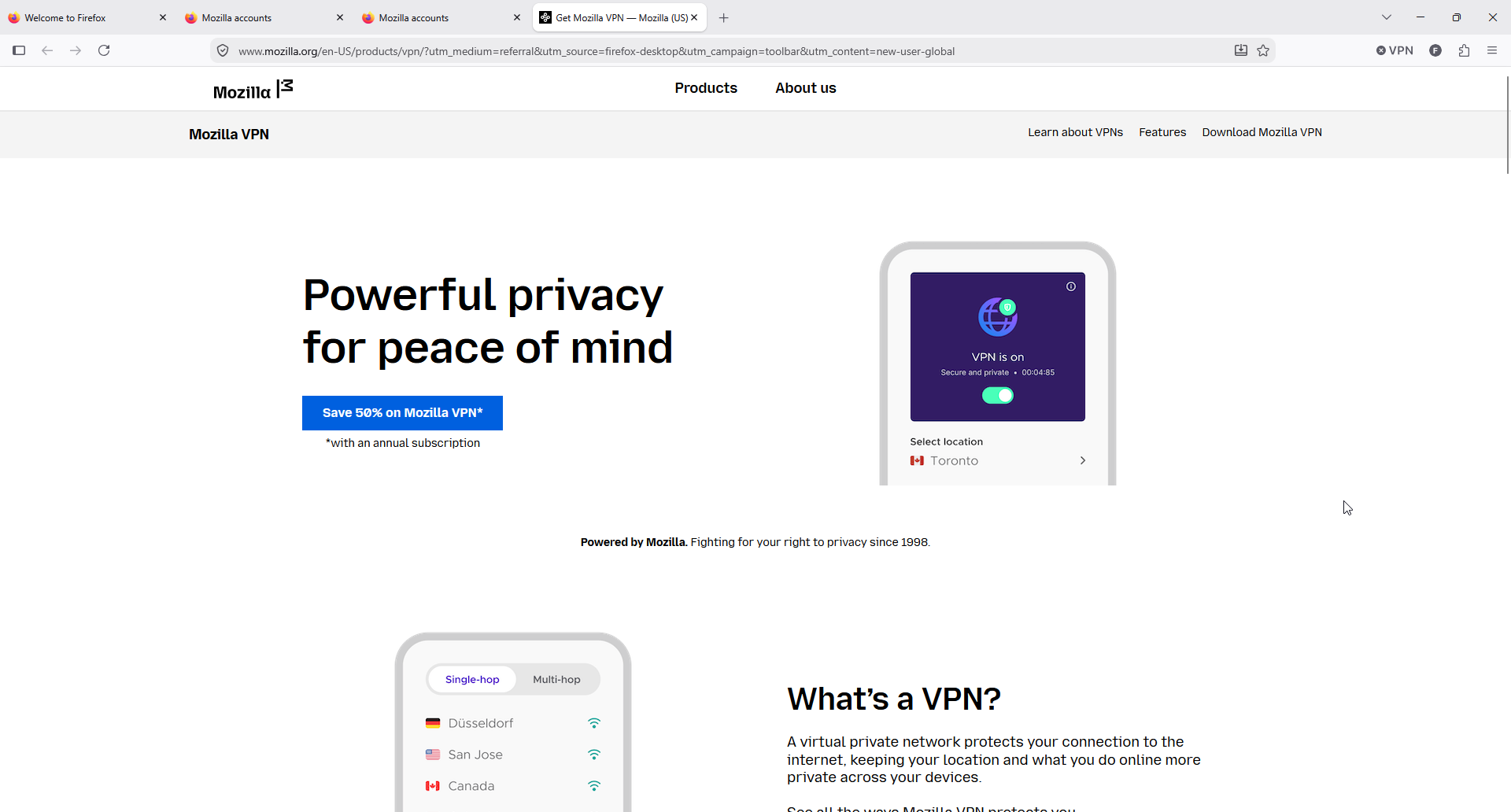
The upsell to paid Mozilla VPN is never far away.
Tab Groups, Vertical Tabs, and Picture in Picture
Firefox spent the last two years catching up on tab management. Tab groups collect multiple tabs into named sections, work in the vertical tabs sidebar, and sync between devices. With 40 tabs open across two projects, this is what makes Firefox usable again.
Picture in picture is the feature we used most without thinking. Hover over a video, click the toggle, and it pops into a floating window that stays on top. Firefox supports multiple windows at once and resizes them freely.
We also leaned on reader view, which strips a web page back to text, plus a PDF viewer, profiles that keep work and personal browsing apart, and multiple windows with split view.
Add Ons, Themes, and a User Friendly Interface
The add ons library is Firefox's deepest advantage, and its customization options go further than other browsers allow. Mozilla hosts thousands of free extensions and themes, and the Add-ons Manager pushes recommendations, some personalized from your installed extensions and usage statistics.
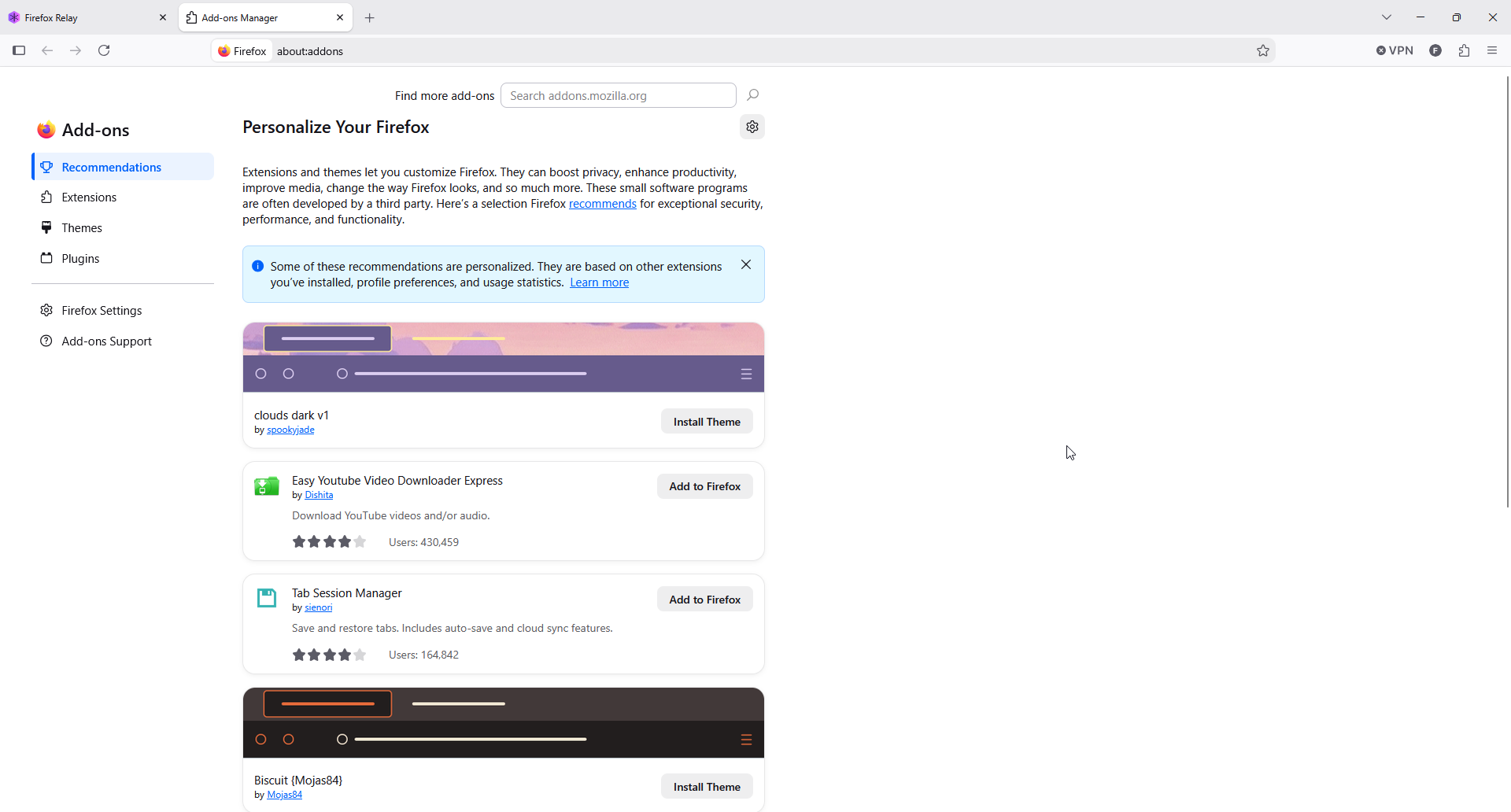
The recommendations panel is personalized, which is worth noticing in a privacy browser.
Extensions run on desktop and on Android, which Chrome does not allow on phones. Ad blockers, password managers, container tabs, and developer tools are one click away. Themes change the toolbar background image and color scheme, from a few preloaded options to thousands of custom ones in categories like nature, abstract, and sports.
Mozilla also runs Firefox Relay, which masks your email address and phone number so you can sign up for new accounts without handing over real details.
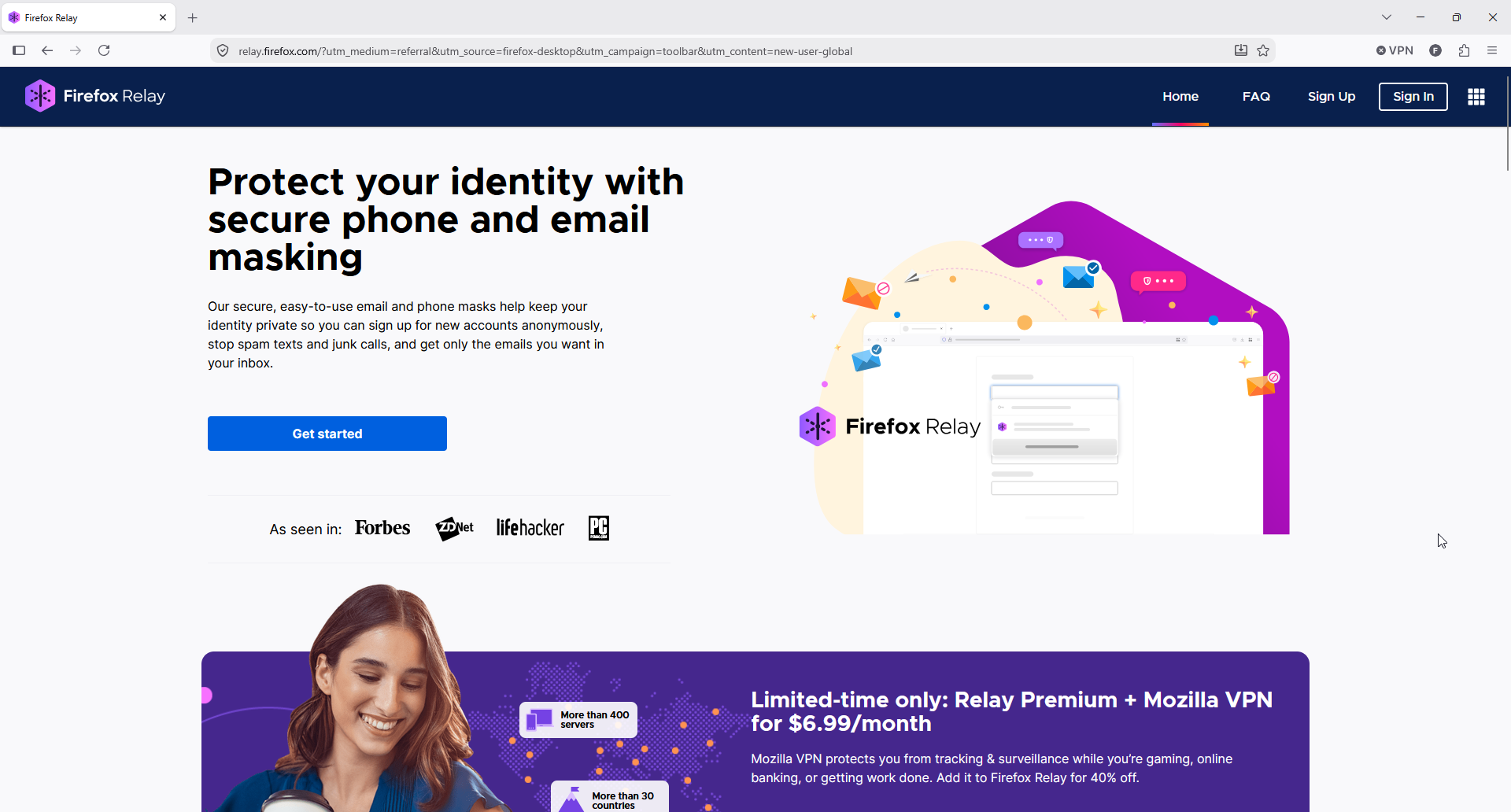
Relay sits alongside the browser, with a free tier covering a few email masks.
Speed, Memory, and Performance
Firefox is moderately fast, not the fastest browser in benchmarks. In PCWorld's speed tests, it took second in Speedometer, which measures web application responsiveness, but finished last in the JavaScript and graphics benchmarks. That matches what we saw: smooth performance on ordinary pages, while heavy web applications feel a step behind Chrome.
Memory is the real issue. Site isolation means more processes, and reviewers notice: on Capterra, 42% of comments about tab handling are negative, citing slowdowns with many tabs open. We saw the same past roughly 30 tabs open on an 8 GB machine.
Firefox Pricing and Paid Mozilla Extras
The browser is free forever, and every paid product is optional.
| Product | Price | What You Get |
|---|---|---|
| Firefox browser | Free | Tracker blocking, add ons, sync, tab groups, PDF tools |
| Built-in VPN | Free beta | 50 GB a month of browser-only IP protection |
| Mozilla VPN | $9.99/month or $59.88/year | Device-wide VPN across all your apps |
| Firefox Relay | Free tier, paid upgrade | Email and phone masks for new accounts |
Mozilla prices its full VPN at $9.99 a month or $59.88 a year plus tax, and Firefox offers enough free VPN data that most people will not need it.
Firefox vs Google Chrome and Other Web Browsers
| Feature | Firefox | Google Chrome |
|---|---|---|
| Engine | Gecko | Chromium |
| Full uBlock Origin | Supported | No longer supported |
| Tracker blocking | On by default | Needs an extension |
| Built-in VPN | Free, 50 GB a month | None |
| Mobile extensions | Supported on Android | Not supported |
| Price | Free | Free |
Chrome wins on raw JavaScript speed and on compatibility with web applications built for Chromium. Firefox wins on ad blocking, default privacy, and independence. Many browsers now share Google's engine, so plenty of people run both, keeping Chrome for Google services and Firefox for everything else.
What Users Say About Mozilla Firefox
| Platform | Rating | Reviews |
|---|---|---|
| G2 | 4.4 / 5 | 504 reviews |
| Capterra | 4.4 / 5 | 535 reviews |
| Trustpilot | 1.7 / 5 | 407 reviews |
The gap is striking. Business reviewers score ease of use at 9.1 on G2, and Capterra shows 95% positive comments on privacy protections and 96% on day-to-day browsing. Trustpilot reviewers, who mostly arrive with a complaint, raise update nagging, a Windows shift key bug, and extensions removed under Mozilla's policies.
Reddit is where the honest debate happens. In a thread on thoughts about Firefox, one user credits a year of real improvements and says benchmark scores do not change daily browsing. A tougher thread, can we be honest, argues Gecko is slower than Blink and that Firefox is the browser where people keep a backup, though a reply counters that Firefox with uBlock Origin beats any Chromium browser with uBlock Origin Lite.
On whether Firefox is trustworthy, opinion splits between people worried about Mozilla's AI direction and people noting those features ship with a kill switch.
How We Tested Firefox as a Private Browser: Our Verdict
We tested Firefox on Windows from a clean install, using default settings first and then the settings we would actually keep. Along the way, we:
-
Installed it, then walked through onboarding, telemetry, and the default browser prompt
-
Browsed shopping, banking, news, and video sites on Standard blocking, then on Strict
-
Activated the built-in VPN, tried location switching, and turned it off for one site
-
Used tab groups, vertical tabs, picture in picture, and reader view for everyday work
-
Installed add ons, reviewed the recommendations panel, and looked at Relay
Our conclusions, scored:
-
Privacy protections (4.7/5). Blocking is strong by default, the three modes are clear, and the free VPN is a real addition rather than a trial.
-
Ease of use (4.4/5). Setup and import were painless, though the pre-checked data sharing box and pre-checked default browser box both deserve more attention than they get.
-
Speed and performance (3.9/5). Fine for normal pages, slower on heavy web applications, and memory use climbs steeply with many tabs open.
-
Features and value (4.6/5). Tab groups, picture in picture, mobile extensions, and full uBlock Origin make this the most capable browser you can run for free.
-
Site compatibility (4.2/5). Almost everything worked on Standard. Strict mode broke a few embedded players, which Mozilla warns about.
Our bottom line: Firefox is a great browser and the best browser for anyone who wants a reliable browser outside Google's control, especially if ad blocking matters. For example, keep tracker blocking on Standard, turn on HTTPS-Only mode, and close tabs you are not using. Skip it if you live in heavy web applications all day, where Chromium based browsers still feel smoother.
Firefox Pros and Cons
Pros
-
The only major browser still running full uBlock Origin
-
Tracker blocking on by default, with clear standard, strict, and custom modes
-
Free built-in VPN with a 50 GB monthly allowance
-
Thousands of add ons, including extensions on Android
-
Open source, with telemetry you can switch off
Cons
-
Memory use grows quickly with many tabs open
-
Trails Chromium browsers in JavaScript and graphics benchmarks
-
Pre-checked data sharing and default browser boxes during setup
-
Personalized recommendations in the Add-ons Manager
-
A poor Trustpilot record compared with its business review scores
Pair Firefox With Halocard for Private Payments
Firefox protects what websites learn about your browsing. It cannot protect your card number, which merchants still receive in full at checkout.
Halocard closes that gap. Its US-issued virtual Visa cards take seconds to create, each one carrying its own limit, an instant freeze switch, and a billing address you choose. Funding works through several methods including cryptocurrency, and the card spends online or in shops via Apple Pay and Google Pay, with private purchases kept off your statement. Coverage runs to 120+ countries, no credit check, from $12 monthly.
Frequently Asked Questions
Is Mozilla Firefox Safe to Use?
Yes. Firefox is open source software, it loads each site in its own process, and it includes phishing and malware protection that warns you before you open a dangerous site or download. Add HTTPS-Only mode and DNS over HTTPS on public internet connections, and keep it updated.
Is Firefox Better Than Google Chrome?
For privacy and ad blocking, yes. Firefox blocks trackers by default and still supports full uBlock Origin, which Chrome removed. Chrome is faster in JavaScript benchmarks and more reliable on web applications built for Chromium, so running both is a fair compromise.
Is Firefox Still Trustworthy?
Mozilla's AI plans and data policies draw real criticism, as the Reddit threads show. What is verifiable: Firefox remains open source, telemetry can be turned off, and Mozilla says it does not collect personal information to target ads. Anyone wanting more can use a fork like LibreWolf.
Is the Firefox Built-In VPN Really Free?
Yes, up to 50 GB a month, in beta, in the countries where it has rolled out. It needs a Mozilla account, covers Firefox traffic only, and Mozilla keeps technical logs such as whether a connection succeeded.
Does Firefox Block Ads and Pop Ups?
Firefox blocks trackers, crypto miners, and pop ups by default, but not ordinary ads. For that, install an ad blocker from the add ons library. This is the practical reason to choose Firefox in 2026, since it is the last major browser running full uBlock Origin.
Why Does Firefox Use So Much Memory With Many Tabs?
Site isolation puts each website in its own process, which is better for security and worse for memory, and it is the most common complaint in user reviews. Closing unused tabs, using tab groups, and restarting occasionally all help.
Does Firefox Work on Linux, Mac, and Mobile Devices?
Yes. Firefox runs on Windows, macOS, Linux, Android, and iOS, and Sync keeps bookmarks, history, passwords, and settings in step across devices. Android is the standout, since it supports extensions that Chrome and Safari do not offer on phones.
Sources
-
Mozilla. Enhanced Tracking Protection
-
Mozilla. Trackers Firefox Blocks
-
Mozilla. Fingerprinting Protection
-
Mozilla. HTTPS-Only Mode
-
Mozilla. DNS Over HTTPS
-
Mozilla. About Picture-in-Picture
-
Mozilla. Use Built-In VPN
-
Mozilla Blog. Free Built-In VPN
-
Mozilla Blog. Privacy and Security Features
-
Firefox. Tab Groups
-
Firefox. Browser With Built-In VPN
-
Firefox Relay. Email and Phone Masking
-
PCWorld. Firefox Keeps uBlock Origin
-
PCWorld. Browser Speed Tests
-
CyberInsider. Chrome Web Store Purge
-
BleepingComputer. Firefox Built-In VPN
-
The Hacker News. Firefox Site Isolation
-
PPC Land. Fingerprinting Protections
-
G2. Mozilla Firefox Reviews
-
Capterra. Firefox Reviews
-
Trustpilot. Mozilla Firefox Reviews
-
Reddit. Thoughts on Firefox
-
Reddit. Can We Be Honest
-
Reddit. Is Firefox Trustworthy
Sourced on September 28, 2026
*Please see Halocard's Terms of Service or Pricing for the most up to date pricing and fee information. This publication is provided for general information purposes and does not constitute legal, tax or other professional advice from Halocard LLC or its subsidiaries and its affiliates, and it is not intended as a substitute for obtaining advice from a financial advisor or any other professional. We make no representations, warranties or guarantees, whether expressed or implied, that the content in the publication is accurate, complete or up to date.
Halocard Virtual Cards

Instant approval
Create your first card in under 5 minutes.

Private purchases
Purchases never appear on your bank account.

Powered by Visa
Accepted at 175M+ merchants globally.
3 steps to create your virtual credit card
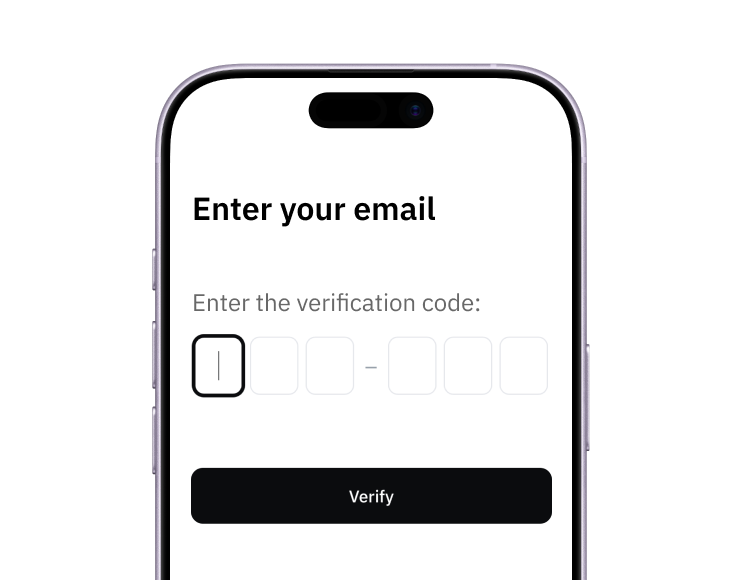
1. Sign up
Create your account from a web browser. No need to download an app.
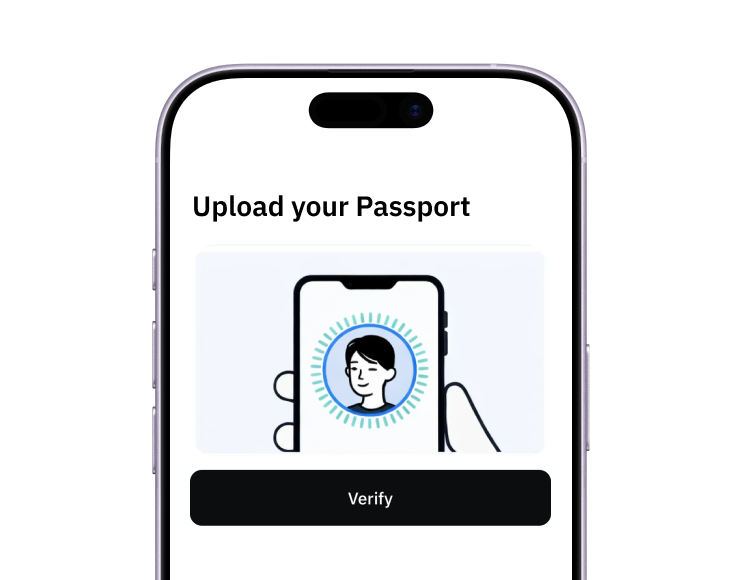
2. Verify
Verify you're a real person in 3 minutes, from the US or any of 120+ countries.
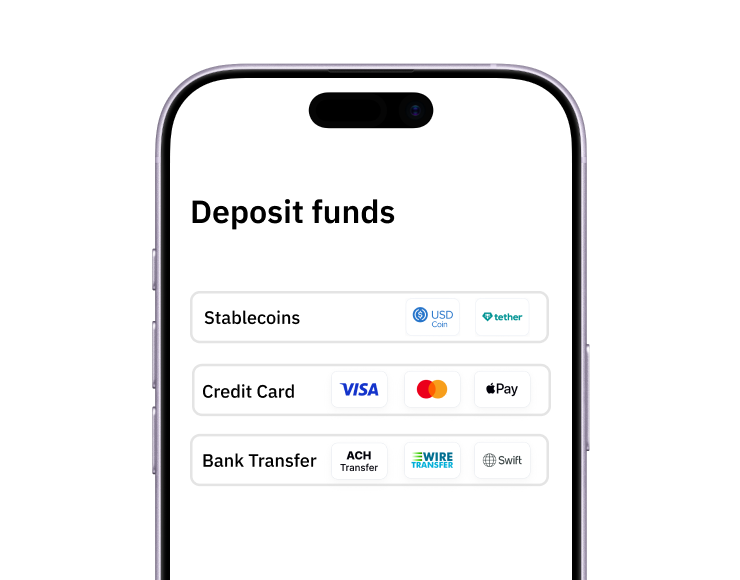
3. Fund
Add funds by debit/credit card, Apple Pay, Google Pay, bank transfer, stablecoins, or crypto.
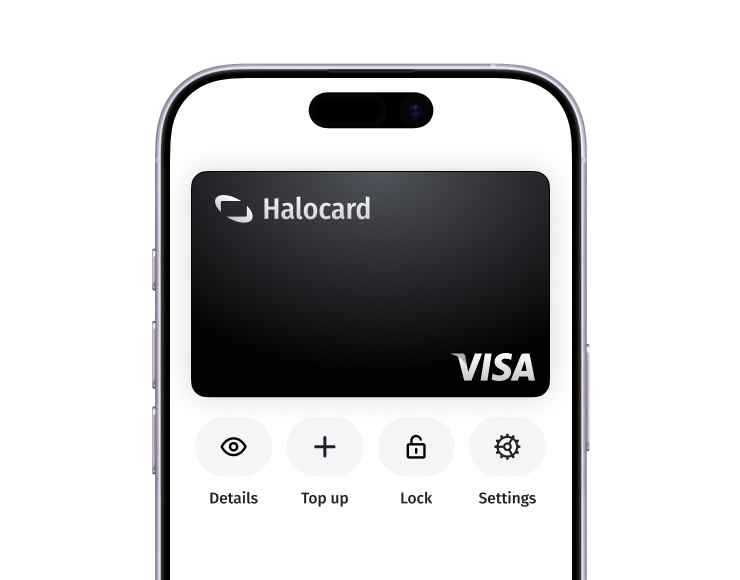
Pay with Halocard
Pay online and in-person wherever Visa is accepted. You can also order a physical Halocard if you prefer.