Bank of America Virtual Card 2026: Options and Alternatives

Edward Taylor

Quick Answer: Halocard is the best Bank of America virtual card alternative: a US-issued Visa credit card with a separate card for each merchant, a spending limit you set on each one, and no Bank of America account needed. Bank of America no longer offers standalone virtual credit card numbers for personal accounts, having discontinued ShopSafe in 2019. Instead, customers can use digital wallets like Apple Pay and Google Pay or access a Digital Card for Debit. For merchant-specific virtual cards with spending limits, alternatives include Halocard, Privacy.com, and Capital One.
Bank of America does not offer virtual credit cards in the traditional sense, and it issues no virtual credit card numbers for personal accounts. It shut down ShopSafe, its virtual card number service, on September 20, 2019, and pointed customers to digital wallets instead. What the bank calls a virtual card today is the token created when you add a card to Apple Pay, Google Pay or Samsung Pay, plus a Digital Card for Debit that lives inside the mobile app. Single-use virtual account numbers still exist at Bank of America, but only for business clients.
Halocard is a US-issued Visa credit card for customers in the US and 120+ countries. You fund it by debit/credit card, Apple Pay, Google Pay, bank transfer, stablecoins, or crypto, and every card gets its own limits and billing address. Privacy.com is the closest free option for US residents willing to link a checking account, and Capital One virtual cards only work if you already hold an eligible Capital One credit card.
For most of the 2010s, a Bank of America cardholder could create a temporary number for shopping online and throw it away afterwards. Since ShopSafe closed, people searching for Bank of America virtual cards keep landing on three very different products that share the same name. This guide explains what each one is, the exact steps to set them up, what they protect and what they leave exposed, and which alternatives fill the gap.
The details below come from Bank of America's digital wallet, debit card, Apple Pay and business card pages, its Virtual Card Notice, and Trustpilot. Checked on November 4, 2026.
Key Takeaways
-
Bank of America does not let personal customers generate standalone virtual credit card numbers to type into a checkout form.
-
Adding a Bank of America card to Apple Pay, Google Pay or Samsung Pay creates a device account number that merchants see in place of your real card number.
-
The Digital Card for Debit lets you spend from your checking account before the plastic card arrives, with a security code that changes each time you view it.
-
Single-use virtual account numbers are limited to business clients through Virtual Travel Cards and Virtual Payables.
-
The $0 Liability Guarantee covers digital wallet purchases, provided you report unauthorized charges promptly.
-
Halocard is the strongest alternative for anyone who wants a separate card for each merchant with its own spending limit.
What Are Bank of America Virtual Cards?
At Bank of America, "virtual card" means three different things, and the bank's own pages use the term loosely. Its Apple Pay FAQs explain that Apple calls the digital form of your card a Device Account Number, while Bank of America calls the same thing a virtual card number.
The Virtual Card Notice you receive after setting one up describes a number that accesses your credit card account or lets your debit card work with a digital wallet. Neither describes a number you can create on demand and hand to an online store.
| What Bank of America calls it | What it is | Who can get it | Can you type it into a checkout form? |
|---|---|---|---|
| Virtual card number | A token created when you add a card to Apple Pay, Google Pay or Samsung Pay | Holders of eligible consumer and small business cards | No, it only works through the wallet |
| Digital Card for Debit | An in-app version of your debit card | Checking account customers using the mobile app | Yes, the card details are shown in the app |
| Virtual Travel Cards and Virtual Payables | Single-use virtual account numbers generated for each payment | Businesses with a commercial card program | Paid by the company, not by individuals |
None of the three gives a personal customer a separate number for each merchant, a spending cap on that number or a lock that ties it to one store. Each section below covers one of them in turn.
What Happened to Bank of America ShopSafe?
ShopSafe let Bank of America cardholders generate virtual credit card numbers for online use. In early September 2019, the bank emailed customers that it would retire ShopSafe on September 20, 2019. After that date, nobody could create new ShopSafe numbers, and numbers saved with merchants stopped working for purchases.
Bank of America said that its security alerts, fraud tools and digital wallets now offered better protection, and asked customers to replace any ShopSafe numbers stored for recurring bills. Seven years later, nothing has replaced ShopSafe on personal accounts. Citi went the other way and kept its program, which we cover in our guide to Citi Virtual Account Numbers.
Digital Wallet Integration: How Bank of America Cards Work in Apple Pay, Google Pay and Samsung Pay
Digital wallets are the main replacement Bank of America offers. The bank supports Apple Pay, Google Pay and Samsung Pay for paying in stores, in apps and online, and lists Paze, a checkout wallet owned by a group of US banks, for online purchases. Its debit card page also lists PayPal as a payment method.
How a Digital Wallet Protects Your Card Number
Digital wallets store Bank of America card information securely. When you add a card, the wallet receives a unique virtual card number tied to that wallet and that mobile device, and Bank of America says on its digital wallets page that your actual card number is not stored on your device or shared with most merchants.
Digital wallets use encryption and tokenization for security: a token stands in for the card number, and every purchase needs Face ID, a fingerprint or a PIN.
Users can make payments without sharing their actual card number, and the approach has independent support. The Security.org 2026 fraud report recommends Apple Pay and Google Pay because they send encrypted tokens in place of the card number. The Nilson Report credits tokenization and encryption, along with AI fraud models, for pushing global card fraud losses down to 6.43 cents per $100 of card sales in 2024.
A few points follow from the way tokens work:
-
The last four digits of the virtual card differ from your plastic card, and your receipt shows the virtual card's digits, which can confuse a store processing a return.
-
Erasing your iPhone deletes the virtual cards from Apple Pay, though your physical cards keep working and you can add them back.
-
You can lock the virtual card inside one wallet from the mobile banking app without locking the plastic card.
-
The benefits of the underlying card, including rewards and the $0 Liability Guarantee, still apply.
Which Bank of America Cards Can You Add?
According to the bank's Apple Pay FAQs, eligible cards include Bank of America consumer credit cards and debit cards (excluding ATM-only cards), Merrill Lynch and U.S. Trust consumer cards, and Small Business debit cards (excluding ATM-only, deposit-only and employee-only cards).
Cards issued in Puerto Rico and the U.S. Virgin Islands are not eligible because of card network limitations. Bank of America also warns that not every card can be added to every wallet.
How to Add a Bank of America Card to Apple Pay or Google Pay
These are the exact steps from Bank of America's digital wallet instructions for the mobile banking app:
-
Log in to the Bank of America mobile app and tap Menu.
-
Tap Manage Debit/Credit Card.
-
If the card on screen isn't the one you want, tap Change and select the right one.
-
Tap Digital Wallets, then tap Add next to your preferred wallet, such as the Apple Pay option.
-
Follow the prompts on screen to finish enrolling. Repeat the steps for each card you want to add.
You can also start from the wallet itself. On an iPhone, open the Wallet app or the Wallet & Apple Pay settings, tap the plus sign and scan your card or enter the card details manually. On Android, open Google Wallet or Samsung Wallet and add a payment card the same way.
The issuer may ask you to confirm with a verification code sent by text or email before the card goes live. If you get stuck, Erica, the virtual assistant in the mobile app, can walk you through managing a digital wallet.
Paying In Store, In Apps and Online
In store, look for the Contactless Symbol on the checkout terminal, hold your phone near the reader, and confirm with your face, fingerprint or PIN.
A debit card stored in a wallet also works at Bank of America cardless ATMs, so you can get cash by tapping your phone. Online and in apps, look for your wallet's logo at checkout, choose that pay option, then tap, authenticate and pay.
The limitation is just as practical. A wallet token only works where the merchant offers that wallet. If a site only takes typed card information, you have to enter your real card number, which is precisely the exposure a virtual card exists to prevent.
Bank of America Debit Card: Using the Digital Card Before Your Plastic Card Arrives
The Digital Card for Debit is a version of your physical debit card that you can use immediately, and it is only available in the mobile app. Bank of America says it offers greater fraud protection because its security code changes every time you view it. You request it when you open a checking account or order a new card or replacement, and it draws on the same balance as your plastic card.
When Bank of America launched the digital debit card, it said customers could pay in stores through a mobile wallet, shop online with the card details already in the app, and withdraw cash or make deposits at Bank of America ATMs. A digital debit card does not change how a debit card works: purchases come straight out of your checking account, not a credit line.
Credit cards work slightly differently. Consumers can immediately access digital card details upon approval of new cards within the mobile app: if you apply for a Bank of America credit card through the app and are approved, you can add the new card to a digital wallet right away and start spending before the plastic card arrives.
Don't rely on instant access in every case. In October 2026, one Bank of America customer reported on Trustpilot that the bank had placed a hold on their digital card until the physical debit card was delivered.
How to Find Your Card Number in the App or on the Bank of America Website
Where you find a number depends on which "virtual card" you mean:
-
Digital Card for Debit: Open the mobile app, tap Menu, then Manage Debit/Credit Card, and select your debit card. The digital card, with its card number, expiration date and changing security code, appears in the card settings.
-
Wallet virtual card number: Bank of America says you find it in the digital wallet itself. Apple Wallet and Google Wallet usually show only the last four digits of the device account number.
-
Bank of America website: Online Banking lets you manage your debit card, including locking it, ordering a replacement and setting alerts, but the Digital Card for Debit itself is only available in the mobile app.
Click to Pay With a Bank of America Credit Card
Click to Pay is an online checkout system run by the card networks rather than by Bank of America. Click to Pay simplifies online shopping with stored card details: you identify yourself with an email address or phone number at checkout, confirm your identity, and choose a saved card. In other words, Click to Pay eliminates manual card entry at checkout. Once your card is enrolled, a single Click to Pay click at a participating store brings up your saved cards.
Click to Pay is accepted by major card brands like Visa and Mastercard, along with American Express and Discover. Look for the Click to Pay icon at participating merchants. Users can set up Click to Pay during checkout or via the app or website of a bank that offers enrollment, and Visa also runs a consumer portal for Click to Pay. Visa says the service uses network tokens and creates a unique cryptogram for every transaction, so a stolen checkout record can't simply be reused.
Bank of America's own digital wallet page promotes Paze for online checkout and does not list Click to Pay. Because the bank's best-known credit cards, such as Customized Cash Rewards and Travel Rewards, are Visa cards, you can still enroll them yourself through Visa or at a merchant's checkout. Like a wallet token, Click to Pay hides your card number but gives you no control over spending limits and no separate number for each merchant.
Bank of America Virtual Cards for Business: Virtual Travel Cards and Virtual Payables
Bank of America offers temporary virtual account numbers for businesses, and these are the closest thing the bank has to ShopSafe today. Two programs exist:
-
Virtual Travel Cards: Bank of America offers Virtual Travel Cards for businesses. Virtual Travel Cards generate single-use virtual account numbers for each purchase. The program connects to online booking tools, works with or without a travel management company, and lets administrators set dollar, supplier and time controls.
-
Virtual Payables: Business customers can access Virtual Payables for single-use virtual numbers. Each supplier payment gets a randomly generated card number, sent with its expiration date and security code. A second option, the Dedicated Card, sits at a $0 balance until an invoice is approved, then loads the exact invoice amount. Funds usually settle within 48 hours.
Bank of America requires a commercial banking relationship for virtual cards. Both programs are set up through a Bank of America representative or implementation advisor, and the business card pages note that "Bank of America" is the marketing name for businesses of Bank of America Corporation.
Bank of America does not issue virtual credit card numbers for personal accounts, so a freelancer or small team using personal cards can't open a Virtual Travel Card program.
Bank of America Security Features: Enhanced Security and the $0 Liability Guarantee
Bank of America backs its cards with several security features, and these apply to digital wallet purchases as well as plastic card transactions:
-
$0 Liability Guarantee: You're not liable for unauthorized transactions made with your consumer debit card or credit card, as long as you report them promptly. The guarantee covers fraudulent transactions made by others using your account, claims can be filed against pending and posted transactions, and they may be subject to dollar limits and verification. Bank of America's Apple Pay FAQs confirm that virtual cards in a wallet are covered.
-
Enhanced security in digital wallets: Your actual card number is not stored on your phone or shared with most merchants.
-
Card lock: You can temporarily lock a misplaced debit card in the mobile banking app or through Online Banking, then unlock it when you find it.
-
24/7 monitoring: The bank monitors your account and contacts you if it sees suspicious activity.
-
Alerts: You can set up alerts to receive notifications about card and account activity.
-
SafePass: Bank of America's SafePass gives you a one time passcode, viewed privately on your own device, to approve sensitive transactions. It adds an extra layer, and the code expires as soon as you use it.
Bank of America, N.A. is a Member FDIC bank, so checking account balances are FDIC insured up to the standard limits.
These tools help you spot potential threats and recover from fraud. They don't stop a merchant breach from exposing a card you typed in.
Security.org found that only 5% of fraudulent charges involved a physically stolen card, that 22% of victims faced recurring charges from the same merchant, and that 51% of cardholders put autopay bills and daily spending on the same card, a single point of failure the report recommends splitting up.
A wallet token can't be capped or locked to one store, and Bank of America offers personal customers nothing that can.
What Bank of America Customers Say on Trustpilot
Bank of America holds a Trustpilot score of 1.4/5 from 3,750 reviews, with 88% one-star ratings and 6% five-star. The profile is unclaimed, and Trustpilot notes that the bank doesn't invite customers to leave reviews, so the sample leans toward people with a problem. Large banks score low across the board: Capital One sits at 1.2/5.
Among the other big banks on Trustpilot, Chase sits at 1.2/5 and Wells Fargo at 1.1/5.
Recent reviews from October 2026 repeat a handful of themes:
-
Reaching a person. Reviewers describe long hold times, an AI assistant that couldn't resolve their issue, and calls bounced between departments.
-
Fraud and dispute decisions. A customer who had held a Bank of America credit card for 32 years closed it after a fraud claim and a disputed charge were both denied.
-
Card access. One reviewer said the bank held their digital card until the physical debit card arrived.
-
Alerts. A three-star reviewer wanted debit card alerts for deductions under $100 and live balance updates with every transaction.
-
Individual staff. Positive reviews mostly praise a specific teller or banker who solved a problem quickly.
Halocard has a Trustpilot profile rated 4.2/5 (11 reviews): ten five-star and one two-star. That sample is far too small to lean on, and we would rather say so. The two-star review criticized a minimum first deposit the reviewer felt wasn't disclosed clearly, and Halocard has since added minimum deposit amounts to its homepage.
The difference in complaint type is worth noticing: Bank of America's reviews center on reaching support and getting money back, while Halocard's single complaint concerns the upfront cost.
What Bank of America Cardholders Can Do Now
If you bank with Bank of America, you already have access to:
-
Apple Pay, Google Pay, Samsung Pay, Paze and PayPal
-
The Digital Card for Debit in the mobile app
-
Click to Pay through Visa for eligible cards
-
Card lock, alerts and SafePass
-
The $0 Liability Guarantee
These digital payment options make online purchases and in store payments safer than handing over your plastic card. What none of them does is let you create an independent virtual card number for each merchant, cap how much that merchant can charge, or shut off one subscription without touching your main card. That gap is why many Bank of America customers keep their checking account and add a dedicated virtual card provider for online transactions.
The Best Bank of America Virtual Card Alternatives
Three alternatives give you the per-merchant control Bank of America doesn't: Halocard, Privacy.com and Capital One virtual cards. For a wider list, see our roundup of the best virtual card providers, or our guide to which banks offer virtual cards.
Halocard
Halocard doesn't mask a card you already hold. It issues its own US-issued Visa credit cards, through Third National, a Non-Bank Principal Member of the Visa network. Halocard is a fintech company, not a bank, and funds in its virtual accounts are held at SSB, Member FDIC, where they are eligible for FDIC insurance up to $250,000.
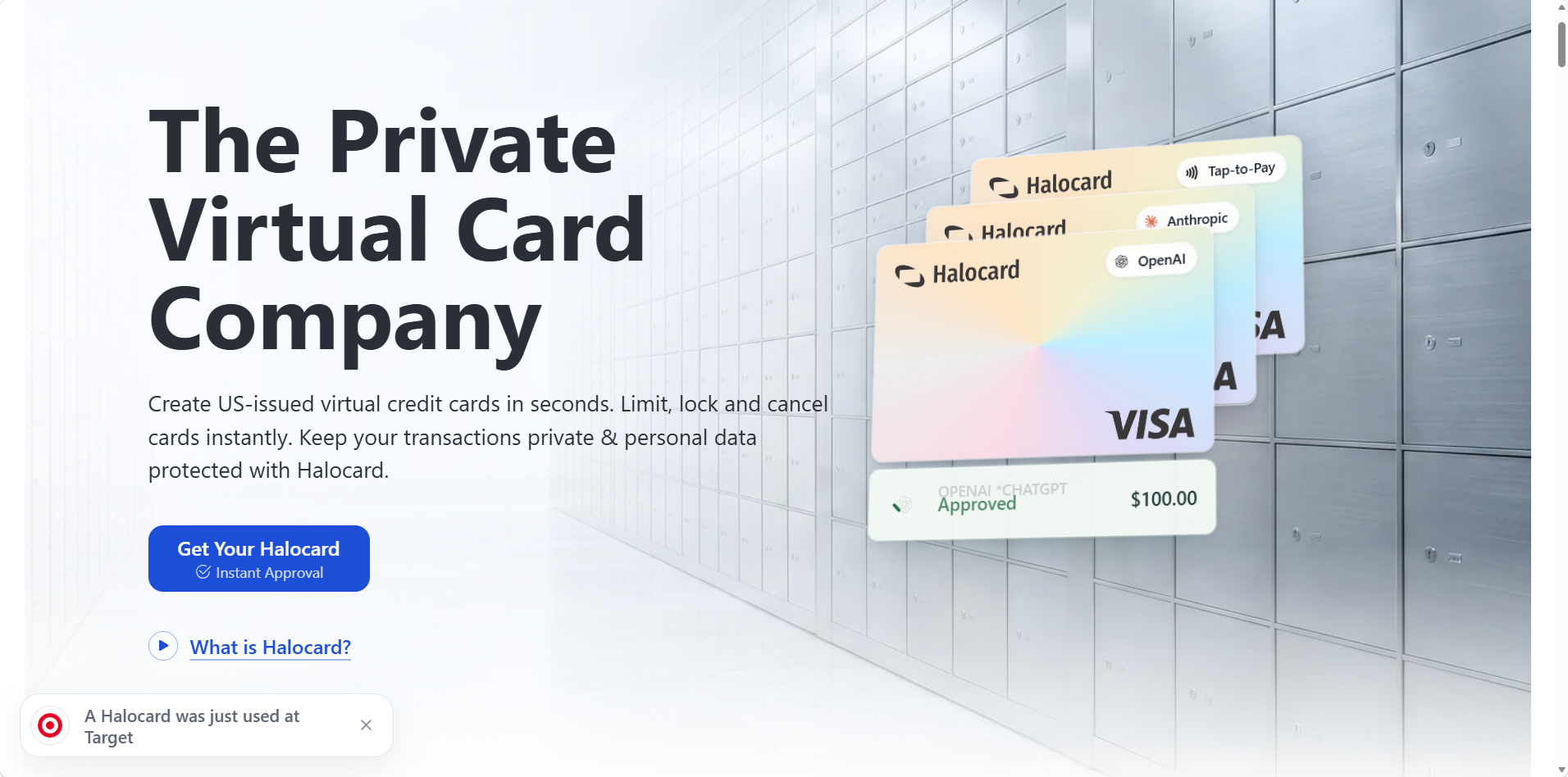
Key features include:
-
Open to customers in the US and 120+ countries
-
Phone-number signup in your browser, with an identity check that usually takes under three minutes and no credit check
-
Virtual cards created instantly, including merchant-specific cards labeled for a single store
-
Spending limits on each card, per transaction or per day, week, month or year
-
Instant lock and cancel, plus single-use cards on annual plans that cancel themselves after one purchase
-
A custom name and billing address on every card
-
Every card can go into Apple Pay or Google Pay, and a physical card is available
-
Funding by debit/credit card, Apple Pay, Google Pay, bank transfer, stablecoins, or crypto, with bank transfers in USD, CAD, EUR or GBP
-
No fee on USD purchases and 1.5% on non-USD purchases
-
Plans from $15 a month for 3 cards, $20 for 15 cards, and $75 for 50 cards (more on annual plans)
Halocard offers controlled spending features that Bank of America reserves for corporate clients. A Bank of America customer can keep their Bank of America accounts for everyday banking, fund Halocard from their checking account, and give every merchant a card that spends nowhere else.
Individual purchases show up on the Halocard account, not on your Bank of America statement. People who want spending controls and more anonymity at checkout often use virtual cards like Halocard's, though like any regulated card issuer, Halocard still knows who holds each card.
Halocard prioritizes privacy and security in how it runs the business. It says it doesn't store your ID documents itself, never sells data to advertisers or data brokers, and runs no credit checks. Read more about how Halocard handles your data.
Halocard's drawbacks:
-
No rewards or cash back
-
No free plan, though Essential+ is free with 3 referrals, plus a minimum first deposit of $30 to $300 depending on the plan
-
Not a bank, so no checking account, loans or bill pay
-
Visa restricts some categories, including gambling, crypto purchases and money transfers
-
Refunds can take up to 14 business days to arrive
-
Only a small Trustpilot sample so far: 4.2/5 (11 reviews)
Halocard is especially useful for subscriptions and shopping, AI and cloud tools, and private purchases. Check whether a specific store accepts it on the merchant acceptance pages.
Privacy.com
Privacy.com is a competitor in the virtual card space, focusing on payment privacy. It creates merchant-locked and single-use card numbers tied to a linked US bank account, so it suits Bank of America customers in the US who are happy to connect their checking account.
Key features include:
-
A free personal tier
-
Merchant-locked and single-use cards
-
Spending limits on each card
-
Pause or close cards instantly
-
A browser extension that creates cards and fills in card details at checkout
-
A mobile app
Halocard has no free plan, but Essential+ is free with 3 referrals, and referrals pay $5 to $25 a month for every friend you refer, for up to 12 months.
Privacy.com is rated 4.5/5 on Trustpilot from 3,358 reviews, one of the strongest scores in the category. Its main limitation is eligibility: it is open to US residents only and needs a US bank account to fund cards, so it doesn't help Bank of America customers who move abroad.
Capital One Virtual Cards
Capital One virtual cards suit people who already hold an eligible Capital One credit card. Primary cardholders create store-specific virtual card numbers in the Capital One app, on its website, or through Google Pay autofill in Chrome. The Eno browser extension that used to create them at checkout was discontinued on September 30, 2026.
Key features include:
-
Store-specific virtual card numbers
-
Lock or delete any number without affecting your physical card
-
The same rewards as the underlying credit card
-
No extra fee
Like Bank of America's wallet tokens, Capital One's virtual numbers depend on a card you already hold, and Capital One debit cards aren't eligible. Capital One also publishes no spending limit you can set on each number. See our full list of Capital One alternatives.
How the Alternatives Compare
| Provider | Eligibility | Separate Number per Merchant | Spending Limits per Card | Cost | Best For |
|---|---|---|---|---|---|
| Halocard | US + 120+ countries | Yes | Yes | From $15/month | Private, US-issued cards for every merchant, at home or abroad |
| Privacy.com | US residents with a US bank account | Yes | Yes | Free tier available | US residents happy to link a bank account |
| Capital One virtual cards | Eligible Capital One credit card holders | Yes | No published per-number limit | Free | Existing Capital One customers who want to keep rewards |
| Bank of America digital wallets | Eligible Bank of America cardholders | No, one token per wallet and phone | No | Free | Tapping in store and paying where a wallet is accepted |
Frequently Asked Questions
Does Bank of America Offer Virtual Credit Card Numbers?
No, not for personal accounts. Bank of America retired ShopSafe, its virtual credit card number service, on September 20, 2019. Personal customers now get digital wallet tokens and the Digital Card for Debit. Single-use virtual numbers are available only to business clients through Virtual Travel Cards and Virtual Payables.
What Is a Bank of America Virtual Card Number in Apple Pay?
It is the token Apple Pay uses in place of your card number, which Apple calls a Device Account Number. It is unique to Apple Pay on that device, has different last four digits from your plastic card, and is covered by the $0 Liability Guarantee. You can't copy it into a website's card form.
Can I Use My Bank of America Debit Card Before the Card Arrives?
Usually, yes. Request the Digital Card for Debit in the mobile app when you open an account or order a replacement. It shows a card number, expiration date and a security code that changes every time you view it, and you can add it to a digital wallet. Some customers have reported holds on the digital card until the plastic one arrived.
Does Bank of America Support Google Pay and Samsung Pay?
Yes. Bank of America supports Apple Pay, Google Pay and Samsung Pay, and also lists Paze and PayPal. Add a card from the mobile app under Manage Debit/Credit Card, then Digital Wallets, or directly from your phone's digital wallet app.
Is My Digital Wallet Covered by the $0 Liability Guarantee?
Yes. Bank of America says virtual cards in a digital wallet are covered by the $0 Liability Guarantee, the same as your plastic card. You need to report unauthorized charges promptly, and claims may be subject to dollar limits and verification.
Does Click to Pay Work With a Bank of America Credit Card?
Yes, if the card is a Visa or Mastercard. Bank of America doesn't promote Click to Pay itself, but you can enroll an eligible card through Visa's Click to Pay site or during checkout at a participating merchant. It saves you typing card details, but it doesn't give you a separate number to control.
Can a Small Business Get Bank of America Virtual Cards?
Only with a commercial banking relationship. Virtual Travel Cards and Virtual Payables are set up through a Bank of America representative. Small Business debit cards can go into Apple Pay, but that gives a business the same wallet token as a personal customer, not single-use numbers.
What Is the Best Alternative to Bank of America Virtual Cards?
Halocard is the best alternative for most people. It gives you a US-issued Visa credit card for each merchant, with limits you set and a billing address you choose, and it doesn't require a Bank of America card or a US address. Privacy.com suits US residents who want a free tier, and Capital One virtual cards suit existing Capital One credit card holders.
Is Halocard Available Outside the US?
Yes. Halocard is open to customers in the US and 120+ countries, and you don't need to live in the US. You verify your identity with a passport, driver's license or national ID card and a selfie. US residents may also be asked for an SSN or ITIN.
Can a Virtual Card Be Traced?
Yes. A virtual card hides your real card number from the merchant, not your identity from the issuer. Bank of America, Halocard and every other regulated issuer know who holds each card, keep a record of every transaction, and respond to lawful requests. For more, read our guide to whether virtual cards are safe.
Sources
-
Bank of America. Digital Wallets
-
Bank of America. Digital Wallet Instructions
-
Bank of America. Debit Card
-
Bank of America. Debit Card FAQs
-
Bank of America. Apple Pay FAQs
-
Bank of America. Credit Card Security FAQs
-
Bank of America. Virtual Card Notice
-
Bank of America. Virtual Travel Cards
-
Bank of America. Virtual Payables Buyer FAQs
-
Bank of America. SafePass
-
PYMNTS. BofA Debuts Digital Debit Card
-
WalletHub. Using a BofA Card Early
-
Doctor of Credit. Bank of America Ends ShopSafe
-
Visa. Click to Pay
-
Trustpilot. Bank of America Reviews
-
Trustpilot. Halocard Reviews
-
Security.org. 2026 Credit Card Fraud Report
-
Nilson Report. Global Card Fraud Losses
-
FBI. 2025 IC3 Annual Report
Sourced on November 03, 2026
*Please see Halocard's Terms of Service or Pricing for the most up to date pricing and fee information. This publication is provided for general information purposes and does not constitute legal, tax or other professional advice from Halocard LLC or its subsidiaries and its affiliates, and it is not intended as a substitute for obtaining advice from a financial advisor or any other professional. We make no representations, warranties or guarantees, whether expressed or implied, that the content in the publication is accurate, complete or up to date.
Halocard Virtual Cards

Instant approval
Create your first card in under 5 minutes.

Private purchases
Purchases never appear on your bank account.

Powered by Visa
Accepted at 175M+ merchants globally.
3 steps to create your virtual credit card
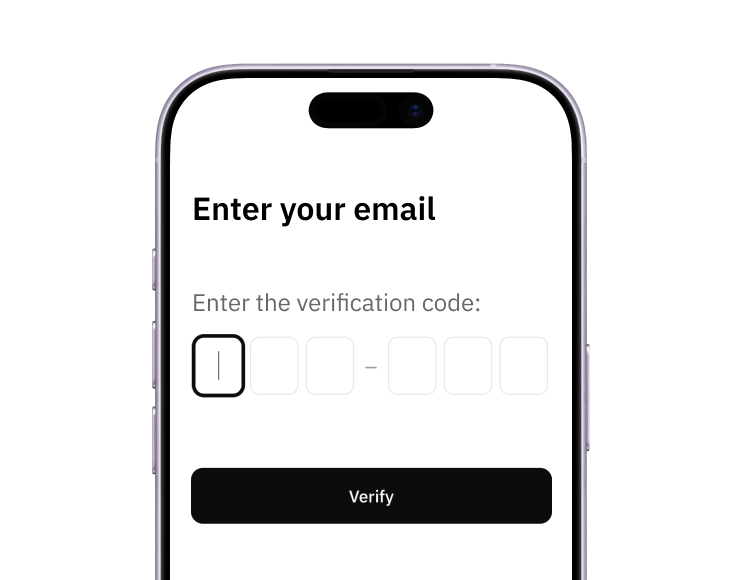
1. Sign up
Create your account from a web browser. No need to download an app.
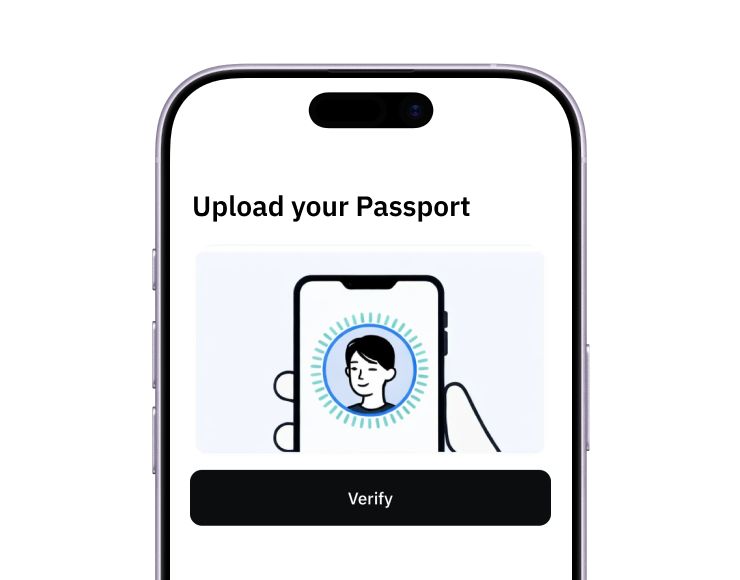
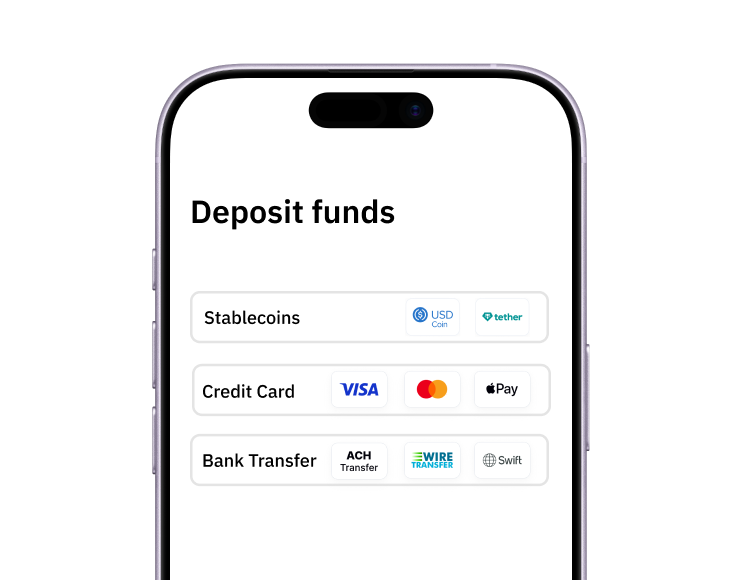
3. Fund
Add funds by debit/credit card, Apple Pay, Google Pay, bank transfer, stablecoins, or crypto.
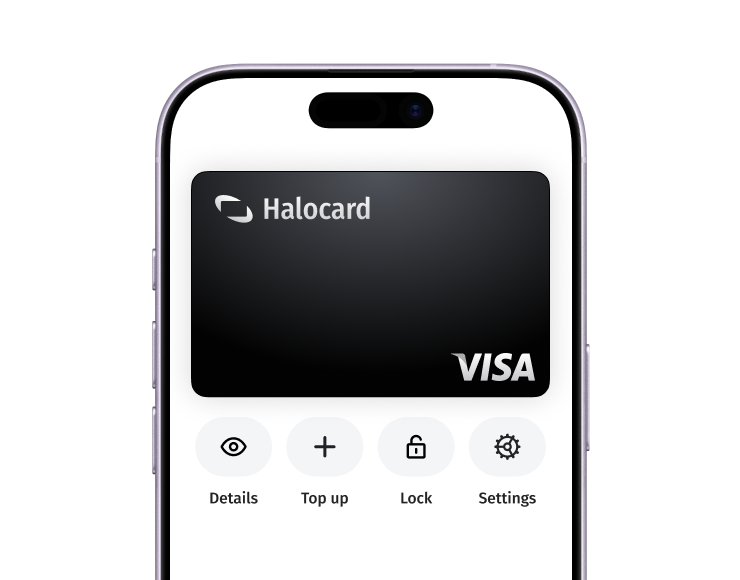
Pay with Halocard
Pay online and in-person wherever Visa is accepted. You can also order a physical Halocard if you prefer.