
- Claude accepts credit and debit cards for both Claude Pro (claude.ai) and the Claude API (console.anthropic.com), but these are separate billing portals with separate payment setups
- Cards issued outside the US are frequently declined even when the network (Visa, Mastercard) is supported
- A US-issued virtual card with a US billing address addresses the most common cause of international declines (BIN mismatch), though account-level restrictions or platform-side blocks can still prevent transactions
- Halocard issues US Visa virtual cards in 120+ countries, no SSN required for non-US residents
What Payment Methods Does Claude Accept?
First thing to know: Anthropic runs two products with two completely separate billing setups, so figure out which one you're dealing with before you touch anything.
Claude Pro is $20/month (or $17/month if you pay annually) at claude.ai. You manage billing at claude.ai/settings/billing. This is the one most people want. Extended usage, priority access, the newer features.
Claude Max is the higher tier at $100/month (or $200/month for the top end). It's the same billing portal as Pro, just a different plan selection. If you're subscribing to Max, the payment process is identical to Pro, you just need a higher spend limit on your card.
Claude Team and Enterprise plans exist too, billed per seat. If you're an admin setting up billing for a team, the same card and address rules apply. Team billing is at claude.ai/settings/billing under your organisation.
Claude API is for developers, over at console.anthropic.com. It's a prepaid credit system where you load a balance and it gets drawn down as you make API calls. Billing lives at console.anthropic.com/settings/billing.
All of these run payments through Stripe and accept credit or debit cards only. No PayPal, bank transfers, or crypto. Stripe generally supports Visa, Mastercard, and Amex, though which networks a merchant accepts can vary.
Why International Cards Get Declined on Claude
Stripe evaluates a few signals when you submit a card, and international cards tend to trip the wrong ones.
The card's BIN (the first six to eight digits) tells Stripe where it was issued. A non-US BIN can trigger risk rules on its own. If your billing address doesn't match the card's registered country, that's another flag. And some banks outside the US just block charges from US-based sites entirely.
A US-issued card fixes the BIN problem at the source. Pair it with a US billing address and Stripe sees a transaction that looks like a domestic US purchase.
If you're in a country like Bangladesh or Nigeria where local cards are frequently declined on US platforms, a US-issued virtual card is often the most practical way to get subscribed.
Troubleshooting: Why Your Claude Payment Failed
Most payment failures come down to one of these.
Check 1: Card Network
Visa and Mastercard are accepted. Other networks like Amex and Discover may also work through Stripe, but Visa and Mastercard are the safest bet if you want to avoid network-related issues.
Check 2: Card Is Active
Check that the card isn't paused or locked in your card issuer's dashboard. If you paused it for any reason and forgot to unpause, the charge will be declined at the card level before it even reaches Stripe.
Check 3: Sufficient Balance
Make sure your card balance covers the charge with some headroom. Allow at least $25 for Pro ($20), $110+ for Max ($100), or whatever your API top-up amount is.
Stripe sometimes runs a slightly higher authorization hold to verify the card is active, so going exact to the dollar can cause a decline. Give yourself a few dollars of buffer.
Check 4: Spend Limits
Check that your per-transaction and monthly limits in your card issuer's dashboard are high enough for the charge. If you set a $15 per-transaction limit and try to pay $20 for Claude Pro, the charge is declined at the card level.
Check 5: Billing Address at Checkout
Whatever billing address you enter at checkout needs to match what's on file with your card issuer. Stripe runs an Address Verification System (AVS) check on card transactions, comparing the street number and ZIP code you enter against what the card issuer has on record. If there's a mismatch, the transaction can be declined or flagged depending on how the merchant has configured their fraud rules.
The thing that trips most people up here is that many virtual card providers, including Halocard, let you set a custom billing address per card. You can use whatever address you feel most comfortable sharing with the merchant, which is useful if you'd rather not give your personal home address to every service you sign up for.
By default though, your card will use the address from your identity verification when you first signed up (your home address). If you want to switch to a different billing address, you'll need to update that in your card settings before you go to checkout. The key point is consistency: whatever address is currently set on your card is the one you need to enter at checkout. If you've switched to a US billing address but type in your home address at the payment screen, that's a mismatch. And if you've left the default but enter a US address at checkout, that's also a mismatch. Both will be declined.
Fix: Check which billing address is currently set on your card, and enter that exact address at checkout. If you'd like to use a different one, update it in your card settings first, then come back to the checkout page. Copy it across character for character rather than typing from memory, and watch out for browser autocomplete overriding what you've entered.
Check 6: Correct Billing URL
Make sure you're on the right page. Claude Pro and Max billing is at claude.ai/settings/billing. API billing is at console.anthropic.com/settings/billing. These are completely separate systems. Adding your card to one does not add it to the other.
Check 7: Anthropic Region Availability
Claude is available in 195 countries and territories. If your account was created from an unsupported region, it may be restricted regardless of what card you use. A valid payment method does not override a region restriction at the account level.
Sort out account-level region eligibility before you start troubleshooting payment, because a card decline and a region block look similar but need completely different fixes.
Check 8: IP Address
Your IP address must be consistent with your card's country and billing address. If a VPN or proxy is making your IP appear to be from a different country than your card, that's a conflict and Stripe will decline it.
Failure mode 1: IP country doesn't match card country. If your card is US-issued but your IP resolves to a different country, Stripe treats that as a mismatch signal. This is a classic fraud pattern and will be declined.
Failure mode 2: IP is in the right country but has a bad reputation. Even if your IP resolves to the US, Stripe uses third-party intelligence to score IP reputation. Shared datacenter IPs, cheap VPN exit nodes, and IPs associated with high fraud volume are flagged, even if they geolocate correctly. A US IP with a poor reputation score will still trigger a decline.
Fix: Ensure your IP is consistent with your card's country AND has a clean reputation. If everything else checks out and the payment still fails, the IP itself may be the problem. Try completing the payment from a different network, such as mobile data instead of home broadband.
Check 9: 3D Secure Authentication Not Completing
Stripe may trigger a 3D Secure (3DS) challenge for extra authentication during checkout. This opens a popup or redirect asking you to verify the transaction. If your browser blocks popups, or if an extension like an ad blocker prevents the redirect, the authentication may not complete, and the payment can fail silently. It looks like a card decline, but it's actually an incomplete authentication.
Fix: Allow popups for claude.ai before starting checkout. Temporarily disable popup-blocking browser extensions. When the 3DS prompt appears, complete it. Do not dismiss or close the window.
Check 10: Multiple Failed Attempts
If you've already tried two or more times in the same session, stop and wait 24 hours. Each failed attempt registers as a negative signal. Repeated failures on the same card look like automated fraud to Stripe, and it can temporarily block retries, even after you've fixed the underlying issue.
Fix: Stop retrying. Work through this checklist, fix the root cause, then make a single new attempt. If the account has been flagged from prior attempts, wait 24 hours before trying again.
Check 11: Browser Session and Cached Data
Your browser may have cached location data, cookies, or fingerprinting data from a previous session where you were using a different card or connecting from a different location. This stale data can conflict with the new card's signals.
Fix: Open an incognito or private browsing window and complete the payment fresh. Do not reuse a window where you previously had a failed payment attempt. Turn off browser extensions that might interfere with the payment flow.
How To Pay for Claude Pro
Head to claude.ai/settings/billing while logged in and add a payment method. Enter your card number, expiry, and CVV. Copy the billing address exactly from your card issuer's dashboard, character for character, including spacing and capitalisation. Even small mismatches cause declines.
Make sure your card balance has enough headroom. Allow at least $25 for Pro ($20), or $110+ for Max ($100). Stripe can authorize slightly more than the plan price to verify your card is active. Claude Pro also has an opt-in extra usage feature that bills at standard API rates once you exceed your plan's included usage, so your card could be charged more than $20 in a given month if you've turned that on.
If a 3D Secure step is triggered during checkout, don't close the tab or navigate away until it completes. Once the card goes through, select your plan (Pro or Max) and confirm.
Keep your IP address consistent through the whole process. Switching networks or toggling a VPN mid-session can get the payment flagged.
How To Pay for the Claude API
The API billing flow is similar but works on a top-up model instead of a fixed subscription.
You can reuse the same card as Claude Pro, or create a separate one. A dedicated card makes it easier to track API spend and set a different monthly limit.
Navigate to console.anthropic.com/settings/billing, add your card details, and use the billing address shown in your card issuer's dashboard, copied exactly. Then pick a credit amount and confirm. Credits expire one year from purchase and are non-refundable.
The console also lets you set automatic top-ups when your balance drops below a threshold you choose. If you use that, set your card's per-transaction limit to match the biggest single top-up you'd expect. If auto-reload fires for a larger amount than your limit allows, the charge will fail.
What To Do If Your Renewal Fails
If you're already subscribed and your card fails at renewal time, Anthropic will retry the charge a few times before suspending your plan. The most common reasons this happens:
Your card balance is too low. If your balance dips below the renewal amount, the charge fails. Keep a buffer on the card or set a reminder to top up a few days before your billing date.
Your card expired or got paused. If you generated a new card and forgot to update your payment method in Claude's billing settings, the old card details will fail. Same if you paused the card in your card issuer's dashboard and forgot to unpause it.
Your spend limits changed. If you lowered your per-transaction or monthly limit since you first subscribed, the renewal charge might now exceed those limits.
The fix for all of these is the same: sort out the issue in your card issuer's dashboard, then go to claude.ai/settings/billing and either update your card or retry the payment. You usually don't lose your plan immediately. There's a grace period before it gets fully cancelled.
FAQs
Does Claude accept virtual cards?
Yes. Virtual cards on the Visa or Mastercard network go through the same way physical cards do. Anthropic's docs say they accept "credit or debit cards" with no distinction between virtual and physical. The card just needs to be active, funded, and pass the billing address check.
Why was my card declined on Claude?
Usually it's a non-US BIN triggering a risk block, a billing address that doesn't exactly match the card record, not enough balance, or per-transaction limits set too low. Sometimes it's an incomplete 3DS authentication. Work through the checklist above in order. If all checks pass and you're still getting declined, the issue is likely on Anthropic's end, not your card.
Can I use one card for both Claude Pro and the Claude API?
Yes, you can add the same virtual card to both claude.ai and console.anthropic.com. They're separate billing systems so there's no conflict. That said, a lot of developers prefer a separate card for each so they can set different spend limits and see Claude Pro charges vs API credit purchases as separate line items.
Do I need a US billing address to pay for Claude?
Anthropic doesn't publish a requirement for a US billing address. But using one alongside a US-issued card does reduce the chance of a decline, especially if you're outside the US. Some card issuers let you set a custom billing address per card, so you can pick whatever works best for your situation.
Is Claude available in my country?
Anthropic supports 195 countries and territories for both Claude.ai and the API. There are a handful of exceptions (e.g. certain restricted regions within countries like Ukraine). Sort out account-level region eligibility before you start troubleshooting payment, because a card decline and a region block look similar but need completely different fixes.
What's the difference between Claude Pro and Claude Max?
Pro is $20/month ($17/month on an annual plan) and gives you extended usage and priority access. Max starts at $100/month and gives you significantly more usage, longer context windows, and access to the most powerful models at higher rate limits. The payment process is the same for both. If you're paying for ChatGPT too, we've got a separate guide for how to pay for ChatGPT Plus with a virtual card.
Do I need an SSN to get a Halocard?
Non-US residents don't need an SSN. Verification uses a passport, driver's licence, or national ID plus a selfie. US residents may be asked for an SSN or ITIN.
What if my Anthropic account is in a restricted region?
Halocard can't override Anthropic's account-level region restrictions. If your account is blocked at the platform level, a virtual card won't fix that. If you're in a country on Anthropic's restricted list, check their official supported countries page for guidance.
Sources
- Anthropic paid plan billing FAQs: https://support.claude.com/en/articles/8325618-paid-plan-billing-faqs (accessed March 2026)
- Anthropic API billing: https://support.claude.com/en/articles/8977456-how-do-i-pay-for-my-claude-api-usage (accessed March 2026)
- Anthropic extra usage for paid plans: https://support.claude.com/en/articles/12429409-extra-usage-for-paid-claude-plans (accessed March 2026)
- Anthropic supported countries and regions: https://www.anthropic.com/supported-countries (accessed March 2026)
*Please see Halocard's Terms of Service or Pricing for the most up to date pricing and fee information. This publication is provided for general information purposes and does not constitute legal, tax or other professional advice from Halocard LLC or its subsidiaries and its affiliates, and it is not intended as a substitute for obtaining advice from a financial advisor or any other professional. We make no representations, warranties or guarantees, whether expressed or implied, that the content in the publication is accurate, complete or up to date.
Halocard Virtual Cards
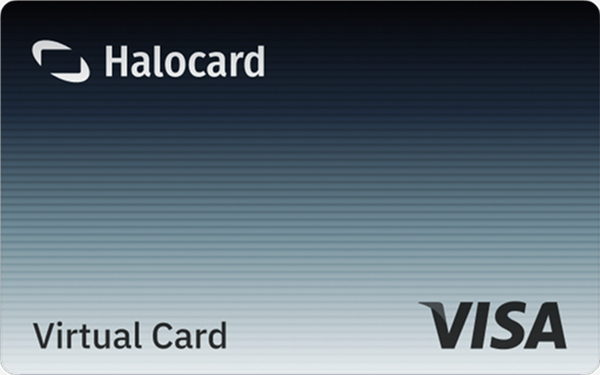

Instant approval
Create your first card in under 5 minutes.

Private purchases
Purchases never appear on your bank account.

Powered by Visa
Accepted at 175M+ merchants globally.
3 steps to create your virtual credit card
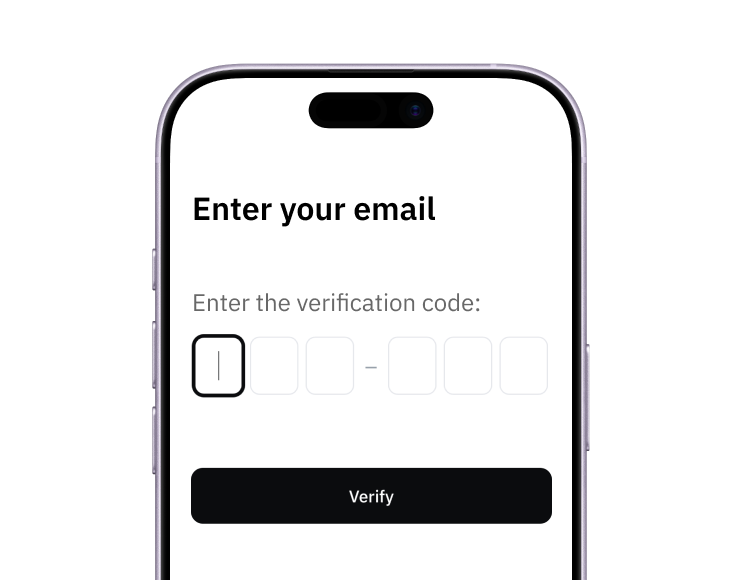
1. Sign up
Create your account from a web browser. No need to download an app.
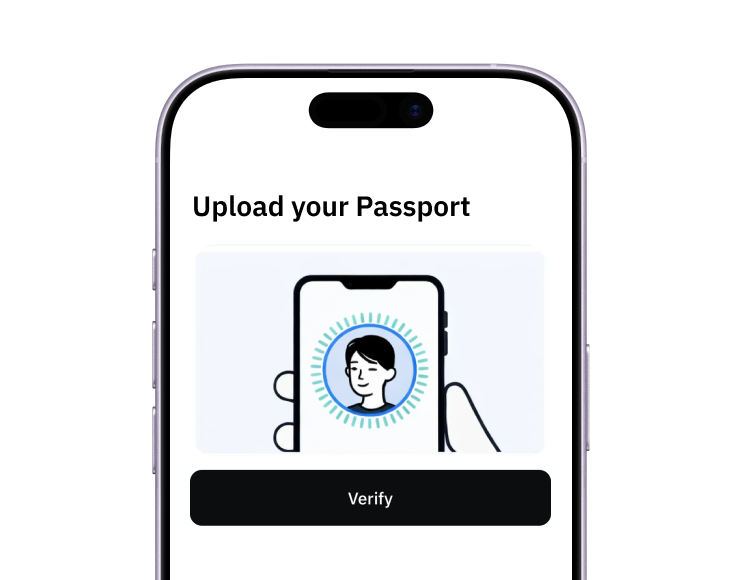
2. Verify
Verify you're a real person in 3 minutes. No US residency required.
3. Fund
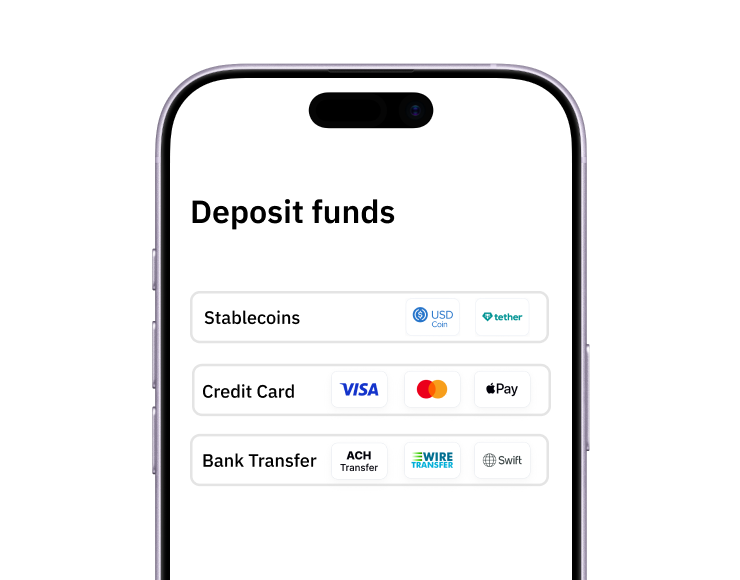
Add funds with a debit/credit card, bank transfer, stablecoins, or crypto.
Pay with Halocard
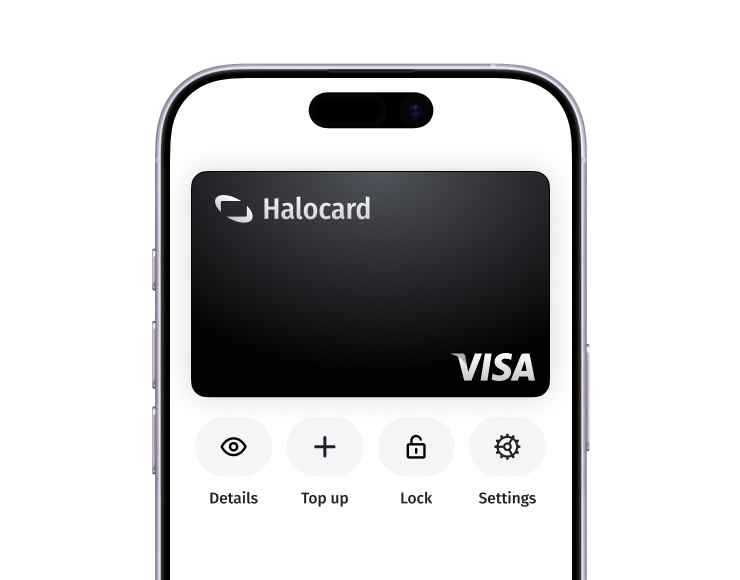
Pay online and in-person wherever Visa is accepted. You can also order a physical Halocard if you prefer.