Incogni logo

Incogni payment methods

AcceptedHalocard is accepted*

Halocard is accepted at Incogni. Incogni takes Visa, Mastercard, American Express and Discover cards, PayPal and Apple Pay at checkout on its website. Plans renew automatically each month or year, and a yearly plan is charged in full on the day you buy. Your first purchase comes with a 30-day money-back guarantee.

What payment methods does Incogni accept?

Accepted

  • AcceptedHalocard*
  • AcceptedCredit Cards
  • AcceptedDebit Cards
  • AcceptedApple Pay
  • AcceptedPayPal

Not accepted

  • Not acceptedPrepaid Cards
  • Not acceptedGoogle Pay
  • Not acceptedBank Transfer (ACH)
  • Not acceptedCryptocurrency
  • Not acceptedStablecoins

How does Incogni appear on my statement?

  • INCOGNI.COM
  • INCOGNI.CO
  • PADDLE.NET* INCOGNI

What merchant category (MCC) is Incogni?

5817Digital goods: applications (excluding games)
7299Miscellaneous personal services

*Halocard is unable to guarantee acceptance for your individual situation

While Halocard has successfully processed transactions at Incogni, merchant acceptance can change at any time. Merchants can apply fraud and risk-based rules that prevent customers from using US-issued cards at checkout which is outside of Halocard's control. We recommend using Halocard to first make a test payment with Incogni to confirm acceptance for your individual situation. Halocard does not provide refunds in the event your card is declined.

How to pay for Incogni with Halocard

Halocard founder at a laptop beside the words “Disposable credit cards”2:55

01

Create a card for Incogni in Halocard

In your Halocard dashboard, create a new card, name it Incogni and set a limit that covers what you are about to pay.

02

Pick a plan on the Incogni pricing page

Go to incogni.com/pricing, choose Monthly or Annually, then click Get Standard, Get Unlimited, Get Family or Get Family Unlimited.

03

Enter your email and choose Credit or debit card

On the checkout, enter the email for your new Incogni account and select Credit or debit card. Fill in the name on card, card number, expiry date and CVV, tick the Verify you are human check, then click Complete purchase.

04

Change the card later under Subscriptions & billing

Log in, click your email address at the top right, then Profile. Open Subscriptions & billing, click Manage billing, choose Update payment method, enter the new card and click Confirm update.

Tips for successful payments at Incogni

  • AcceptedChoose Monthly or Annually with the toggle at the top of the Incogni pricing page before you pick a plan. A 12-month plan is paid in full up front.
  • AcceptedAn upgrade charges the prorated difference for the time left on your plan, then the full price of the new plan at renewal.
  • AcceptedBought Incogni in a Surfshark, NordVPN or Coveron bundle? Update the card in that account. Incogni's own billing page covers subscriptions bought on incogni.com.
  • AcceptedEnter the billing name and address exactly as they appear on your Halocard.

Incogni payment FAQ

Can I keep my real card and address private from Incogni?

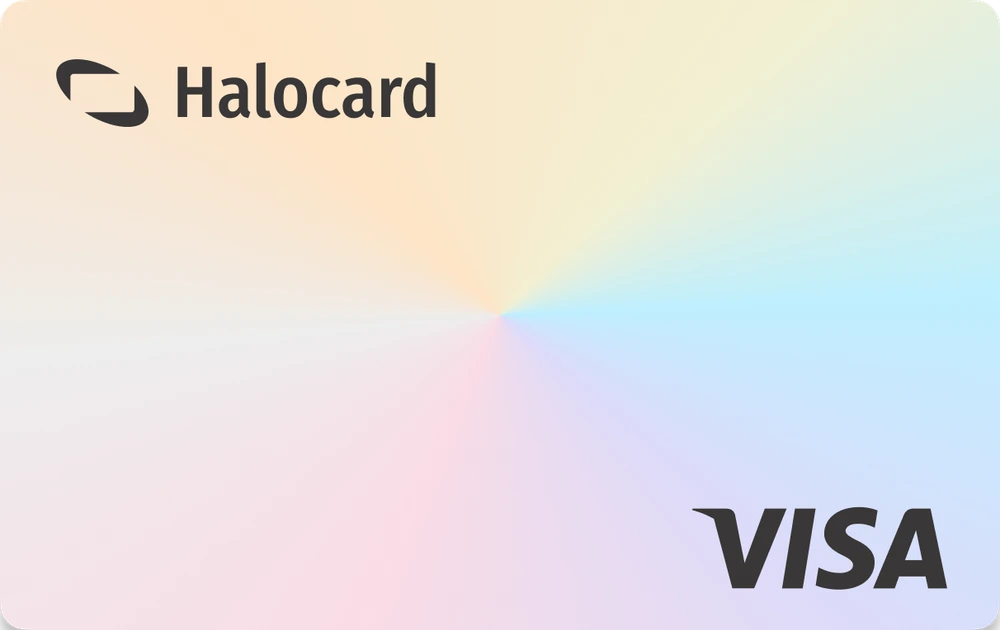
Yes, with Halocard. Halocard is a US-issued Visa credit card that gives you a separate card for each merchant, so Incogni only ever sees your Halocard, never your bank card. You choose the cardholder name and billing address on each card, so your real details stay out of Incogni's records. If you ever want a clean break, cancel that card and make a new one in seconds.

Will Incogni show up on my bank statement?

No, with Halocard your Incogni purchases, with the merchant name and amount, show only in your Halocard account, never on your bank or card statement. Halocard is a US-issued Visa credit card that gives you a separate card for each merchant, and you can add funds by debit/credit card, Apple Pay, Google Pay, bank transfer, stablecoins, or crypto. Only a deposit by card, Apple Pay or Google Pay carries the HALOCARD descriptor on your statement, as a single payment with nothing about where you spend it. What your bank statement shows.

What should I do if Incogni declines or doesn't support my card?

Pay with a Halocard instead. Incogni accepts it, and as a US-issued Visa credit card held in US dollars it is accepted at checkouts that are strict about card type or country. Halocard is available for customers in the US and 120+ countries, so check that your country is supported, then make a card for Incogni in minutes. See the countries Halocard supports.

Can I use a virtual card for Incogni?

Yes. Incogni accepts Halocard, a US-issued Visa credit card that works like a debit card. Make a card just for Incogni and you are in full control: set a limit, lock it or cancel it whenever you like, without ever handing Incogni your bank card.

How much does Incogni cost?

It depends on the plan and how often you pay. Incogni sells Standard, Unlimited, Family and Family Unlimited plans, billed monthly or yearly, and a yearly plan is paid in full up front for a lower monthly rate. Sales tax may apply. Incogni's pricing page lists the current prices.

Is Incogni legit?

Incogni is a registered company, Incogni Inc., created by the Surfshark team in 2021 and now in one group with NordVPN. It sends removal requests to more than 420 data brokers and people search sites under laws such as the CCPA and GDPR. Its terms, refund policy and prices are published on its website.

Can I get a refund from Incogni?

Yes, within 30 days of your first purchase. Contact Incogni's support team to ask for it. The guarantee covers one refund per customer, and a renewal after the first term falls outside it. A subscription bought through another seller, such as a Surfshark or NordVPN bundle, is refunded by that seller.

How do I cancel my Incogni subscription?

Log in at incogni.com, click your email address, then Profile, Subscription & billing, Manage billing and Cancel subscription. You keep the service until the paid period ends; cancelling stops the renewals but does not refund the current term. If you bought Incogni through NordVPN, Coveron or Surfshark, cancel with that company's support.

What is the Paddle.net * Incogni charge?

It is your Incogni subscription. Paddle.net is the payment provider Incogni uses to process subscription payments, so the charge carries Paddle's name beside Incogni's. It is not a separate purchase.

About Incogni

Incogni is a personal data removal service created by the Surfshark team in 2021 and run by Incogni Inc. It sends removal requests to more than 420 data brokers and people search sites on a customer's behalf and repeats them when data reappears. It is sold as Standard, Unlimited, Family and Family Unlimited plans, billed monthly or yearly.

Billed by
Incogni Inc.
Billing region
United States ($USD)

Get a Halocard to use at Incogni in less than 5 minutes