
-
A virtual credit card is a digital card with unique card numbers that replace your actual credit card number, allowing for safer payments.
-
You can use a virtual card to pay online by entering your virtual card number, security codes, and expiration date at checkout.
-
You may use a virtual card in-store only through a digital wallet such as Google Pay or Apple Pay.
-
Virtual cards cannot be used at ATMs or for chip-and-pin transactions, so they don't fully replace a physical credit card.
How to Pay With a Virtual Card Online
Using a virtual card for online purchases works almost identically to using a physical credit card, but with one important difference. This is that the virtual card number replaces your actual credit card details, meaning that merchants never see your real card numbers, reducing the overall exposure to fraud and data breaches.
Step-by-Step
-
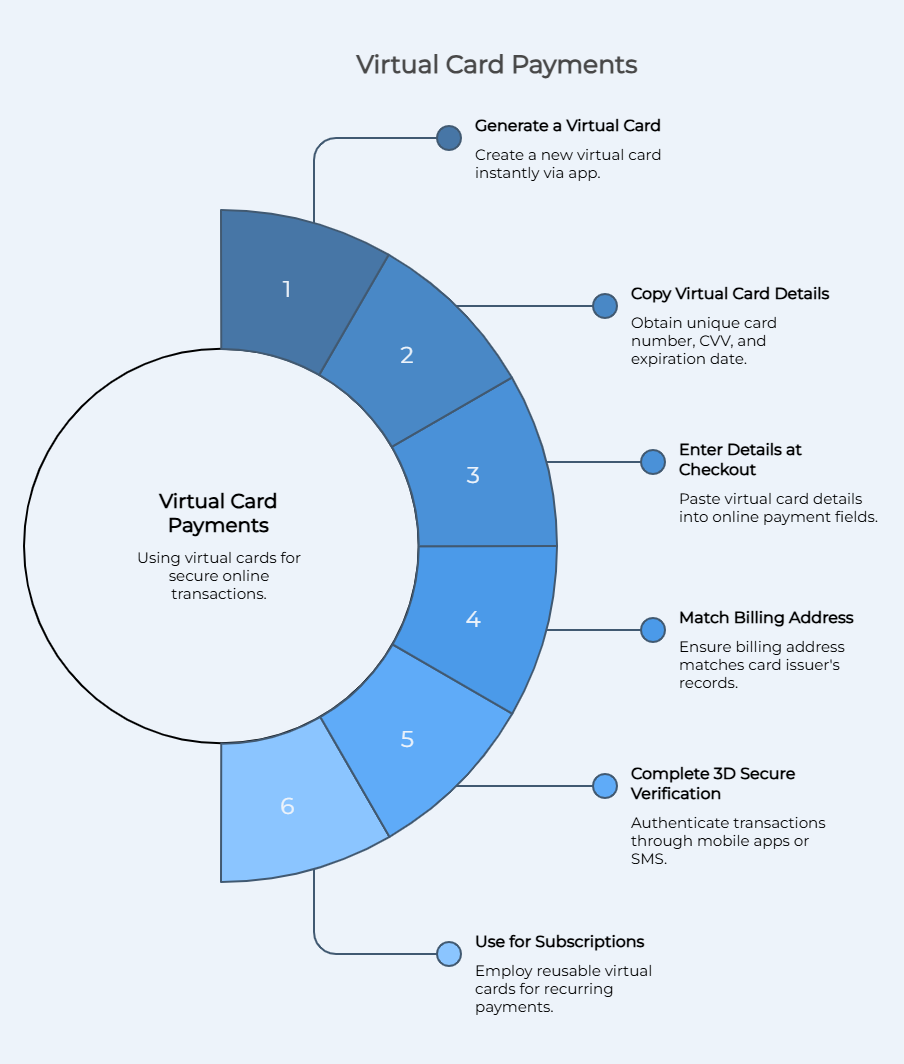
Generate a Virtual Card: Log into your virtual credit card provider or banking app and create a new card. Most platforms allow you to create virtual cards instantly with unique virtual credit card numbers.
-
Copy Your Virtual Credit Card Details: You'll then receive a credit card number, CVV, and expiration date. These are the card details that you'll then use for online payments.
-
Enter Details at Checkout: When shopping online, simply paste your virtual card number into the payment field. From the perspective of the merchant, it behaves just like a traditional credit card.
-
Match Your Billing Address (AVS Check): Many merchants use AVS or address verification system checks. Your billing address has to match what your card issuer expects, or the transaction will likely be declined.
-
Complete 3D Secure Verification (If Prompted): There are some online transactions that require authentication through mobile apps or SMS. This is part of the enhanced security features that help protect your account.
-
Use for Subscriptions or Recurring Payments: Virtual cards work very well for subscriptions, but to avoid failed renewals, make sure to use a reusable card, not a one-time card.
Some important notes to keep in mind are that some merchants don't fully accept virtual card numbers, especially when it comes to international transactions. Moreover, incorrect billing details are among the most common causes of failed payments. Finally, using separate card numbers improves your online shopping experience and security.
How to Use a Virtual Card In-Store
You can only use a virtual card in-store through a digital wallet. You cannot insert, swipe, or manually enter a virtual card like you would a physical credit card.
Step-by-Step (Apple Pay and Google Pay)
-
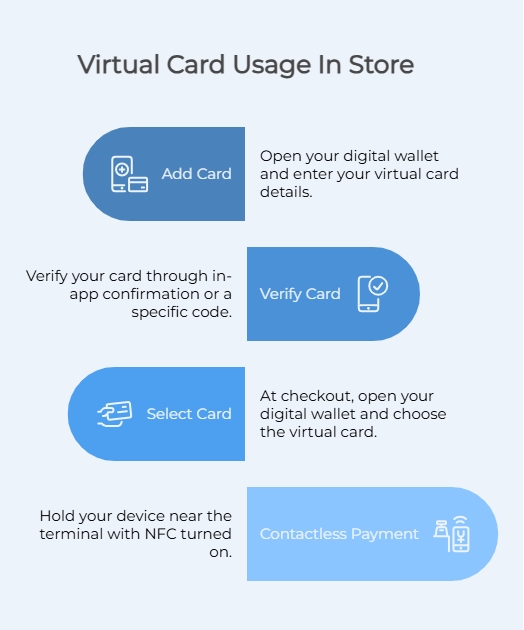
Open Google Pay, Apple Pay, or Google Wallet and enter your virtual card details.
-
Once you've added your virtual card to your digital wallet, you then have to verify your card, which is generally done through in-app confirmation or a specific code.
-
At checkout in-store, open your digital wallet on your mobile device and choose the virtual card.
-
With NFC turned on, hold your device near the terminal to complete the transaction using contactless payments.
Just some things to keep in mind here are that not all virtual card providers support mobile wallets and not all stores accept tap-to-pay. When you're using a virtual card, you can't use fallback methods such as chip or swipe.
Also important to note is that generally speaking, you can't use virtual cards to withdraw cash from ATMs, you can't use them for magnetic stripe or chip-and-pin transactions, they don't replace ID verification for rentals or hotels, they don't automatically update when subscription processors change, and they don't work in all countries or with all merchants.
How to Get and Set Up a Virtual Card
There are two main ways to get a virtual credit card, and the difference does matter depending on your use case. These generally include bank-issued virtual cards and standalone virtual card providers.
Bank-Issued Virtual Cards
Bank-issued virtual cards are tied directly to your existing credit card account or bank account, and they're offered by major card issuers and financial institutions. Some examples include Capital One, American Express, and Discover.
These cards generate virtual card numbers that are linked to your actual account, with charges appearing on your normal statement, with your existing line of credit being used. They're convenient if you already have a bank account with the supported provider, but they generally have limitations surrounding billing flexibility, international use, and advanced controls.
Standalone Virtual Card Providers
We then have standalone virtual card providers. These operate independently from your bank and are designed for maximum flexibility. These are useful because they allow you to create multiple virtual cards, set spending limits per card, fund cards through different methods, and manage online transactions separately from your main account. These are generally preferred for international transactions, vendor payments, and SaaS subscriptions.
| Provider | Type | Fees | Funding | Acceptance | Best For |
|---|---|---|---|---|---|
| Halocard | Secured Visa credit card (virtual) | From $12/month, 1.5% FX | Card, stablecoins, ACH | Strong global acceptance | Non-US users needing US billing |
| Wise | Virtual debit card | Low FX fees | Bank transfer | Good | Travel and FX |
| Revolut | Virtual debit card | Tiered plans | Bank transfer | Good | Everyday spending |
| Privacy.com | Virtual debit cards | Free + paid tiers | US bank only | Limited outside US | US-based users |
How to Fund a Virtual Card
Funding a virtual card depends on whether your card is bank-issued or standalone. Bank-issued virtual cards pull funds directly from your existing account or credit line, meaning that you don't actually need to pre-load anything.
Being connected to your existing account does have its benefits. With that being said, it also comes with its drawbacks, such as limited privacy and security. Funding a virtual card from a standalone provider requires you to fund your account before spending, which is usually done through credit or debit card, bank transfer, stablecoins, or internal balance.
For example, Halocard supports multiple funding options, including stablecoins for low-cost international transactions, as well as card funding for overall speed.
Funding Methods
| Method | Speed | Typical Fee |
|---|---|---|
| Credit/debit card | Instant | 0%–5% |
| Bank transfer | 1–3 days | Low or free |
| Stablecoins | Instant | Often free |
| Internal balance | Instant | Free |
Per-Merchant Card Hygiene: One Card Per Service
In terms of spending limits, control, and privacy, the most effective way to use a virtual card is to assign a single card for a merchant. For example, this could mean having a single card for Netflix, another one for ads, another one for SaaS tools, and another one for each and every single subscription you have.
It might seem like a lot of work to use separate virtual cards for each merchant or subscription, but this does come with many benefits, especially when it comes to reducing exposure to data breaches and fraud, improving tracking, and in terms of giving you better control over your payments.
Having a single card per merchant also allows you to cancel a single card instead of having to cancel an entire account if something were to happen. It also allows you to set specific spending limits per service and monitor transactions more easily. Keep in mind that providers do differ in how many cards you can create, with some only allowing a few, while others support dozens with detailed controls.
How to Lock, Pause, and Cancel a Virtual Card
As mentioned above, a big benefit that virtual cards come with is that they give you an amount of control that physical cards do not. For instance, you can lock, pause, or cancel cards.
Locking a card stops all transactions temporarily, which is useful if you suspect fraud. Pausing the card is similar, but generally used for subscriptions that you may resume later. Cancelling a card permanently disables it and prevents all future charges.
Exactly how you go about this depends on the provider at hand. Generally speaking, you'll be able to log into your dashboard, go to the card settings, and select any of these features or controls.
Using a Virtual Card to Access US Services from Abroad
Unfortunately, many international users run into a variety of payment failures when trying to access US services from outside of the USA. This is generally due to billing address mismatches, the card issuer country or BIN number not matching, as well as transaction patterns.
What it comes down to is that US merchants often reject foreign cards that do not have American BIN numbers, American billing addresses, or are anything but a secured credit card. This means that the payments may fail even when funds are technically available.
The easy solution to this is of course to use a provider that offers US-issued virtual cards, such as Halocard. Halocard is perfect in this case because it provides a US-based card number with flexible billing options, making it much easier to complete international transactions. Many people use Halocard for SaaS subscriptions, advertising platforms, vendor payments, and streaming services.
Frequently Asked Questions
How Do You Use a Virtual Credit Card to Pay Online?
To pay online with a virtual credit card, enter the virtual card number, expiration date, and CVV at checkout. It works just like a traditional credit card for online payments.
Can You Use a Virtual Card In-Store?
Yes, you can use a virtual card in-store, but only through digital wallets like Apple Pay or Google Pay.
Can Virtual Credit Card Numbers Be Used at ATMs?
No, virtual credit cards cannot be used at ATMs because they do not have a physical component, and there is therefore nothing to insert into an ATM.
Why Do Virtual Card Transactions Get Declined?
Common reasons for virtual card transactions getting declined include billing mismatches, unsupported regions, or merchant restrictions.
Can You Use a Virtual Card for Subscriptions?
Yes, you can use virtual cards for subscriptions, and in fact they are very useful for this.
Are Virtual Cards Safer Than Physical Credit Cards?
Yes, virtual cards are safer than physical credit cards as they provide enhanced security and reduce exposure to fraud and data breaches. There is also no physical card to be lost or stolen.
Do You Need an SSN to Get a Virtual Card?
Whether you need an SSN to get a virtual card depends on the provider. For instance, international users outside of the USA do not need an SSN to get Halocard, although residents of the USA do require an SSN.
How Many Virtual Cards Can You Create?
How many virtual cards you can create depends on the provider, with some allowing for multiple cards with customizable spending limits.
What Is the Difference Between a Virtual Card and a Digital Wallet?
The difference between a virtual card and a digital wallet is that a virtual card is the card number itself whereas the digital wallet stores the number and uses it for payments.
Can You Use a Virtual Card for International Purchases?
Yes, you can use virtual cards for international purchases, although acceptance depends on merchant rules and the card issuer.
Sources
-
Extend. How to Use Virtual Credit Cards: A Comprehensive Guide for Businesses | Extend
-
Capital One. Using virtual credit cards | Capital One Help Center
-
Capital One. Can I Use a Virtual Card in Store? | Capital One
-
Reddit. Is there a way to use the virtual Visa credit card in-store? : r/SwagBucks
-
Koho. What is a Virtual Card?
-
PayPal. What is a virtual credit card: A complete guide | PayPal US
Sources checked on May 6, 2026.
*Please see Halocard's Terms of Service or Pricing for the most up to date pricing and fee information. This publication is provided for general information purposes and does not constitute legal, tax or other professional advice from Halocard LLC or its subsidiaries and its affiliates, and it is not intended as a substitute for obtaining advice from a financial advisor or any other professional. We make no representations, warranties or guarantees, whether expressed or implied, that the content in the publication is accurate, complete or up to date.
Halocard Virtual Cards

Instant approval
Create your first card in under 5 minutes.

Private purchases
Purchases never appear on your bank account.

Powered by Visa
Accepted at 175M+ merchants globally.
How to get a virtual credit card in 3 simple steps
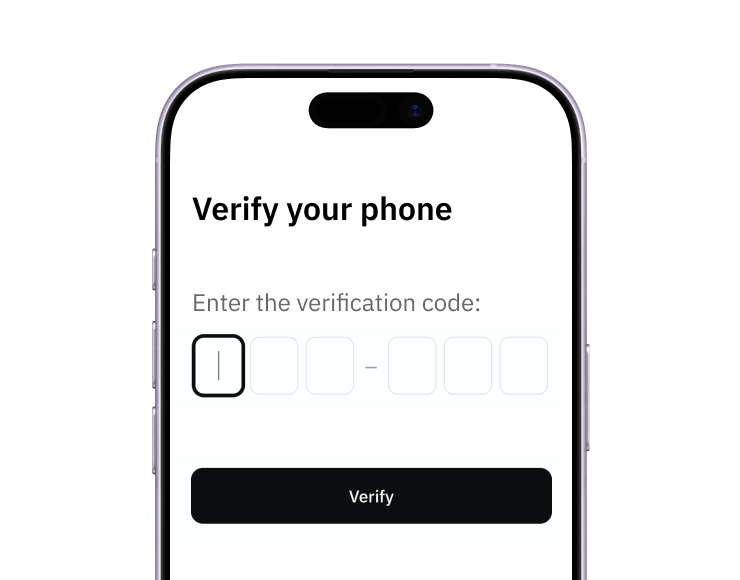
1. Sign-up with a phone
Sign up from your browser. No app download needed.
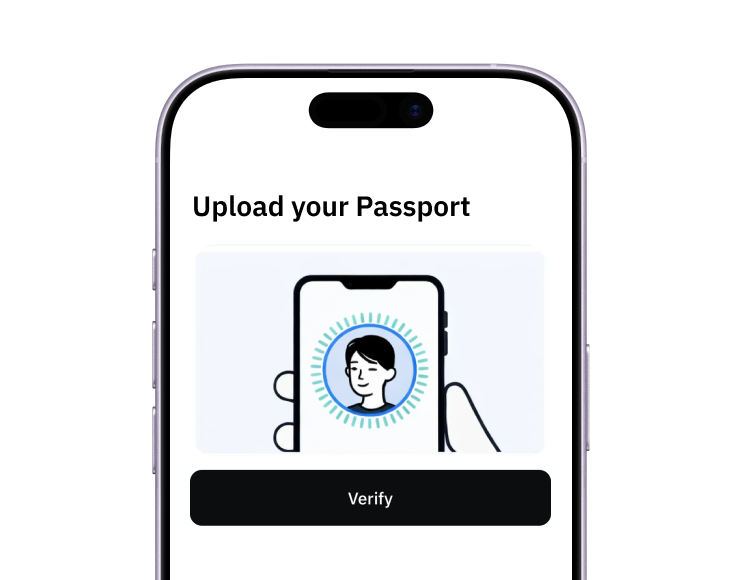
2. Quick identity check
Verify you're a real person in less than 3 minutes. No US residency required.
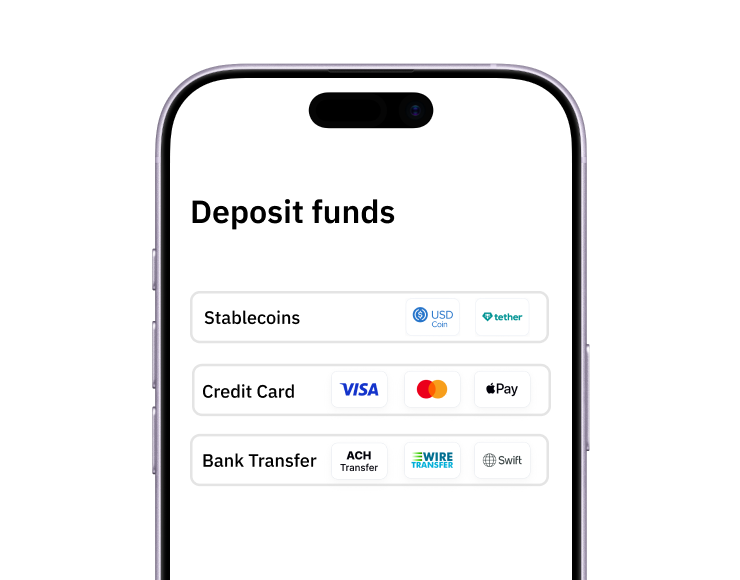
3. Add funds to your account
Use stablecoins, debit/credit card or ACH/SWIFT bank transfer (coming soon).
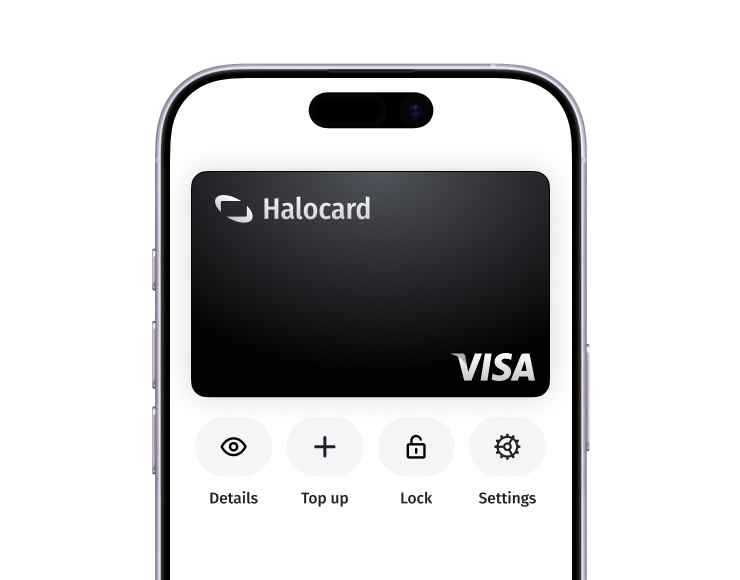
Your virtual card is ready.
That's it! Your virtual cards can now be used for online and in-person purchases anywhere in the world where Visa is accepted.